11
Using scenes
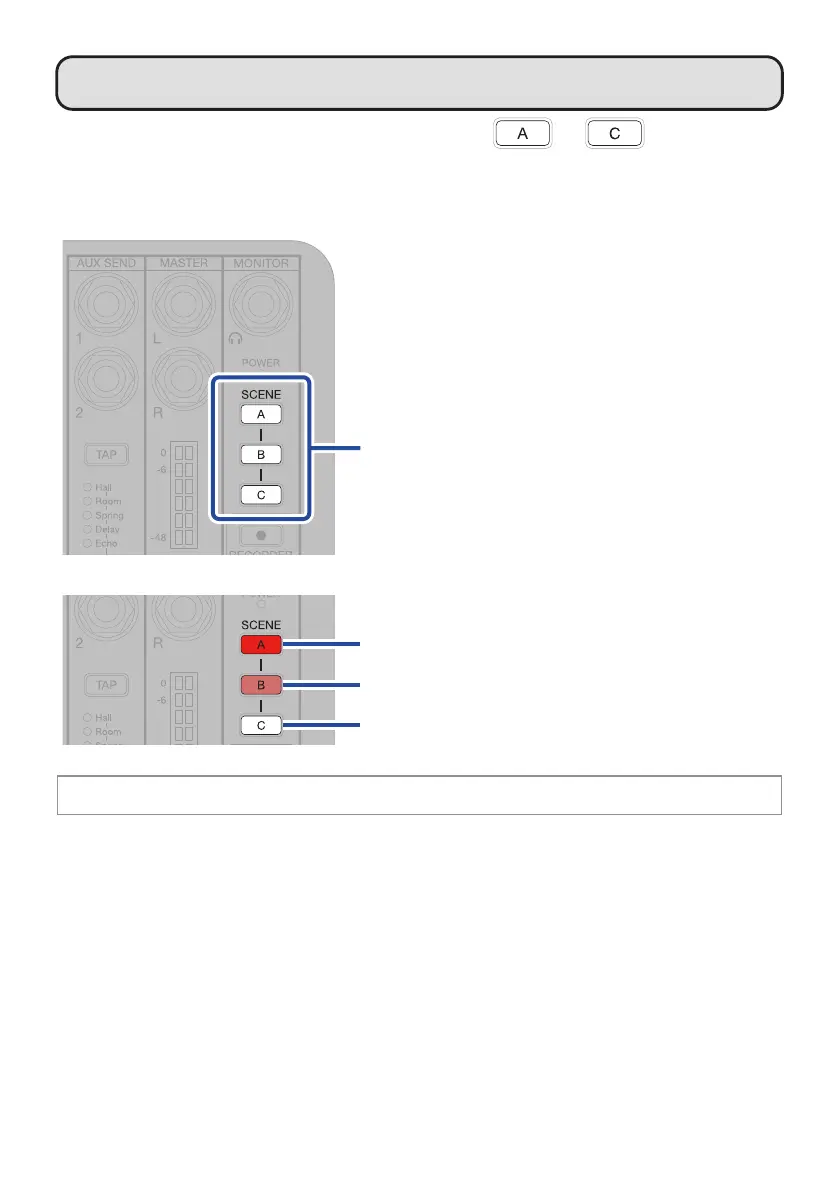
L6 mixer settings can be saved as scenes to SCENE – for recall at any
time.
█
Saving scenes
Press and hold.
After blinking briey, the button
will light and the mixer settings
will be saved.
Saved and selected (lit brightly)
Saved but not selected (lit dimly)
Not saved (unlit)
The button will blink if mixer settings are changed after a scene has been selected.


 To Next Page