3
4.3. Double-click the “ZOOM MS-100BT system v1.30 Updater” icon for the firmware
updating application to launch it.
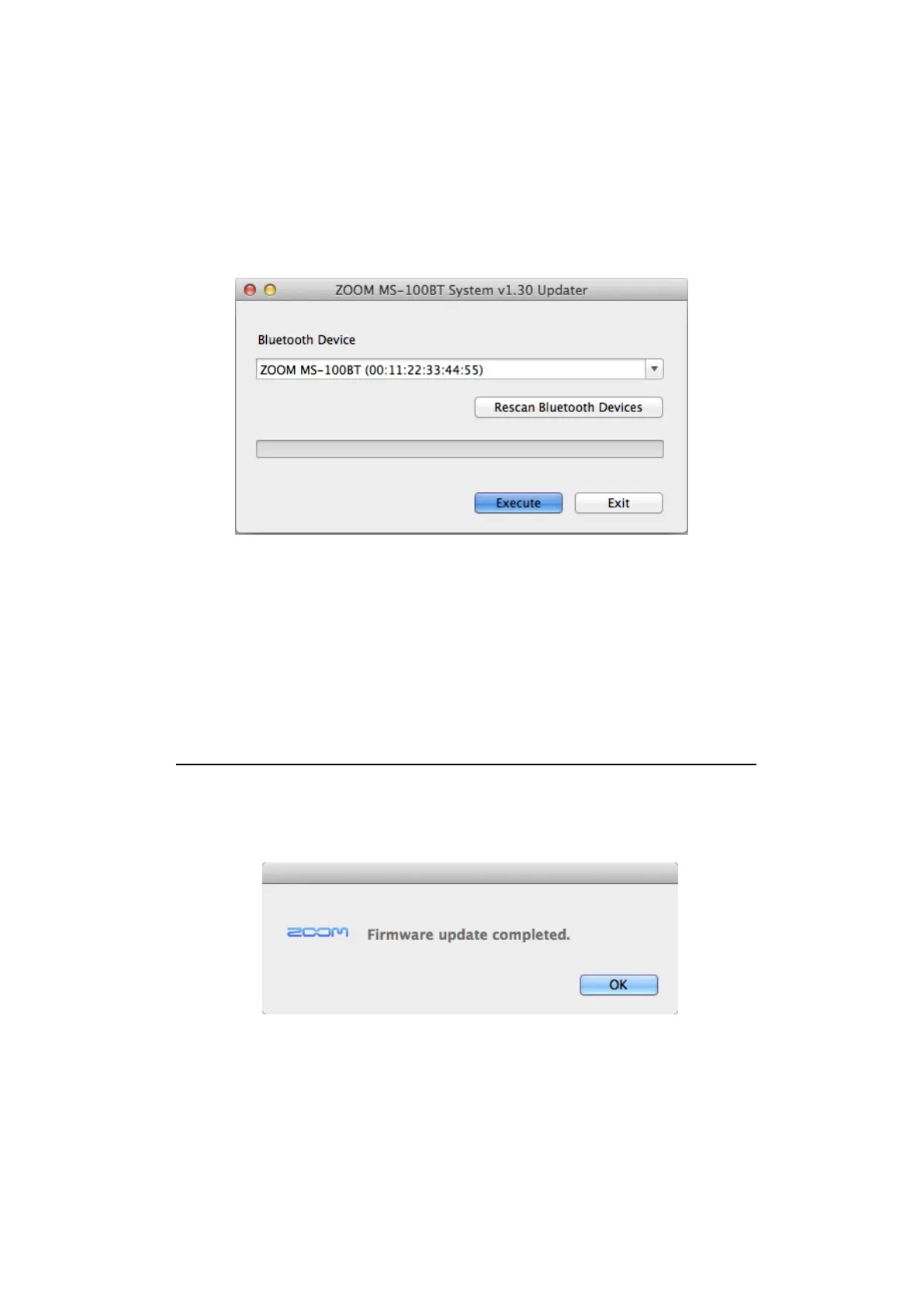
After launching, a window that looks like this appears.
4.4. Click the “Bluetooth Device” field and select “ZOOM MS-100BT (number that
identifies the specific device)”.
4.5. Click the Execute button to start the firmware update. A progress bar shows the
status of the firmware update.
The firmware update execution screen appears on the MS-100BT display.
Do not interrupt the power to the MS-100BT while the firmware is being updated.
4.6. When the firmware update completes, the following will be shown. Quit the firmware
update application.



 To Next Page