7
6.
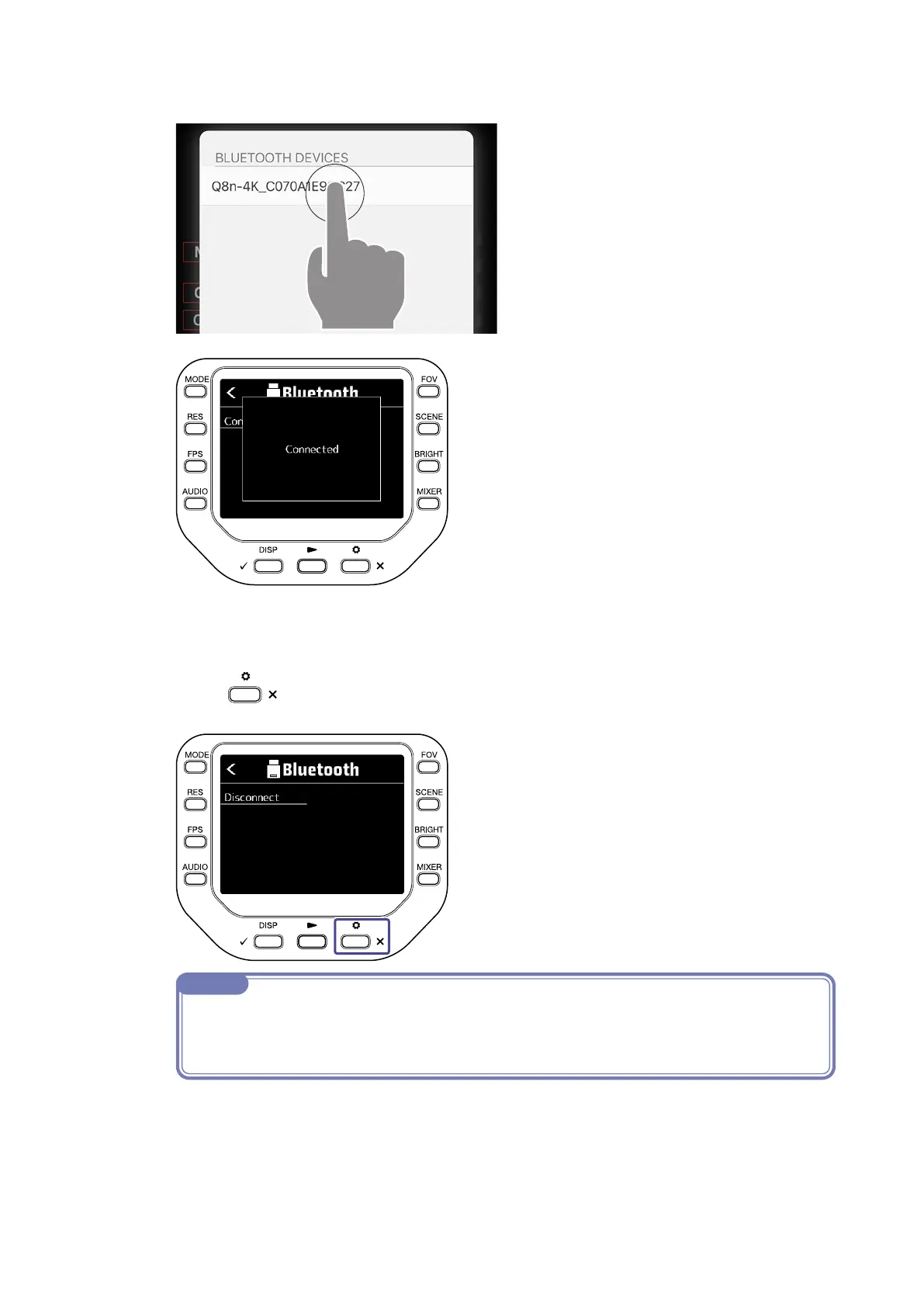
Tap the device name/ID on the iOS/iPadOS/Android device.
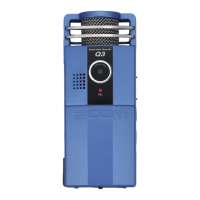
This starts connection. When connection completes, “Connected” will appear on the
recorder display.
7.
Press twice.
This reopens to the Recording Screen.
NOTE
· If connection is not successful, move the device closer to the recorder or move both to a place
where nothing interferes with radio waves and start Q8n Control again. Confirm also that the
Bluetooth function and location of the iOS/iPadOS/Android device can be used.



 To Next Page