13
ZOOM UIB-01
Preparations
Windows Me driver installation
1.
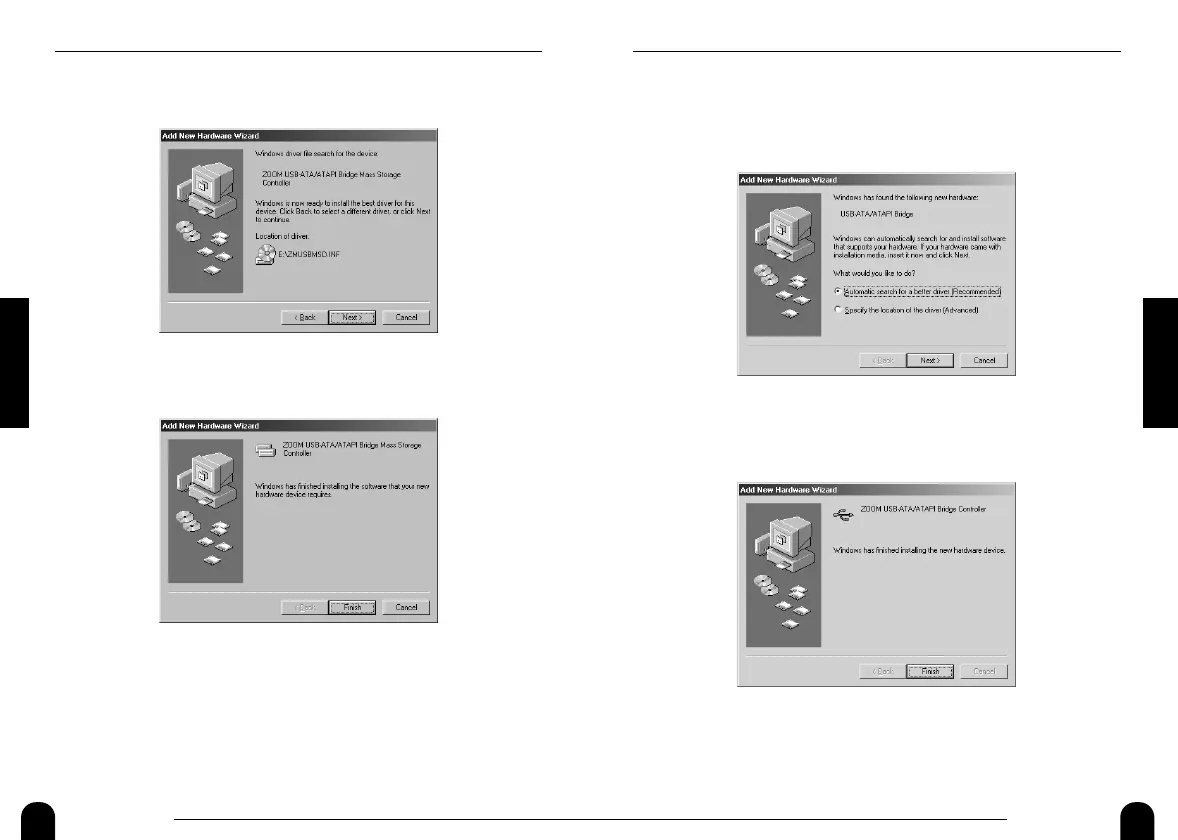
Verify that the following indication is shown on the computer
display. Then place a check mark in "Automatic search for
...", and click on the [Next] button.
* If the indication is not shown → p.31
2.
After a while, the following screen will be shown. Click on
the [Finish] button.
12
ZOOM UIB-01
Preparations
9.
Verify that the following indication is shown, and click on
the [Next] button.
10.
After a while, the following screen will be shown. Click on
the [Finish] button.
This completes the driver installation. Proceed to p.18 to check
whether the driver has been correctly installed.


 To Next Page