EasyManua.ls Logo

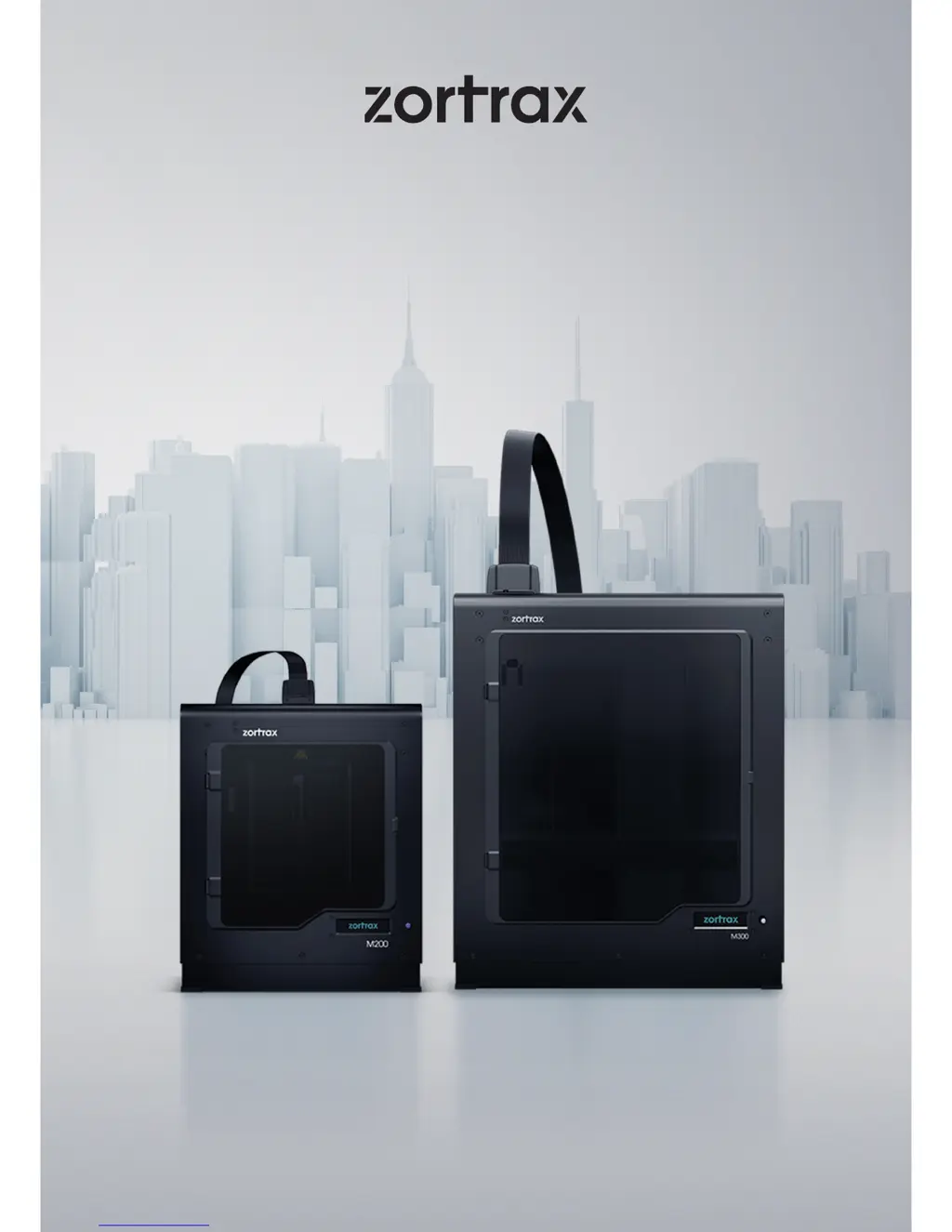
zortrax M300 - User Manual

zortrax M300
52 pages
Print Icon
To Next Page IconTo Next Page
Loading...
3D Printers User Guide
M Series

Other manuals for zortrax M300

Questions and Answers

  • S
    Steven ShieldsSep 3, 2025
    What does error #013 mean on zortrax M300 3D Printers?
    • D
      David FreemanSep 3, 2025
      Error #013 indicates an unexpected extruder temperature drop, meaning the thermocouple detected a temperature decrease during printing. Make sure the heater and thermocouple are connected to the hotend. The suggested solution is Extruder cable / heater and thermocouple / extruder PCB replacement.
  • M
    Michael AshleySep 1, 2025
    What causes error #010 extruder heating error on zortrax M300 3D Printers?
    • L
      Leslie JenkinsSep 1, 2025
      Error #010 suggests that the thermocouple cannot detect a temperature increase. The suggested solution is heater and thermocouple / extruder PCB replacement / extruder cable.
  • C
    cochranjoshuaAug 31, 2025
    How to fix error #075 on zortrax M300?
    • N
      Nathaniel JacksonAug 31, 2025
      Error #075 indicates that your Z-SUITE software is not up to date. To resolve this, update Z-SUITE to the latest version and then prepare the file again.
  • E
    ebakerAug 29, 2025
    How to solve error #101 no models on SD card on zortrax M300?
    • R
      Ryan RushAug 29, 2025
      Error #101 means the SD card is either unreadable/damaged or contains no models. Try saving the file again onto the SD card. If the problem persists, safely remove the card and use another one.
  • K
    Kimberly EvansAug 27, 2025
    Why am I getting error #003 file error on my zortrax 3D Printer?
    • B
      Bryan LongAug 27, 2025
      Error #003 indicates the file cannot be read or the SD card is damaged. To fix this, save the file again to the SD card. If the issue continues, safely remove the card and try another one.
  • T
    tlaraAug 26, 2025
    What to do if print stopped due to SD card timeout on zortrax 3D Printers?
    • A
      Andrea ReyesAug 26, 2025
      If your print stopped due to an SD card timeout, it suggests the card is unreadable or damaged. Try saving the file to the SD card again. If that doesn't work, safely remove the card and use a different one.
  • S
    Sheena Bishop DDSAug 25, 2025
    How to fix error #002 SD card reading error on zortrax M300?
    • J
      Joshua MartinezAug 25, 2025
      Error #002 indicates an issue with the SD card. To resolve this, save the file to the SD card again. If the problem persists, safely remove the card and try using a different one.
  • K
    Katelyn JonesAug 22, 2025
    What to do if my zortrax 3D Printer doesn't load material into the extruder?
    • P
      Peggy RobertsAug 23, 2025
      If your printer isn't loading material, first ensure that the material hasn't run out. If it has, replace the spool and restart the print. Also, check for tangles on the spool or blockages near the material guide inlet; if found, unload the material, cut off the problem area, reload, and restart. Verify the spool is correctly secured on the holder, allowing proper rotation. Ensure the material isn't faulty with swells. Clean the extruder and hotend of any material remains, especially the extruder motor rack and nozzle, using the provided tools. Finally, ensure the material end is cut at a right angle; cutting it at an acute angle can ease loading.

Summary

General Safety Information

Health and Safety at Work

Guidelines for safe operation, maintenance, and handling of the 3D printer and its components.

Electrical Safety

Mechanical Safety

Warnings about moving parts and potential hazards during operation and maintenance.

Risk of Burns

First Use Preparations

Platform Calibration and Side Covers

Firmware Installation

Navigating the Printer Menu

Material Loading

Platform Calibration

Z-SUITE Installation

Starting and Removing a Print

Basic Maintenance and Service Work

Main Printer Maintenance

Hotend and Nozzle Maintenance

Platform Maintenance and Calibration

X;Y Axes and Extruder Guide Rails Maintenance

Extruder Maintenance Procedures

Z-Axis Screw Maintenance

Support and Troubleshooting

Material Loading Issues

Solutions for problems related to the printer not loading or extruding material.

Error Messages and Solutions

Explains common error codes, their potential causes, and suggested solutions.

zortrax M300 Specifications

General IconGeneral
Build Volume300 x 300 x 300 mm
Filament Diameter1.75 mm
Nozzle Diameter0.4 mm
ConnectivitySD Card
Operating SystemWindows, macOS
SoftwareZ-SUITE
Printing Speedup to 100 mm/s
Heated BedYes
Nozzle Temperatureup to 290°C
Supported File Formats.stl, .obj, .dxf, .3mf
Supported MaterialsZ-ULTRAT, Z-HIPS, Z-GLASS, Z-PETG
Power Supply100-240 V, 50/60 Hz

Related product manuals