EasyManua.ls Logo

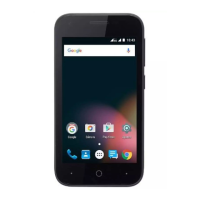
Zte A1P - User Manual

Zte A1P
178 pages
Print Icon
To Next Page IconTo Next Page
Loading...
1
ZTE A1P
LTE/WCDMA/GSM Mobile Phone
User Manual

Table of Contents

Questions and Answers

  • C
    Christine FieldsAug 16, 2025
    What to do if my Zte A1P battery is not charging?
    • L
      Lee GonzalezAug 16, 2025
      If your Zte Cell Phone battery isn't charging, it could be due to several reasons. The battery or charger might be damaged, in which case you should contact the dealer. Another reason could be temperature; adjust the battery charging environment to avoid extremes of temperature (below 0°C or higher than 45°C). Also, check all connectors to ensure that all connections have been properly made. If you are located in an area where signaling is weak, temporarily power off the phone.
  • E
    Edward BuchananAug 19, 2025
    How to fix a nano-SIM card error on my Zte Cell Phone?
    • L
      Lori ClineSep 12, 2025
      If your Zte Cell Phone displays a nano-SIM card error, the card may be malfunctioning or damaged. Take the nano-SIM card to your service provider for testing. Ensure the nano-SIM card is inserted properly. Also, check for debris on the nano-SIM card contacts and clean them with a soft, dry cloth.
  • A
    Angela ThomasAug 22, 2025
    What to do if my Zte Cell Phone cannot turn on?
    • T
      tiffany28Aug 22, 2025
      If your Zte Cell Phone cannot be turned on, the battery power has likely been depleted. Recharge the phone’s battery.
  • J
    Jennifer DeckerAug 25, 2025
    What to do if my Zte Cell Phone cannot answer incoming calls?
    • N
      Nicole ThompsonAug 26, 2025
      If your Zte Cell Phone cannot answer incoming calls, you may have activated the Call barring feature. Disable this feature. See Bar Certain Calls.
  • V
    vfisherAug 28, 2025
    What to do if my Zte A1P cannot make outgoing calls?
    • K
      Kayla HarrisAug 28, 2025
      If your Zte Cell Phone cannot make outgoing calls, you may have activated the Call barring feature. Disable this feature. See Bar Certain Calls.
  • M
    Michael FosterAug 31, 2025
    What to do if my Zte Cell Phone has poor reception?
    • B
      Brandi DuranAug 31, 2025
      If your Zte Cell Phone has poor reception, it might be due to a weak network signal at your location. Try moving to a location where the network signal can be properly received. It could also be because the network is busy; try again later. Alternatively, you might be too far from a base station; you can request a service area map from your service provider.
  • M
    Melissa ReynoldsSep 3, 2025
    Why my Zte A1P Cell Phone is unable to connect to the network?
    • J
      jacksonlauraSep 3, 2025
      If your Zte Cell Phone is unable to connect to the network, the nano-SIM card might be invalid, so you should contact your service provider. You may not be within the network’s service area, so check with your service provider. Poor signal can also cause this issue; move to an open space, or closer to a window if you are inside a building.
  • T
    tina42Sep 6, 2025
    How to resolve echo or noise during calls on my Zte Cell Phone?
    • D
      Danielle NewtonSep 6, 2025
      If you experience echo or noise during calls on your Zte Cell Phone, it may be due to poor network link quality from your service provider. End the call and dial again to be switched to a better-quality network link or phone line.
  • P
    pattonwilliamSep 9, 2025
    What to do if my Zte Cell Phone asks for PIN code blocked?
    • A
      Alison BennettSep 9, 2025
      If your Zte Cell Phone indicates that the PIN code is blocked, it is because you have entered an incorrect PIN code three consecutive times. Contact your service provider. If they provide the nano-SIM card’s PUK code, use it to unlock the nano-SIM card.
  • R
    rojasseanSep 12, 2025
    Why I am unable to select certain features on my Zte Cell Phone?
    • J
      jilldiazSep 12, 2025
      If you are unable to select certain features on your Zte Cell Phone, your service provider may not support these features, or you have not applied for services that provide these features. Contact your service provider.

Summary

Getting Started

Installing the nano-SIM Card

Step-by-step guide for inserting the SIM card.

Charging the Battery

Instructions on how to charge the phone's battery.

Connecting to Networks and Devices

Connecting to Mobile Networks

Managing cellular network settings and operators.

Connecting to Wi-Fi

Steps to enable and connect to Wi-Fi networks.

Connecting to Bluetooth Devices

Pairing and managing Bluetooth connections.

Connecting to Your Computer via USB

Establishing a connection between phone and PC.

Phone Calls

Placing and Ending Calls

How to initiate and terminate phone calls.

Answering or Rejecting Calls

Managing incoming calls.

Email

Setting Up the First Email Account

Initial configuration for email.

Web Browser

Camera

Capturing a Photo

Taking still images with the device camera.

Recording a Video

Capturing video footage.

Google Play Store

Downloading and Installing Apps

Acquiring and setting up applications.

Settings

Wi-Fi

Configuring wireless network connections.

Security

Protecting the phone and data with locks and encryption.

Upgrading the Phone Software

Troubleshooting

For Your Safety

General Safety

Important safety precautions for phone usage.

Zte A1P Specifications

General IconGeneral
BrandZte
ModelA1P
CategoryCell Phone
LanguageEnglish

Related product manuals