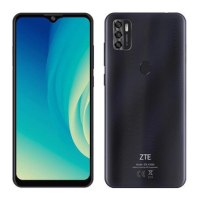
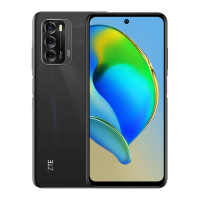
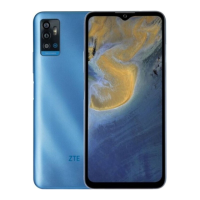
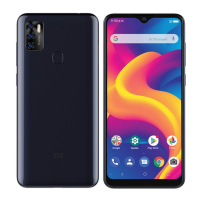
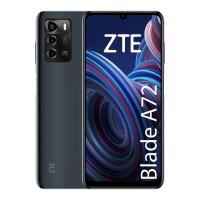
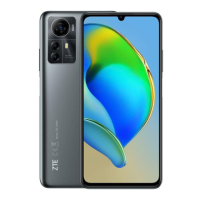
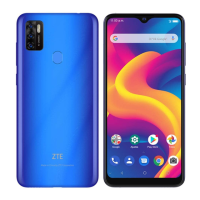
This document serves as a Quick Start Guide for the ZTE A7030, a smart terminal device designed for communication and multimedia use. It provides essential information for setting up, operating, and maintaining the phone, along with important safety and regulatory details.
The ZTE A7030 is a mobile phone equipped with a touchscreen interface, front and back cameras with flash, and various sensors for optimal functionality. It supports nano-SIM and microSDXC cards, allowing for cellular connectivity and expandable storage. The device is powered by a non-removable battery, which requires charging via a USB Type-C port.
Function Description:
The primary function of the ZTE A7030 is to provide mobile communication capabilities, including making and receiving calls, sending messages, and accessing the internet. It also features multimedia functions such as photography and FM radio. The phone is designed to be a portable and versatile tool for daily tasks and entertainment.
Usage Features:
- Powering On/Off: The device is powered on by pressing and holding the Power key. To power off, the Power key is held again to access an options menu, from which the power-off option can be selected. In cases where the screen freezes or becomes unresponsive, the Power key can be held for over 10 seconds to force a restart.
- SIM and Storage Card Installation: The phone utilizes a card tray for inserting a nano-SIM card for cellular service and an optional microSDXC card for additional storage. A tray eject tool is provided to open the card tray. Users are cautioned against using sharp objects or non-standard SIM cards to prevent damage.
- Charging: The ZTE A7030 is charged using ZTE-approved chargers and USB Type-C cables. The charging process involves connecting the adapter to the phone's charging jack and then to a standard AC power outlet. Users are advised to disconnect the charger once the battery is fully charged. If the battery is extremely low, the phone may require at least 20 minutes of charging before it can be powered on.
- FM Radio: The device includes an FM radio feature that requires a wired headset to be plugged in, as the headset acts as an antenna. Users can scan for available channels, save them to a channel list, and listen to them either through the headset or the phone's speaker. The frequency can be adjusted by dragging a red line on the frequency panel or using dedicated controls. Channels can also be added to favorites. This feature does not require an internet connection.
- Fingerprint Sensor: The Power key doubles as a fingerprint sensor, offering a convenient and secure method for unlocking the device and potentially authenticating other functions.
- Volume Control: A dedicated Volume key allows users to adjust the audio output of the device.
- Proximity & Light Sensor: These sensors likely contribute to automatic screen adjustments, such as turning off the screen during calls or modifying brightness based on ambient light conditions.
- Indicator Light: An indicator light provides visual cues for various notifications, such as incoming messages, low battery, or charging status.
Maintenance Features:
- Software Updates: ZTE Corporation reserves the right to update specifications and correct print errors in the guide without prior notice, implying that software updates for the device may also be released to improve performance or address issues.
- Self-Service Information: Users are encouraged to visit the ZTE official website for self-service information and support for product models, including access to the user manual. This provides a resource for troubleshooting and understanding advanced features.
- Battery Care: While the battery is non-removable, users are advised to fully charge the battery as soon as possible after initial setup and to disconnect the charger once the battery is full to maintain its health. Using only ZTE-approved chargers and cables is crucial to prevent damage and ensure safety.
- Physical Protection: The guide implicitly encourages careful handling by warning against using non-standard SIM cards or sharp objects with the card tray. It also advises against disassembling the phone, exposing it to extreme temperatures, or allowing contact with liquids to prevent damage.
- Regulatory Compliance: The device complies with FCC regulations, and information regarding RF exposure (SAR) is provided. This ensures that the device operates within established safety limits. Users are advised to maintain a separation distance of 10 mm from the body during operation and to avoid body-worn accessories containing metal to ensure compliance with RF exposure guidelines.
The ZTE A7030 is designed with user convenience and safety in mind, offering a range of features for modern mobile communication while emphasizing proper usage and care.

 Need help?
 General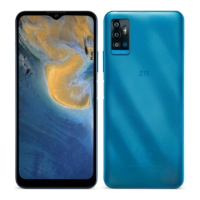

 To Next Page