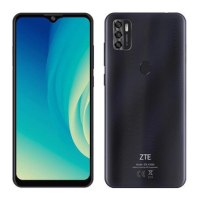
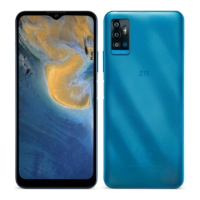
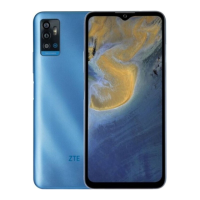
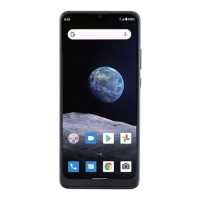
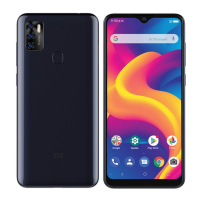
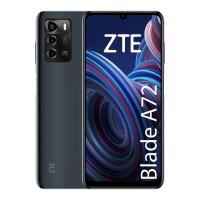
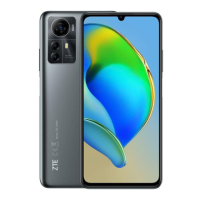
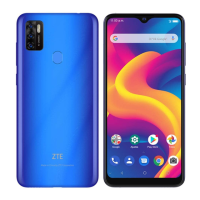
This document is a Quick Start Guide for the ZTE A7040, also known as the ZTE Blade V40 Smart. It provides essential information for setting up and using the device, along with important safety and regulatory details.
Function Description:
The ZTE A7040 (ZTE Blade V40 Smart) is a smartphone designed for general mobile communication and various smart device functionalities. It supports voice calls, messaging, and internet connectivity via Wi-Fi. The device includes features such as a camera system, FM radio, and a touch screen interface. It is powered by a non-removable battery and uses a nano-SIM card for cellular network access, with an option for expandable storage via a microSDXC card.
Important Technical Specifications:
- Model Name: ZTE A7040 (ZTE Blade V40 Smart)
- Version No.: R1.0
- Edition Time: June 12, 2022
- Wireless Connectivity: Supports 2.4 GHz and 5 GHz Wi-Fi.
- SIM Card Type: Nano-SIM.
- Expandable Storage: Supports microSDXC cards.
- Charging Port: USB Type-C jack.
- Headset Jack: Standard headset jack.
- SAR Values (FCC):
- Head: 1.14 W/kg
- Body-worn: 0.92 W/kg (at 10 mm separation)
- FCC ID: SRQ-ZTEA7040M
- Battery: Non-removable.
- Radio Frequency Exposure: Complies with FCC RF exposure guidelines.
Usage Features:
- Physical Components:
- Earpiece: For listening during calls.
- Front Camera: For selfies and video calls.
- Proximity & Light Sensor: Automatically adjusts screen brightness and turns off the screen during calls.
- Indicator Light: Provides visual notifications.
- Volume Key: Adjusts audio volume.
- Power Key/Fingerprint Sensor: Turns the device on/off and provides biometric authentication.
- Touch Screen: Main interface for interaction.
- Speaker: For audio output.
- Headset Jack: For connecting wired headphones.
- Back Cameras: For taking photos and videos.
- Flash: Provides illumination for photos in low-light conditions.
- Nano-SIM/microSDXC Card Tray: Holds the SIM card and optional memory card.
- Microphone: For voice input during calls and recordings.
- Charging/USB Type-C Jack: For charging and data transfer.
- SIM Card Installation: The nano-SIM card can be installed or removed while the phone is turned on. A tray eject tool (included) is required to access the card tray. Users are warned against using non-standard SIM cards or sharp objects to eject the tray to prevent damage.
- Charging: The phone should be fully charged before initial use. Only ZTE-approved chargers and USB Type-C cables should be used. The battery is non-removable.
- Powering On/Off: Press and hold the Power key to turn on the phone. To power off, press and hold the Power key, then select the power off option from the menu. If the screen freezes, holding the Power key for over 10 seconds can restart the device.
- FM Radio:
- Requires a wired headset to be plugged in, which acts as an antenna.
- Allows scanning for available channels and saving them to a channel list.
- Channels can be selected from a list or by dragging a red needle along the frequency panel.
- Channels can be added to favorites.
- Audio can be played through the phone speaker.
- The FM radio function does not require an internet connection.
Maintenance Features:
- Software Updates: ZTE Corporation reserves the right to make modifications on print errors or update specifications in the guide without prior notice. Users are encouraged to visit the ZTE official website (www.ztedevices.mx) for the latest information, user manuals, and supported product models.
- Troubleshooting: If the battery is extremely low, the phone may not power on immediately even when charging; it is recommended to charge for at least 20 minutes. If issues persist after prolonged charging, customer service should be contacted. For a frozen or unresponsive screen, a forced restart by holding the Power key for over 10 seconds is suggested.
- Safety Guidelines:
- Driving: Do not make or receive phone calls or text while driving.
- Body Separation: Keep the phone at least 10 mm away from the body during calls.
- Choking Hazard: Small parts may cause choking.
- Hearing Protection: Avoid listening at high volume levels for long periods. Exercise caution when the loudspeaker is in use near the ear.
- Magnetic Interference: Avoid contact with magnetic objects.
- Medical Devices: Keep away from pacemakers and other electronic medical devices.
- Restricted Areas: Turn off the phone in hospitals, medical facilities, aircraft, airports, and near explosive materials or liquids.
- Gas Stations: Do not use the phone at gas stations.
- Light Sensitivity: The phone may produce bright or flashing lights.
- Disposal: Do not dispose of the phone in fire.
- Temperature: Avoid extreme temperatures.
- Liquids: Avoid contact with liquids; keep the phone dry.
- Disassembly: Do not attempt to disassemble the phone.
- Accessories: Only use approved accessories.
- Emergency Communications: Do not rely on the phone as a primary device for emergency communications.
- FCC Regulations: The device complies with Part 15 of the FCC Rules, ensuring it does not cause harmful interference and accepts received interference. Users are cautioned that unauthorized modifications could void their authority to operate the equipment. Co-location with other transmitters requires evaluation using FCC multi-transmitter procedures. If the equipment causes harmful interference to radio or television reception, users are advised to reorient/relocate the receiving antenna, increase separation between equipment and receiver, connect to a different circuit, or consult a dealer/technician.

 Need help?
 General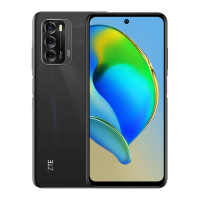

 To Next Page