Need help?
Do you have a question about the Zte Axon 40 Lite and is the answer not in the manual?
Information on product modifications, self-service, and website resources for user support.
ZTE disclaims liability for damages resulting from unauthorized software modifications.
Lists key trademarks including ZTE, Android, Bluetooth, microSDXC, and DTS.
Guide for inserting the nano-SIM and microSDXC card into the phone.
Connect the charging adapter to the phone's charging jack and a standard AC power outlet.
Instructions for powering the device on, off, and restarting.
Plug in headset and scan for available radio channels.
Select channels, adjust frequency, use speaker or favorites.
Warnings about driving, phone proximity, choking hazards, and hearing damage.
Precautions for magnetic fields, medical devices, hospitals, aircraft, and liquids.
Warnings against disassembly, using unapproved accessories, and relying on the phone for emergencies.
Information on FCC authorization, SAR values, and body-worn operation guidelines.
Details FCC Part 15 compliance, potential interference, and corrective measures.
Specifies antenna co-location restrictions for the transmitter.
The ZTE 8046, also known as the ZTE Axon 40 Lite, is a smartphone designed for general use, offering a range of features for communication, entertainment, and basic productivity. This Quick Start Guide provides essential information for setting up and using the device, covering aspects from initial setup to safety guidelines.
The ZTE Axon 40 Lite serves as a mobile communication device, enabling users to make and receive phone calls, send and receive messages, and access the internet. It supports various applications for entertainment, information, and personal organization. The phone features a display for visual interaction, a speaker for audio output, and a microphone for audio input. It is equipped with cameras for capturing photos and videos, and a flash for improved low-light photography. The device also includes an FM radio function for listening to broadcast radio.
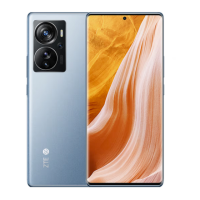
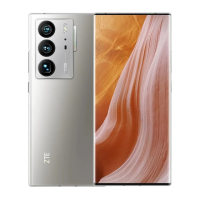
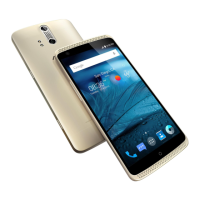
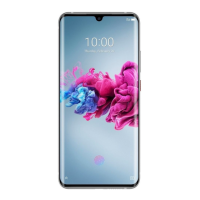
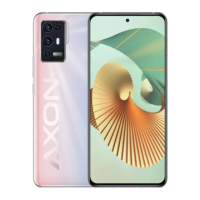
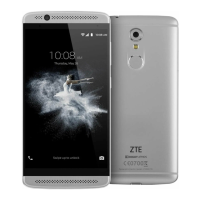
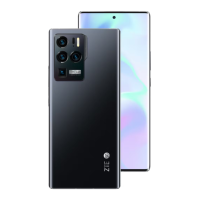
Physical Layout: The phone's design includes several key components for user interaction. On the front, there's an earpiece for calls, a front camera for selfies and video calls, and a proximity and light indicator. The display serves as a touch screen for navigation and interaction with applications. On the side, a volume key allows for adjusting audio levels, and a power key/fingerprint sensor provides both power control and biometric authentication for security. The bottom of the phone features a charging/USB Type-C jack for power and data transfer, and a speaker for audio output. On the top, a headset jack is available for wired headphones. The back of the phone houses the main cameras and a flash. A nano-SIM/microSDXC card tray is located on the side for inserting SIM cards and expandable storage.
SIM and Storage: The ZTE Axon 40 Lite supports a nano-SIM card for cellular connectivity. It also has a slot for a microSDXC card, allowing users to expand the phone's storage capacity for photos, videos, and other files. The nano-SIM card can be installed or removed even when the phone is turned on. Users are advised to use only standard nano-SIM cards from their service provider and to avoid non-standard or cut SIM cards to prevent damage. The card tray is accessed using a dedicated tray eject tool provided with the phone.
Charging: The phone is powered by a non-removable battery. To charge the device, users connect a ZTE-approved USB Type-C cable to the charging jack on the phone and then connect the adapter to a standard AC power outlet. It is recommended to fully charge the battery as soon as possible after initial setup. The device should only be charged with ZTE-approved chargers and cables to prevent damage or battery explosion. If the battery is extremely low, the phone might not power on immediately after plugging in; in such cases, it's advised to charge for at least 20 minutes before attempting to power on.
Powering On/Off: To power on the phone, users press and hold the Power key. To power off, the Power key is pressed and held to open an options menu, from which the power off option can be selected. In situations where the screen freezes or the phone becomes unresponsive, a forced restart can be performed by pressing and holding the Power key for over 10 seconds.
Wi-Fi Connectivity: The phone supports both 2.4 GHz and 5 GHz Wi-Fi networks, allowing for flexible and fast wireless internet access.
FM Radio: The device includes an FM radio feature, which requires a wired headset to be plugged in to function as an antenna. Users can scan for available channels, save them to a favorites list, and tune into different frequencies. The radio can be listened to either through the connected headset or through the phone's speaker. This feature does not require an internet connection.
Software Updates: ZTE Corporation reserves the right to make modifications and update specifications in the guide without prior notice, indicating that software updates may be released to improve device performance or add new features. Users can visit the ZTE official website (www.ztedevices.mx) for information on user manuals, self-service options, and supported product models, where information on the website takes precedence.
Troubleshooting: The guide provides basic troubleshooting advice, such as what to do if the battery is extremely low and the phone won't power on, or if the screen freezes. For more complex issues, users are directed to contact customer service.
Safety Guidelines: The manual emphasizes several safety precautions to ensure the longevity of the device and user safety:
RF Exposure Information (SAR): The phone is designed to comply with emission limits for radio frequency (RF) energy. Information regarding the Specific Absorption Rate (SAR) is provided, indicating that the device meets government requirements for RF exposure. For body-worn operation, it is recommended to maintain a separation distance of at least 10 mm from the body, and to use belt clips or holsters that do not contain metallic components to ensure compliance with RF exposure levels.
FCC Regulations: The device complies with part 15 of the FCC Rules, meaning it is designed to operate without causing harmful interference and to accept any interference received. Users are advised on measures to correct potential interference with radio or television reception, such as reorienting antennas or increasing separation between equipment. Any unauthorized changes or modifications to the equipment could void the user's authority to operate it. The antenna(s) used for this transmitter must not be co-located or operating in conjunction with any other antenna or transmitter.
 General
| Display Size | 6.6 inches |
|---|---|
| Display Type | IPS LCD |
| Resolution | 1080 x 2408 pixels |
| Processor | Unisoc T616 |
| RAM | 4 GB |
| Storage | 128 GB |
| Main Camera | 50 MP + 2 MP + 2 MP |
| Front Camera | 8 MP |
| Battery Capacity | 4500 mAh |
| Operating System | Android 12 |
| SIM | Dual SIM (Nano-SIM, dual stand-by) |


 To Next Page