4
NOTE:
Both nano-SIM slots support LTE networks and either
can be used for mobile data.
Charging the Phone
Your phone’s battery should have enough power for
the phone to turn on, nd a signal, and make a few
calls. You should fully charge the battery as soon as
possible.
WARNING!
Use only ZTE-approved chargers and USB Type-C
cables. The use of unapproved accessories could
damage your phone or cause the battery to explode.
WARNING!
Do not remove the back cover. The battery is not
removable. Removal may cause re or explosion.
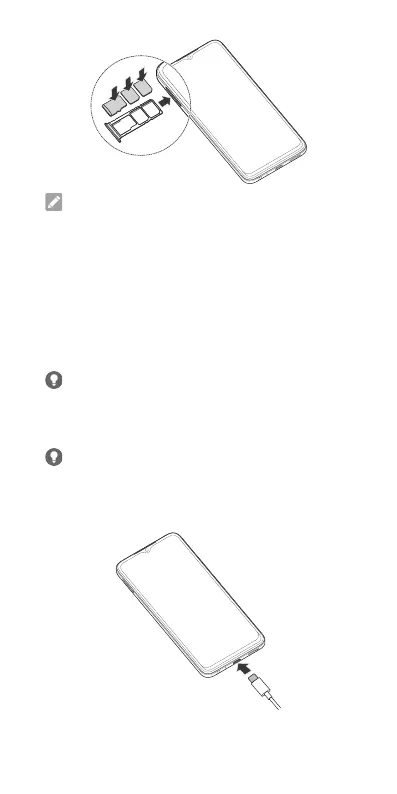
1. Connect the adapter to the charging jack.
2. Connect the charger to a standard AC power
outlet.


 To Next Page