16
Charging the Battery
When you get your new phone, you’ll need to charge the battery.
If the battery is low while the phone is on, there will be a pop-up
message on the screen. As you charge your phone, the screen
will tell you the exact battery level each time you wake up your
phone from sleep.
WARNING! Use only ZTE-approved chargers and cables. The
use of unapproved accessories could damage your phone or
cause the battery to explode.
CAUTION: Do not change the built-in rechargeable battery in
your phone by yourself. The battery can only be changed by ZTE
or ZTE authorized service provider.
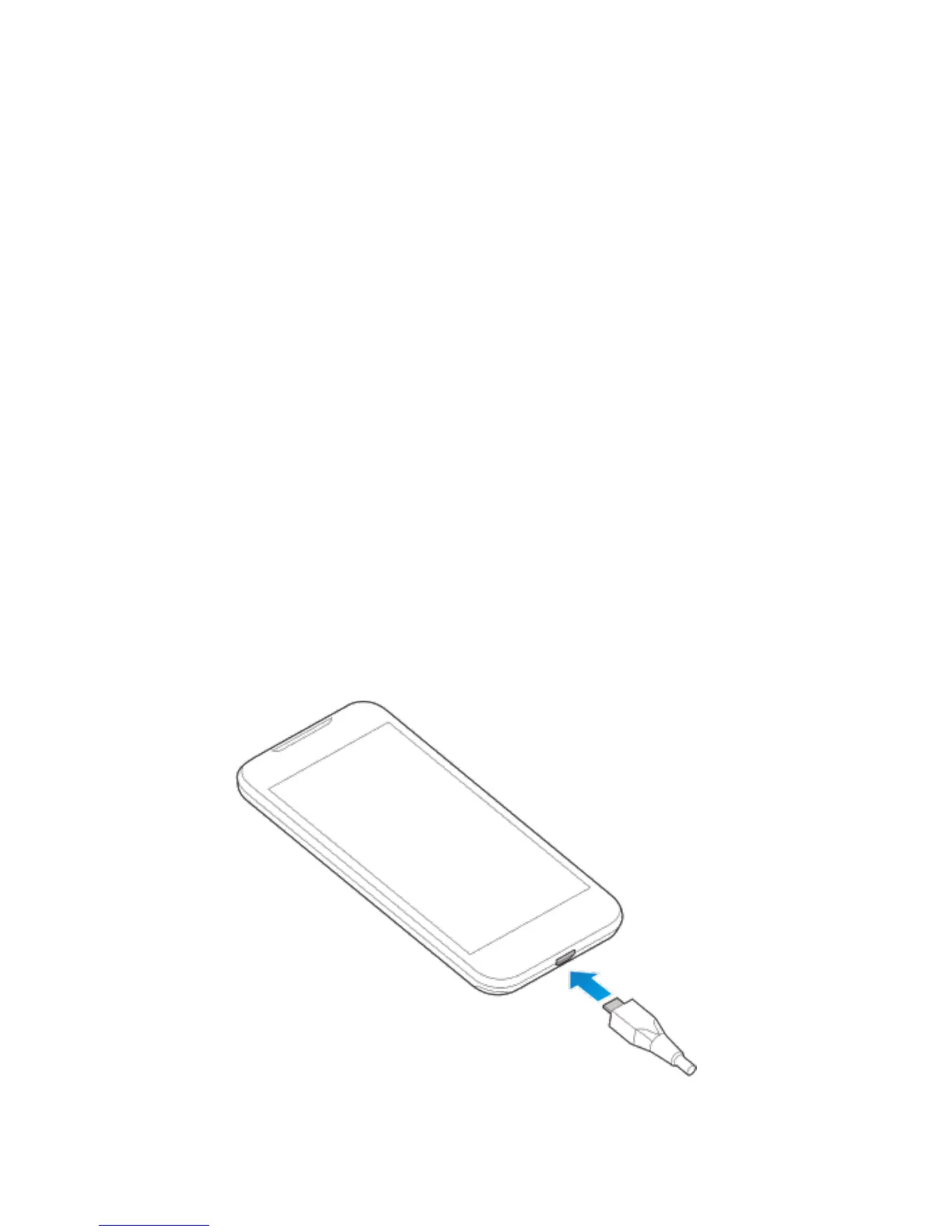
1. Connect the adapter to the charging jack. Ensure that the
adapter is inserted with the correct orientation. Do not force
the connector into the charging jack.


 To Next Page