EasyManua.ls Logo

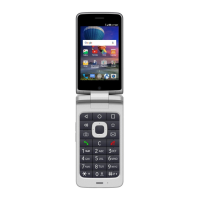
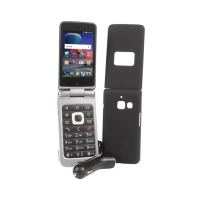
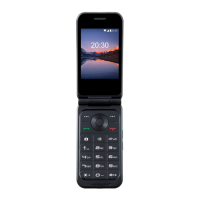
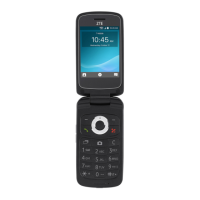
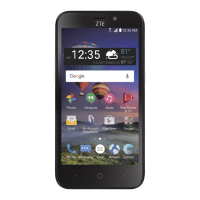
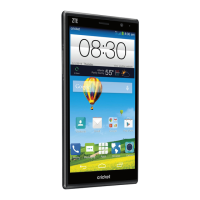
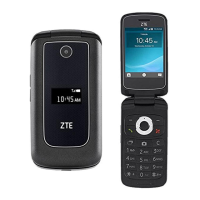
Zte Cymbal LTE - User Manual

Zte Cymbal LTE
82 pages
Print Icon
To Next Page IconTo Next Page
Loading...
1
User guide.

Table of Contents

Questions and Answers

  • B
    Benjamin PierceAug 13, 2025
    What to do if Zte Cell Phone is unable to connect to the network?
    • N
      nancymooreAug 13, 2025
      If you are not within the network’s service area, check the service area with your service provider. If the signal is poor, move to an open space, or if you are inside a building, move closer to a window. If the micro-SIM card is invalid, contact your service provider.
  • K
    Kelsey BushAug 17, 2025
    What to do if PIN Code is blocked on Zte Cymbal LTE?
    • R
      Robert Carson MDAug 17, 2025
      Contact your service provider. If the service provider provides the micro-SIM card’ s PUK code, use the PUK code to unlock the micro-SIM card.
  • K
    Kayla BuckleyAug 20, 2025
    Why does Zte Cymbal LTE have shortened standby time?
    • C
      Colleen HarringtonAug 20, 2025
      If you are located in an area where signaling is weak, temporarily power off the Zte Cell Phone. If you are not able to connect to the network, change your location to one where the network is accessible, or temporarily turn off your phone. If the battery is depleted or in high temperature environments, contact the dealer to change a new battery.
  • K
    Kimberly WilliamsAug 25, 2025
    How to improve poor reception on Zte Cymbal LTE Cell Phone?
    • T
      Todd ThompsonAug 25, 2025
      If the network signal is too weak at your current location, move to a location where the network signal can be properly received. If the network is busy at the current time, avoid using the phone at such times, or try again after waiting a short time. If you are too far away from a base station for your service provider, you can request a service area map from your service provider.
  • M
    Megan GoldenAug 28, 2025
    What to do if Zte Cell Phone cannot charge the battery?
    • J
      Jason TownsendAug 28, 2025
      If the battery or battery charger is damaged, contact the dealer. If the phone’s temperature is below 0 °C or higher than 45 °C, adjust the battery charging environment to avoid extremes of temperature. If the contact between the battery and charger is poor, check all connectors to ensure that all connections have been properly made.
  • E
    Erica CarrollSep 1, 2025
    How to fix micro-SIM card error on Zte Cymbal LTE Cell Phone?
    • M
      Miguel PetersenSep 1, 2025
      If the micro-SIM card malfunctions or is damaged, take it to your service provider for testing. If the micro-SIM card is inserted improperly, insert it properly. If there is debris on the micro-SIM card contacts, use a soft dry cloth to clean them.
  • B
    Brittany ClaytonSep 5, 2025
    Why does Zte Cymbal LTE Cell Phone have echo or noise during calls?
    • S
      Stephanie BatesSep 5, 2025
      End the call and dial again. You may be switched to a better- quality network link or phone line if the network link quality is poor on the part of your service provider or the quality of the phone line that you are calling is poor.
  • A
    Austin MorrisonSep 8, 2025
    What to do if Zte Cell Phone is unable to select certain features?
    • J
      Jonathan ReynoldsSep 8, 2025
      Contact your service provider if they do not support these features, or you have not applied for services that provide these features.

Summary

Getting Started with Your ZTE Cymbal LTE

Phone Components and Keys Overview

Identifies phone parts and explains the function of each physical key.

SIM;Memory Card Installation and Removal

Instructions for inserting and removing micro-SIM and microSDHC cards.

Battery Management and Power Operations

Guides on charging, extending battery life, and powering the phone on/off.

Network and Device Connectivity

Mobile Network and Data Settings

Manage mobile data access, roaming, and access point names (APN).

Bluetooth Device Operations

Pairing, managing, sending, and receiving data via Bluetooth.

Making and Managing Phone Calls

Placing, Ending, and Answering Calls

Guides on dialing, ending calls, and responding to incoming calls.

Call History, Contacts, and Voicemail

Manage call history, contacts, and check voicemail messages.

Managing Contacts

Basic Contact Operations

View, search, add contacts, and set up your personal profile.

Sending and Managing Messages

Composing and Sending Messages

Access the Messages app to create and send new text or MMS messages.

Web Browsing

Camera and Gallery Features

Device Settings and Configuration

Troubleshooting Common Issues

Reception and Call Quality Issues

Solutions for poor reception, echo, and noise during phone calls.

Battery, Feature, and Connectivity Problems

Addresses battery charging, feature access, network connection, and SIM card issues.

Zte Cymbal LTE Specifications

General IconGeneral
BrandZte
ModelCymbal LTE
CategoryCell Phone
LanguageEnglish

Related product manuals