23
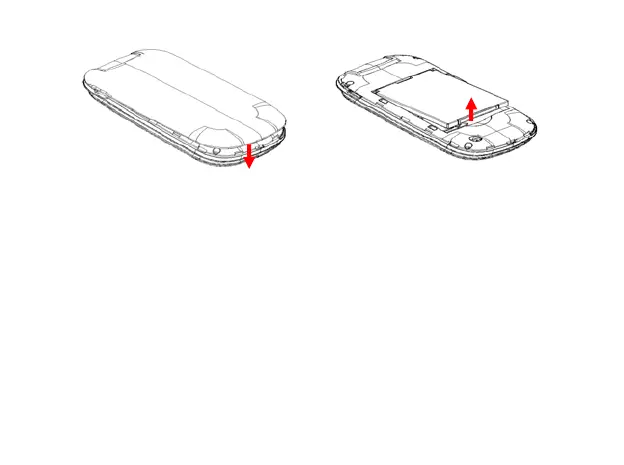
Replace the battery cover Push up the battery from here
Inserting the SIM/SD card
Insert the SIM card and memory card as follows:
1. Make sure that the phone is switched off and the charger is
disconnected from the phone.
2. Turn the phone over and remove the battery cover.
3. Remove the battery if it is already installed.
4. Hold your SIM card with the cut corner oriented as shown and then
slide it into the card holder with the metal contacts facing downward.



 To Next Page