EasyManua.ls Logo

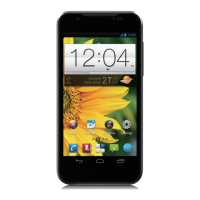
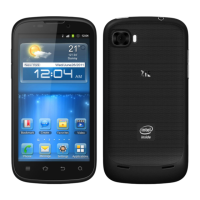
Zte Grand X In - User Manual

Zte Grand X In
168 pages
Print Icon
To Next Page IconTo Next Page
Loading...
1
Grand X In
User Guide

Other manuals for Zte Grand X In

Questions and Answers

  • R
    robert37Aug 6, 2025
    What to do if my Zte Grand X In Cell Phone shows a (U)SIM card error?
    • C
      Christina HarveyAug 7, 2025
      If your ZTE Cell Phone displays a '(U)SIM card error', the issue could stem from several causes: * The (U)SIM card might be malfunctioning or damaged – in this case, take it to your service provider for testing. * The (U)SIM card might be improperly inserted – ensure it is correctly inserted. * There could be debris on the (U)SIM card contacts – gently clean the contacts with a soft, dry cloth.
  • A
    aromeroAug 10, 2025
    How to disable call barring on Zte Grand X In?
    • A
      Alison WhiteAug 10, 2025
      If you are unable to answer incoming calls on your ZTE Cell Phone, it is possible that you have activated the Call barring feature. To deactivate it, go to Settings > Call settings > Call barring settings, and then select Deactivate All.
  • M
    Matthew HallAug 15, 2025
    What to do if my Zte Grand X In says 'PIN Code blocked'?
    • L
      Lauren CookAug 15, 2025
      If your ZTE Cell Phone displays 'PIN Code blocked', it means you've entered the wrong PIN code three times in a row. To resolve this, contact your service provider. If they provide you with the (U)SIM card's PUK code, you can use that to unlock the (U)SIM card.
  • T
    terry15Aug 19, 2025
    How to fix Zte Grand X In Cell Phone when phone book is full?
    • D
      Danny TorresAug 20, 2025
      If you are unable to enter information into the phone book of your ZTE Cell Phone, it is likely that the phone book's memory is full. To fix this, delete unnecessary data from the contacts.
  • D
    Daniel FoxAug 25, 2025
    Why does my Zte Grand X In battery drain fast in heat?
    • B
      Brian BrownAug 25, 2025
      If the battery of your ZTE Cell Phone is depleted more quickly in high-temperature environments, consider using a new battery.
  • H
    Holly HillAug 28, 2025
    What to do when Zte Grand X In network is busy?
    • A
      Amanda StantonAug 28, 2025
      If the network is busy when using your ZTE Cell Phone, avoid using the phone at peak times, or try again after waiting a short time.
  • D
    devin68Sep 1, 2025
    What to do if Zte Cell Phone is not charging due to poor contact?
    • M
      Mark AlvaradoSep 1, 2025
      If there is poor contact between the battery and charger of your ZTE Cell Phone, check all connectors to ensure all connections have been properly made.

Zte Grand X In Specifications

General IconGeneral
SIMMini-SIM
Display TypeTFT capacitive touchscreen, 16M colors
Resolution540 x 960 pixels (~256 ppi pixel density)
MultitouchYes
OSAndroid 4.0 (Ice Cream Sandwich)
GPUULP GeForce
Card slotmicroSD, up to 32 GB
Primary Camera5 MP, autofocus, LED flash
Video720p@30fps
Secondary CameraVGA
Alert typesVibration; MP3, WAV ringtones
LoudspeakerYes
3.5mm jackYes
WLANWi-Fi 802.11 b/g/n, hotspot
GPSYes, with A-GPS
USBmicroUSB 2.0
SensorsAccelerometer, proximity
MessagingSMS (threaded view), MMS, Email, Push Email, IM
BrowserHTML5
JavaYes, via Java MIDP emulator
ColorsBlack
Announced2012
StatusAvailable
Weight140 g
Display Size4.3 inches (~)
Camera FeaturesGeo-tagging
Bluetoothv2.1, A2DP
Stand-byUp to 300 h

Related product manuals