12
Internet Wi-Fi Mode
1. Login the webGUI conguration page.
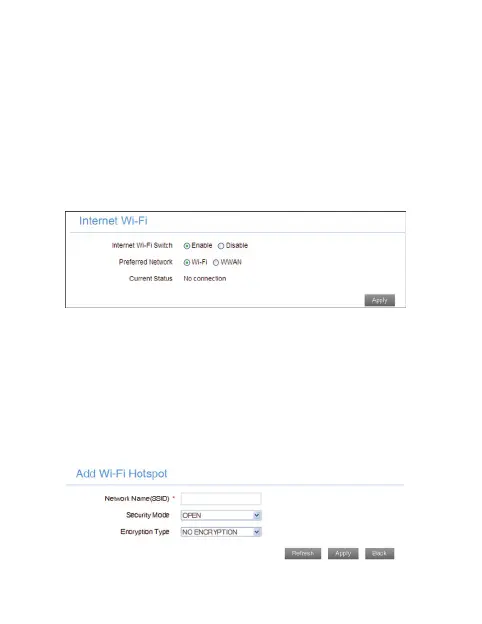
2. Select Settings > Internet Wi-Fi.
3. Set the Internet Wi-Fi Switch and Preferred Net-
work, and then click Apply.
NOTE: You need to Enable the Internet Wi-Fi Switch and
select Wi-Fi.
4. Connect to the WLAN device.
There are two methods for your reference.
u
Select the listed SSID, and then click Connect.
u
Click Add, input the WLAN device information in
the Add Wi-Fi Hotspot area, and then click
Apply.



 To Next Page