Page 21 of 38
SETTINGS > DEVICE SETTINGS > ACCOUNT
MANAGEMENT
• Use the Account Management settings to change the administrator password if
required.
• The default password is ‘password’. If you have changed and forgotten the
password then you need to restore the device to factory defaults:
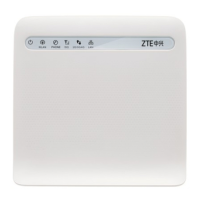
1. With the device switched On press and hold the Power key and the WPS key
together for 3-4 seconds.
2. The LED’s will go out and the device will switch off
3. Press the Power key to switch the device back on, the device will re-start with
the default factory settings.
• Press the Help icon to get in context tips



 To Next Page