EasyManua.ls Logo

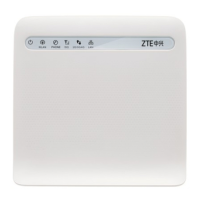
Zte MF253V - User Manual

Zte MF253V
17 pages
Print Icon
To Next Page IconTo Next Page
Loading...
MF253V
Let’s go
Getting started with your device

Other manuals for Zte MF253V

Questions and Answers

  • R
    Reginald StephensAug 13, 2025
    What to do if I cannot establish a Wi-Fi connection between my device and the client on Zte MF253V Wireless Router?
    • M
      Mr. Curtis HillAug 13, 2025
      If you're experiencing issues establishing a Wi-Fi connection between your device and the client using your Zte Wireless Router, make sure the Wi-Fi function is active. Also, refresh the network list and select the correct SSID, check the IP address to ensure your client obtains an IP address automatically in the Internet protocol (TCP/IP) properties, and type the correct network key (Wi-Fi password) when you connect to the device.
  • M
    Martin WolfeAug 17, 2025
    What is the default password for a Zte MF253V?
    • K
      Kristen AndersonAug 17, 2025
      Regarding the password for your Zte Wireless Router, check the label on the device for the Wi-Fi connection password. The default password for the CPE Configuration Page is 'admin'. If you've changed the password and forgot it, you will need to restore the device to its factory default settings.
  • N
    nelsonnicholasAug 21, 2025
    Why is the 3G/4G signal indicator always blinking on my Zte Wireless Router?
    • M
      morgan91Aug 21, 2025
      If the 3G/4G signal indicator on your Zte Wireless Router is always blinking or does not light up, it indicates poor reception. Try moving the device to another location near a window to improve signal strength.
  • L
    lisabennettAug 25, 2025
    Why do I hear a prompt as soon as I lift the phone off the hook on Zte MF253V?
    • M
      Megan BernardAug 25, 2025
      If you hear a prompt, phone alert, or announcement as soon as you lift the phone off the hook with your Zte Wireless Router, make sure your (U)SIM card is inserted correctly and the PIN number has been entered. If the PIN number has been entered incorrectly, then you will need to enter the PUK code when prompted.
  • T
    Theodore HarrisAug 28, 2025
    Why is the line noisy when I lift the phone off the hook on Zte Wireless Router?
    • L
      Lisa JamesAug 28, 2025
      If you experience a noisy or distorted line when you lift the phone off the hook using your Zte Wireless Router, remove any electrical appliances which are too close to the phone or the device. Also, the cable or phone set might be faulty, so check the connection.
  • B
    Brittany SmithSep 1, 2025
    Why do I hear a rapid engaged tone when I lift the phone off the hook on Zte MF253V?
    • S
      stricklandkarenSep 1, 2025
      If you hear a rapid engaged tone as soon as you lift the phone off the hook with your Zte Wireless Router, put the phone back on the hook and try again. If you are connected to the internet using the 2G (GSM) network, please disconnect this first.
  • S
    Shaun MccoySep 5, 2025
    What to do if I hear nothing after dialing the last digit on Zte Wireless Router?
    • S
      Shelley LopezSep 5, 2025
      If you experience silence after dialing the last digit using your Zte Wireless Router, press the # key after dialing or wait 4 to 8 seconds to connect the call.
  • G
    Gloria JonesSep 8, 2025
    How to fix no dial tone on Zte MF253V?
    • J
      Joshua HuffmanSep 8, 2025
      If there is no dial tone on your Zte Wireless Router, please wait for 1 to 2 minutes after the device is turned on. If the signal LED light is blinking, you have no good radio reception, so change the location of the device.

Summary

Legal Information

Getting to Know Your Device

Appearance

Describes the physical layout and components of the device.

Interface Description

Details the function of each port and connector on the device.

Indicators

Connecting Your Device

Configuring Your PC

Accessing the Internet

Voice Function

Making a Call

Step-by-step guide on how to initiate a phone call using the device.

Answering a Call

Instructions on how to receive and end incoming phone calls.

WPS Function

Wireless Connection (Optional)

Troubleshooting

Voice Related Problems

Addresses common issues and solutions for voice call functionality.

Internet Related Problems

Resolves common issues encountered when accessing the internet.

Others

Covers other miscellaneous problems and their potential solutions.

Warning and Notice

To the Owner

Important information and warnings for the device owner.

Using Your Device

Provides guidelines and precautions for proper device usage.

Limited Warranty

Details the terms and conditions of the product's warranty.

Limitation of Liability

Specifies limitations on the manufacturer's liability.

FCC Caution

Explains FCC compliance requirements and potential interference issues.

Zte MF253V Specifications

General IconGeneral
CategoryWireless Router
Wi-Fi Standards802.11b/g/n
Wi-Fi Frequency2.4 GHz
Ethernet Ports4 x RJ45
SIM Card SlotYes
AntennaInternal
Phone PortNo
Maximum Data Rate150 Mbps
BatteryNo
LTE BandsB1/B3/B8/B20/B40

Related product manuals