132
3. Start Your Device
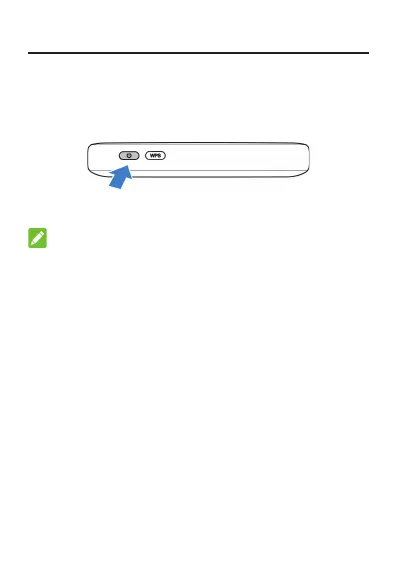
Press and hold the power button for about 3 seconds
to power on the device. After a moment the device will
connect to the Internet automatically.
NOTE:
y
If the battery is extremely low, you may be unable to
power on the device. Please charge your device rst.
y
If the battery isn’t inserted, you need to connect a
charger to use your device and the output current of
the charger must not be less than 3A.


 To Next Page