To Next Page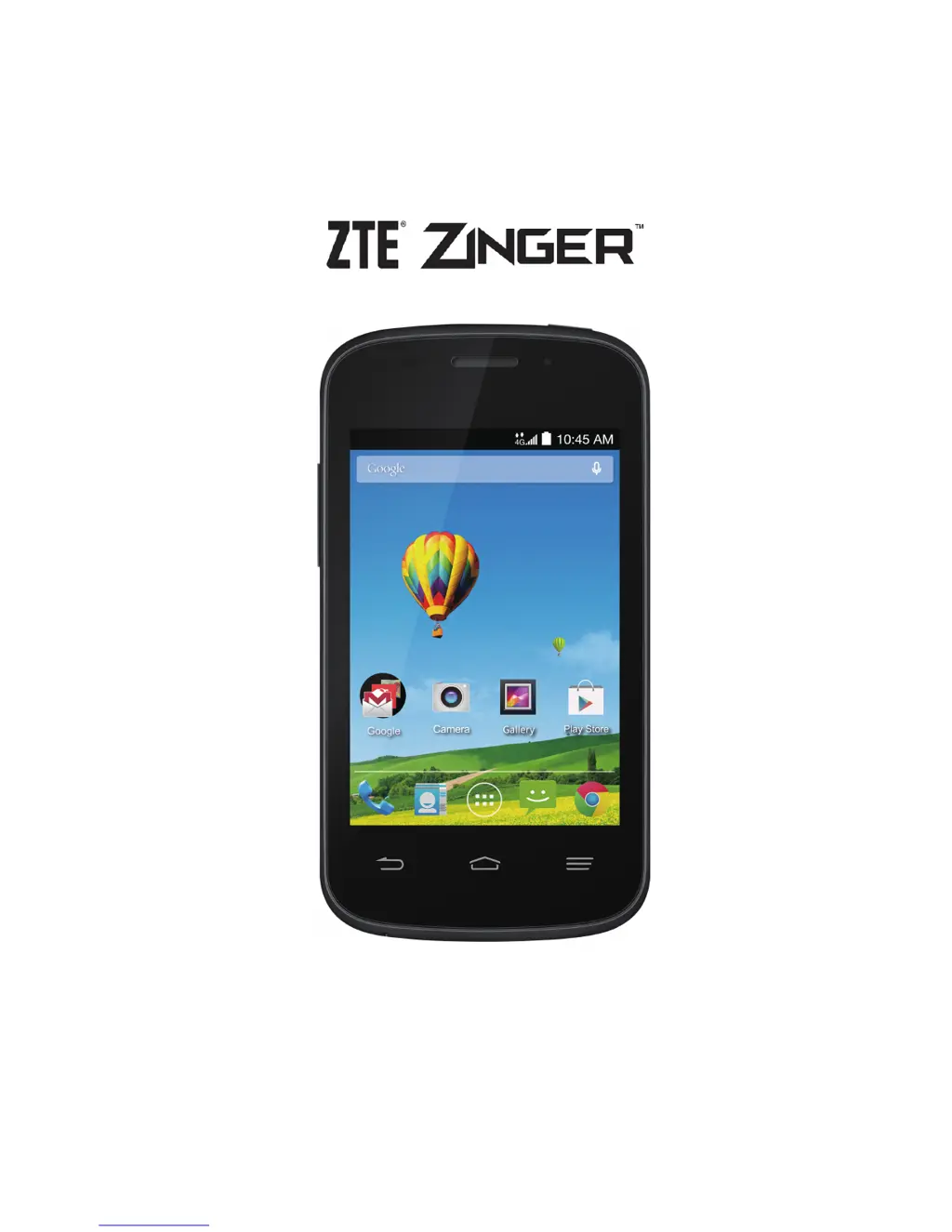
L
lindahuffmanAug 17, 2025
What to do if my Zte Cell Phone cannot turn on?
- PperrysamuelAug 18, 2025
If your Zte Cell Phone cannot be turned on, the battery power may be depleted. Recharge the phone’s battery.

What to do if my Zte Cell Phone cannot turn on?
If your Zte Cell Phone cannot be turned on, the battery power may be depleted. Recharge the phone’s battery.
Why can't I answer incoming calls on my Zte Zinger?
If you cannot answer incoming calls on your Zte Cell Phone, you may have activated the Call barring feature. To deactivate it, go to Settings > Call settings > Call Barring Settings, and then select Deactive All.
Why does my Zte Zinger Cell Phone have poor reception?
Poor reception on your Zte Cell Phone can occur for several reasons. It could be due to a weak network signal at your location, such as in a basement or near a tall building, which obstructs wireless transmissions. Alternatively, the network might be busy during peak times. Finally, you may be too far from your service provider's base station. To improve reception, move to a location where the network signal is stronger. If the network is busy, avoid using the phone at that time or try again later. You can also request a service area map from your provider.
Why does my Zte Zinger battery have shortened standby time?
The standby time of your Zte Cell Phone can be shortened due to several factors. The service provider system configuration can affect standby time. Also, a depleted battery or high temperature environments can shorten battery life. If your phone cannot connect to the network, it will continue to send signals to locate a base station, which consumes battery power. If you are in an area where signaling is weak, temporarily power off the phone. Consider using a new battery. Change your location to one where the network is accessible, or temporarily turn off your phone.
What to do if my Zte Zinger is unable to connect to the network?
If your Zte Cell Phone is unable to connect to the network, the SIM card may be invalid. You might also be outside of the network's service area, or experiencing a poor signal. Contact your service provider to check the validity of your SIM card and inquire about the service area. Try moving to an open space or closer to a window to improve the signal.
Why is my Zte Zinger battery not charging?
Your Zte Cell Phone battery may not be charging because the battery or charger could be damaged. Another cause may be that the phone’s temperature is too low (below 32 °F) or too high (above 113 °F). Also, there might be poor contact between the battery and charger. Check all connectors to ensure they are properly connected. Adjust the battery charging environment to avoid extremes of temperature.
Why does my Zte Zinger Cell Phone have echo or noise during calls?
Echo or noise during calls on your Zte Cell Phone can be due to poor network link quality or poor local telephone line quality. End the call and dial again; this may switch you to a better-quality network link or phone line.
How to fix SIM card error on Zte Zinger?
A SIM card error on your Zte Cell Phone can be caused by a malfunctioning or damaged SIM card, improper insertion, or debris on the SIM card contacts. Clean the SIM card contacts with a soft, dry cloth and ensure the SIM card is properly inserted.
Why does my Zte Zinger Cell Phone crash, reboot, or freeze?
Your Zte Cell Phone might be crashing, rebooting, or freezing because some third-party software is not compatible with your phone. In this case, uninstall the software that may be causing the problem. You can also try to upgrade the phone software.
Why can't I make outgoing calls on my Zte Zinger?
If you cannot make outgoing calls on your Zte Cell Phone, you may have activated the Call barring feature or the Fixed dial numbers feature. To resolve this, go to Settings > Call settings > Call Barring Settings and select Deactive All. If that doesn't work, go to Settings > Call settings > Fixed Dialing Numbers and disable it.
Identify phone components, install SIM/battery, charge, and power on for first use.
Learn touch gestures, home screen, and essential phone operations.
Manage phone calls, contacts, and use the call log for communication.
Send messages, manage email accounts, and use Gmail.
Connect to mobile networks, Wi-Fi, and Bluetooth devices.
Explore essential apps like Camera, Gallery, Music, Maps, Chrome, and Play Store.
Customize system settings like display, sound, language, and input methods.
Protect your phone with screen locks, encryption, and SIM card security.
Resolve common phone problems such as reception, battery, and software errors.
Guidelines for safe phone usage, RF exposure, and handling precautions.
 General
| Speed | HSPA |
|---|---|
| GPRS | Yes |
| EDGE | Yes |
| Weight | 130 g (4.59 oz) |
| Multitouch | Yes |
| Operating System | Android 4.4.2 (KitKat) |
| CPU | Dual-core 1.2 GHz Cortex-A7 |
| GPU | Adreno 302 |
| Internal Storage | 4 GB |
| RAM | 512 MB |
| Features | LED flash |
| Video | 720p@30fps |
| Alert types | Vibration; MP3, WAV ringtones |
| Loudspeaker | Yes |
| 3.5mm jack | Yes |
| WLAN | Wi-Fi 802.11 b/g/n, hotspot |
| Bluetooth | 4.0, A2DP |
| GPS | Yes, with A-GPS |
| Radio | FM radio |
| USB | microUSB 2.0 |
| Sensors | Accelerometer, proximity |
| Messaging | SMS(threaded view), MMS, Email, Push Email, IM |
| Java | No |
| Network Technology | GSM / HSPA |
| 2G bands | GSM 850 / 900 / 1800 / 1900 |
| 3G bands | HSDPA 850 / 1900 |
| Display Type | TFT capacitive touchscreen |
| Chipset | Qualcomm MSM8210 Snapdragon 200 |
| Card slot | microSD |
| Rear Camera | 5 MP, autofocus |