EasyManua.ls Logo

Zte Z557 - User Manual

Zte Z557
146 pages
Print Icon
To Next Page IconTo Next Page
Loading...
1
ZTE Z557
USER GUIDE

Table of Contents

Questions and Answers

  • Z
    zeatonJul 28, 2025
    What to do if I cannot answer incoming calls on my Zte Z557 Cell Phone?
    • C
      Christopher HoffmanJul 28, 2025
      If you cannot answer incoming calls on your Zte Cell Phone, you may have activated the Call blocking feature. Disable this feature to receive calls.
  • A
    Andrea SmithAug 1, 2025
    What to do if my Zte Z557 Cell Phone shows a nano-SIM card error?
    • A
      Austin FloresAug 1, 2025
      If your Zte Cell Phone displays a nano-SIM card error, the card may be malfunctioning or damaged. Take the nano-SIM card to your service provider for testing. Ensure the nano-SIM card is inserted properly. Also, check the nano-SIM card contacts for debris and clean them with a soft, dry cloth.
  • K
    Katrina ReidAug 5, 2025
    Why does my Zte Cell Phone have poor reception?
    • L
      Laura HarperAug 5, 2025
      Poor reception on your Zte Cell Phone can occur because the network signal is weak at your current location, such as in a basement or near a tall building. Wireless transmissions might not effectively reach the phone. Try moving to a location where the network signal can be properly received. Alternatively, the network might be busy, especially during peak times. Avoid using the phone at such times, or try again after waiting a short time. It could also be that you are too far away from a base station for your service provider; you can request a service area map from them.
  • J
    Jennifer DavisAug 9, 2025
    What to do if I cannot make outgoing calls on my Zte Z557 Cell Phone?
    • M
      Melissa JohnsonAug 9, 2025
      If you cannot make outgoing calls on your Zte Cell Phone, check if you have activated the Fixed Dialing Numbers feature and disable it. If that's not the case, the nano-SIM card may be invalid, so contact your service provider.
  • K
    Karen HendersonAug 14, 2025
    What to do if I cannot turn my Zte Z557 on?
    • C
      Clayton LozanoAug 14, 2025
      If you cannot turn on your Zte Cell Phone, the battery power has likely been depleted. Recharge the phone’s battery.
  • F
    farrellbradleyAug 18, 2025
    What to do if my Zte Z557 Cell Phone says PIN Code blocked?
    • D
      Daniel OlsenAug 18, 2025
      If your Zte Cell Phone indicates that the PIN code is blocked, it means you have entered an incorrect PIN code three consecutive times. Contact your service provider to get the nano-SIM card’s PUK code, and then use the PUK code to unlock the nano-SIM card.
  • B
    Betty LinAug 22, 2025
    Why am I unable to select certain features on my Zte Z557?
    • A
      Amy LopezAug 22, 2025
      If you are unable to select certain features on your Zte Cell Phone, your service provider may not support these features, or you have not applied for services that provide these features. Contact your service provider to resolve this.

Summary

Getting Started with Your ZTE Z557

Getting to Know Your Phone

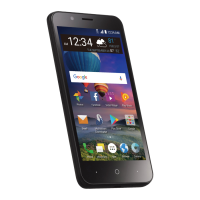
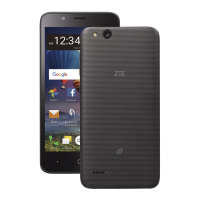
Identifies the main physical components and buttons of the ZTE Z557 phone.

Knowing the Keys

Explains the function of each physical key on the ZTE Z557 phone.

Installing the nano-SIM Card

Provides step-by-step instructions for inserting a nano-SIM card into the phone.

Charging the Battery

Instructions on how to charge the ZTE Z557 phone's battery.

Locking;Unlocking the Screen and Keys

Instructions on how to lock and unlock the phone's screen and keys.

Using the Touch Screen

Details various touch gestures used to interact with the phone's screen.

Personalizing Your Device

Changing the System Language

Steps to change the language settings on the ZTE Z557 phone.

Setting the Date and Time

Instructions for configuring the date, time, and time zone on the device.

Changing the Ringtone, Notification and Alarm Sound

How to customize ringtones, notification sounds, and alarm sounds.

Adjusting Volumes

Guide to adjusting different volume levels for calls, media, and alarms.

Protecting Your Phone With Screen Locks

Setting up screen lock options like Pattern, PIN, or Password.

Core Phone Functions

Monitoring the Phone Status

Explains how to interpret status bar icons and indicators on the phone.

Managing Notifications

Details how to understand and manage notifications received on the phone.

Opening and Switching Apps

How to open applications and switch between recently used apps.

Phone Calls

Basic operations for making, receiving, and managing phone calls.

Contacts Management

Adding, viewing, editing, and organizing contact information.

Connectivity Options

Connecting to Mobile Networks

How to manage mobile data usage and select network types.

Connecting to Wi-Fi

Steps to turn on Wi-Fi, connect to networks, and add new ones.

Connecting to Bluetooth Devices

Instructions for turning Bluetooth on/off and pairing with devices.

Connecting to Your Phone via USB

How to connect the phone to other devices using a USB cable for data transfer or charging.

Sharing Your Mobile Data Connection

How to share the phone's data connection via tethering or Wi-Fi hotspot.

Camera and Multimedia

Capturing a Photo

Basic instructions for taking photos using the phone's camera.

Recording a Video

Steps for recording videos with the phone's camcorder.

Viewing Your Music Library

How to access and browse the music library on the phone.

Playing Music

Controls and interface for playing audio files on the device.

Playing and Controlling Videos

Using the video player controls for playback and adjustments.

System Settings and Management

Network & Internet

Configuration for Wi-Fi, Mobile Network, and Data Usage.

Battery

Monitoring battery usage and optimizing battery life.

Display

Adjusting screen brightness, Night Light, wallpaper, and font size.

Security & Location

Setting up screen locks, encryption, and location services.

Accounts

Managing user accounts signed into the phone.

Safety, Troubleshooting, and Upgrades

Upgrading the Phone Software

Methods for updating the phone's operating system and software.

Troubleshooting

Common problems and their solutions, including reception and charging issues.

General Safety

Important safety guidelines for using the phone, including driving and handling.

FCC RF Exposure Information (SAR)

Information regarding radio frequency energy exposure limits and compliance.

Zte Z557 Specifications

General IconGeneral
BrandZte
ModelZ557
CategoryCell Phone
LanguageEnglish

Related product manuals