EasyManua.ls Logo

Zte Z5156CC - User Manual

Zte Z5156CC
29 pages
Print Icon
To Next Page IconTo Next Page
Loading...
1
Z5156CC
User Manual
Question and Answer IconNeed help?

Do you have a question about the Zte Z5156CC and is the answer not in the manual?

Summary

About This Manual

Copyright Information

Details the copyright ownership and rights reserved for the manual content.

User Notice

Provides information on modifications, warranty disclaimers, and website resources.

Disclaimer and Trademarks

Software Modification Disclaimer

Disclaims liability for issues arising from unauthorized software modifications.

Product Trademarks

Lists trademarks including ZTE, Android, Bluetooth, and microSDXC.

Instructional Icons

Icon Definitions

Explains the meaning of NOTE, CAUTION, and WARNING icons used in the manual.

Getting to Know Your Phone

Front View Components

Identifies external parts of the phone's front side, including screen and keys.

Back View Components

Identifies external parts of the phone's back side, including camera and flash.

Setting Up Your Phone

SIM Card Installation

Instructions for installing the nano-SIM card, including warnings.

microSDXC Card Installation

Instructions for inserting the optional microSDXC card into its slot.

Battery Installation

Guidance on inserting the battery, ensuring connectors align correctly.

Back Cover Replacement

Procedure for reattaching the phone's back cover after setup.

Charging the Phone

Charging Safety Warning

Warns against using unapproved chargers which can damage the phone or cause explosions.

Connecting the Charger

Steps to connect the charging adapter to the phone's charging jack.

Connecting to Power Outlet

Instructions for connecting the charger to a standard AC power outlet.

Disconnecting the Charger

Guidance on disconnecting the charger once the battery is fully charged.

Low Battery Charging Note

Advice for powering on the phone when the battery is extremely low.

Powering On;Off and Waking Up

Turning the Phone On

Procedure to power on the phone by pressing and holding the Power key.

Turning the Phone Off

Procedure to power off the phone via the options menu.

Waking Up and Unlocking

Steps to wake the phone from sleep mode and unlock the screen.

Screen Freeze Recovery

Instruction to reinstall battery and power on if the screen freezes.

For Your Safety

General Safety Precautions

Covers critical safety guidelines for driving, body proximity, and environmental hazards.

Environmental and Handling Precautions

Addresses magnetic, temperature, liquid, and disassembly safety concerns.

Aircraft and Emergency Usage

Guidance on phone use during flights and for emergency communications.

Explosive Environments Safety

Rules for using the phone in potentially explosive atmospheres like gas stations.

FCC RF Exposure Information (SAR)

SAR Testing and Limits Explained

Details SAR testing methodology and the FCC's SAR limit of 1.6 W/kg.

FCC Authorization and ID Lookup

Information on FCC authorization and how to find the device's FCC ID.

Reported SAR Values for Usage

Specifies the highest reported SAR values for head and body usage.

FCC Regulations

Part 15 Compliance Conditions

Outlines the two conditions for compliance with FCC Part 15 rules.

Class B Digital Device Limits

Details limits for Class B digital devices to ensure protection against interference.

Interference Correction Measures

Lists actions users can take to correct radio or TV reception interference.

Caution on Unauthorized Modifications

Warns that modifications not approved by the manufacturer can void user authority.

Antenna Co-location Restrictions

Prohibits co-locating or operating the transmitter antenna with other antennas.

Hearing Aid Compatibility (HAC) Regulations

HAC Overview and Digital Interference

Explains HAC rules and potential interference from digital phones with hearing devices.

HAC Rating System Explained

Describes the rating system for wireless phones to assist hearing device users.

Testing Newer Technologies with HAC

Advises testing newer technologies with hearing aids for compatibility.

M-Ratings and T-Ratings Explained

Details M-ratings (interference) and T-ratings (telecoil) for HAC.

Phones HAC Rating (M3;T4)

States that the phone meets the M3/T4 level rating for hearing aid compatibility.

Distractions and Product Handling

Driving and Machinery Safety

Emphasizes full attention to driving and operating machinery to prevent accidents.

General Product Handling

Covers user responsibility, switching off the phone, and general care.

Screen and Camera Lens Care

Instructions for keeping the screen and camera lens clean for optimal performance.

Cleaning and Environmental Precautions

Guidelines for cleaning the phone and avoiding exposure to liquids, heat, or flames.

Physical Handling and Disassembly

Advice against dropping, bending, disassembling, or painting the phone.

Disposal and Carrying Precautions

Information on proper disposal and how to carry the phone safely.

Battery Safety

Charger, Temperature, and Placement Warnings

Covers using approved chargers and avoiding extreme temperatures or heating equipment.

Charging, Short-Circuiting, and Fire Hazards

Instructions on charging, avoiding short-circuits, and hazards like fire or explosion.

Battery Handling and Storage

Guidance on not throwing, puncturing, or squeezing the battery, and long-term storage.

Damaged Battery Replacement

Procedure for handling damaged batteries and contacting service providers.

Battery Disposal and Replacement Risks

Advice on returning worn-out batteries and risks of incorrect replacement.

Warning: Broken Battery Contents

Alerts users about hazards from broken battery contents and necessary first aid.

Child Safety and ESD Precautions

Small Children Safety

Warns about keeping the phone away from small children due to small parts and injury risks.

Demagnetization and ESD Risks

Advises avoiding magnetic media and touching metallic connectors to prevent damage.

Phone Usage and Safety

Antenna and Normal Use Position

Guidance on not touching the antenna unnecessarily and holding the phone correctly.

Airbag Safety

Warns against placing the phone in airbag deployment areas due to serious injury risks.

Seizures and Blackouts Warning

Alerts susceptible individuals to potential seizures from flashing lights and advises precautions.

Repetitive Strain Injury (RSI) Prevention

Tips to minimize RSI from prolonged texting or gaming, like taking breaks.

Ergonomic Usage Tips

Advice on light button presses, using special features, and taking breaks.

Emergency Calls and Noise

Emergency Call Reliability

States that phone connections for emergency calls are not guaranteed.

Loud Noise Hearing Warning

Warns about potential hearing damage from loud noises and advises volume control.

Phone Heating

Phone Heating During Use

Informs users that the phone may become warm during charging and normal use.

Electrical Safety

Accessories and Charging Jack Safety

Guidelines for using approved accessories and avoiding contact with the charging jack.

Vehicle Connection Advice

Recommends seeking professional advice for connecting the phone to vehicle electrical systems.

Faulty;Damaged Product Handling

Instructions for handling faulty or damaged products and seeking authorized service.

Radio Frequency Interference

General Interference Statement

General advice on taking care when using the phone near medical devices.

Pacemaker Interference Precautions

Recommends a minimum separation distance from pacemakers to avoid interference.

Hearing Aid Interference

Explains potential interference with hearing aids and methods to reduce it.

Medical Equipment and Aircraft Safety

Medical Equipment Usage Restrictions

Instructs to switch off the device in hospitals and healthcare facilities.

Aircraft Usage Restrictions

Instructs to switch off the device or use airplane mode as directed by airline staff.

Vehicle Interference Notes

Mentions vehicle manufacturers may forbid phone use due to electronic interference.

Gas Stations and Explosive Atmospheres

Advises obeying signs to turn off wireless devices in potentially explosive atmospheres.

Explosive Environments

Blasting Caps and Areas Safety

Instructs to power off devices in blasting areas to avoid interfering with operations.

Overview

This document is the user manual for the ZTE Z5156CC mobile device, providing essential information for its safe and proper use, as well as technical and maintenance details.

Function Description

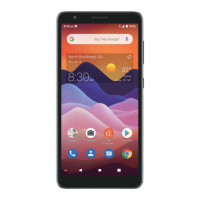
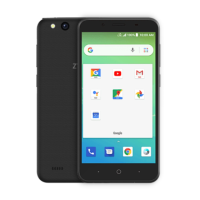
The ZTE Z5156CC is a mobile device designed for communication and various smart terminal functionalities. It supports nano-SIM cards for cellular network connectivity, enabling calls and other network-dependent services. The device features a touch screen for user interaction, a front camera, and a back camera with flash for photography and video recording. It also includes standard components like a headset jack, earpiece, volume key, power key, microphone, and a charging/micro-USB jack. The phone operates on the Android™ operating system.

Important Technical Specifications

  • Model Name: Z5156CC
  • SIM Card Type: Nano-SIM
  • Memory Card Support: Optional microSDXC card
  • Operating Temperatures: Recommended 0 °C to 35 °C
  • Storage Temperatures: Recommended -20 °C to +45 °C
  • Charging: Uses ZTE-approved chargers and USB cables.
  • RF Exposure Information (SAR):
    • FCC SAR Limit: 1.6 W/kg
    • Highest reported SAR value for head usage: 1.16 W/kg
    • Highest reported SAR value for body usage: 1.09 W/kg
    • Body-worn operation separation distance: 0.6 inches (15 mm)
  • FCC Regulations: Complies with part 15 of the FCC Rules for Class B digital devices.
  • Hearing Aid Compatibility (HAC): Compliant with FCC HAC regulations (ANSI C63.19-2011).
    • M-Ratings: M3 or M4 (M4 is better)
    • T-Ratings: T3 or T4 (T4 is better)
    • This phone meets the M3/T4 level rating.
  • Trademarks: ZTE and ZTE logos are trademarks of ZTE Corporation. Android™ is a trademark of Google LLC. Bluetooth® is a registered trademark of Bluetooth SIG, Inc. microSDXC Logo is a trademark of SD-3C, LLC.

Usage Features

  • Powering On/Off: Press and hold the Power key to turn on. To power off, press and hold the Power key, then touch the power off option.
  • Waking Up: The phone enters sleep mode to save power. To wake it up, press the Power key and swipe up on the screen. If an unlock pattern, PIN, or password is set, it must be entered.
  • SIM Card Installation: The nano-SIM card can be installed or removed while the phone is on, but it is recommended to power off before removing or replacing the battery. Users should insert their fingernail into the slot at the bottom left of the back cover to lift it gently, then insert the nano-SIM and optional microSDXC card into the correct slots.
  • Battery Installation: After inserting SIM/microSDXC cards, the battery should be inserted, ensuring connectors align.
  • Back Cover: The back cover should be replaced after battery installation.
  • Charging: Connect the adapter to the charging jack and then to a standard AC power outlet. Disconnect when fully charged. If the battery is extremely low, charge for at least 20 minutes before attempting to power on.
  • Calls: Don't make or receive handheld calls while driving. Keep the phone at least 15 mm from the body during calls.
  • Sound: The phone can produce loud sounds. To prevent hearing damage, avoid high volume levels, especially when using headphones or Bluetooth headsets.
  • Light: The phone may produce bright or flashing lights, which could affect individuals susceptible to blackouts or seizures.
  • Emergency Calls: The phone relies on radio signals and cannot guarantee connection in all conditions, so it should not be solely relied upon for emergency communications.
  • Hands-free Kit: Using a hands-free kit is recommended for driving.

Maintenance Features

  • General Handling:
    • Treat the phone and accessories with care and keep them clean.
    • Keep the screen and camera lens clean to maintain responsiveness and image quality.
    • Clean with a soft material (e.g., eyeglass cleaning cloth). Avoid alcohol, corrosive substances, harsh chemicals, cleaning solvents, or aerosols.
    • Do not paint the phone or its accessories.
    • Do not expose to open flames, lit tobacco products, liquid, moisture, or high humidity.
    • Do not drop, throw, or bend the phone or accessories.
    • Do not place near heating equipment, high-pressure containers (water heaters, microwave ovens, hot cooking utensils).
    • Do not carry in a back pocket to prevent breakage when sitting down.
  • Battery Maintenance:
    • Use only ZTE-approved batteries, chargers, and power adapters.
    • Avoid extreme temperatures (outside 0 °C to 35 °C for operation, -20 °C to +45 °C for storage).
    • Keep away from excessive heat and direct sunlight to prevent overheating, explosion, or fire.
    • Disconnect the charger when the battery is fully charged to prolong battery life.
    • Do not short-circuit, throw into fire, disassemble, squeeze, or puncture the battery.
    • For long storage periods, charge the battery to about half capacity, remove it from the device, and store it in a cool, dry place.
    • If the battery is damaged, swollen, or leaking, stop use immediately and contact ZTE for replacement.
    • Return worn-out batteries to a designated recycle place; do not dispose of in household waste.
    • If the battery is broken and contents contaminate skin, rinse immediately with water and seek medical help.
  • Repair and Disassembly:
    • Do not attempt to disassemble the phone or its accessories. Only authorized personnel should service or repair the device.
    • If the phone has been submerged in water, punctured, or subjected to a severe fall, do not use it until checked by an authorized service center.
  • Electrostatic Discharge (ESD): Avoid touching the metallic connectors of the nano-SIM and microSDXC cards.
  • Antenna: Do not touch the antenna unnecessarily.
  • Repetitive Strain Injuries (RSI): To minimize RSI when texting or playing games: do not grip too tightly, press buttons lightly, use special features (Message Templates, Predictive Text), and take frequent breaks.

Zte Z5156CC Specifications

General IconGeneral
BrandZte
ModelZ5156CC
CategoryCell Phone
LanguageEnglish

Related product manuals