EasyManua.ls Logo

Zte z828 - User Manual

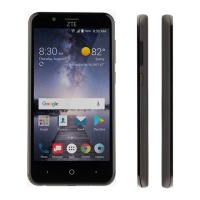
Zte z828
121 pages
Print Icon
To Next Page IconTo Next Page
Loading...
1
Z828
User Manual

Table of Contents

Questions and Answers

  • R
    rmartinezAug 14, 2025
    How to fix 'unable to connect to the network' on Zte Cell Phone?
    • M
      michaelturnerAug 14, 2025
      If your Zte Cell Phone is unable to connect to the network, the micro-SIM card might be invalid, and you should contact your service provider. It could also be that you are not within the network’s service area; check with your service provider. A poor signal can also cause this issue; try moving to an open space, or closer to a window if you're inside.
  • J
    joel06Aug 17, 2025
    What to do if my Zte z828 cannot be turned on?
    • G
      gallegosthomasAug 17, 2025
      If your Zte Cell Phone cannot be turned on, the battery power has likely been depleted. Recharge the phone’s battery.
  • R
    Ryan BowmanAug 20, 2025
    What to do if my Zte Cell Phone battery is not charging?
    • J
      joshuacollinsAug 20, 2025
      If your Zte Cell Phone battery isn't charging, there might be several reasons. The battery or charger could be damaged, in which case you should contact the dealer. Another reason could be that the phone’s temperature is too low (below 0°C) or too high (above 45°C); adjust the charging environment to avoid extreme temperatures. Also, poor contact between the battery and charger can prevent charging; check all connectors to ensure they're properly connected. If you are located in an area where signaling is weak, temporarily power off the phone.
  • W
    Wesley LopezAug 25, 2025
    How to fix a micro-SIM card error on Zte z828 Cell Phone?
    • J
      jenniferkellyAug 25, 2025
      A micro-SIM card error on your Zte Cell Phone can occur due to several reasons. The micro-SIM card might be malfunctioning or damaged; take it to your service provider for testing. The card could also be inserted improperly; ensure it is correctly inserted. Lastly, debris on the micro-SIM card contacts can cause errors; use a soft, dry cloth to clean the contacts.
  • Y
    ymontgomeryAug 27, 2025
    Why does my Zte z828 keep crashing, rebooting, or freezing?
    • J
      Joseph BoyerAug 27, 2025
      If your Zte Cell Phone crashes, reboots, freezes, or cannot be powered on, it could be due to third-party software that is not compatible with your phone. Try resetting the phone to factory status. Additionally, uninstall any software that may be causing the problem. Consider upgrading the phone software as well.
  • A
    Amy Garcia MDAug 30, 2025
    Why is there an echo or noise on my Zte z828 Cell Phone calls?
    • S
      seanpriceAug 30, 2025
      Echo or noise during calls on your Zte Cell Phone can be due to poor network link quality from your service provider. End the call and dial again; you may be switched to a better-quality network link or phone line.
  • P
    Patrick PettySep 3, 2025
    Why can't I select certain features on my Zte z828 Cell Phone?
    • M
      Michelle RaySep 3, 2025
      If you are unable to select certain features on your Zte Cell Phone, your service provider may not support these features, or you have not applied for services that provide these features. Contact your service provider to resolve this.
  • D
    david01Sep 6, 2025
    What to do if my Zte z828 cannot answer incoming calls?
    • A
      Alexandria WaltersSep 6, 2025
      If you cannot answer incoming calls on your Zte Cell Phone, you may have activated the Call barring feature. Disable this feature to answer calls.
  • M
    michaelyoungSep 9, 2025
    What to do if my Zte Cell Phone PIN code is blocked?
    • B
      Becky DennisSep 9, 2025
      If your PIN code is blocked on your Zte Cell Phone, it means you have entered an incorrect PIN code three consecutive times. Contact your service provider. If they provide the micro-SIM card’s PUK code, use it to unlock the micro-SIM card.

Summary

About This Manual

Copyright

Details about copyright, reproduction, and usage permissions for the manual.

Getting Started

Getting to Know Your Phone

Identifies external and internal components of the phone.

Knowing the Keys

Explains the function of each physical key on the phone.

Installing the nano-SIM Card and the Battery

Step-by-step guide for inserting SIM card and battery.

Installing the microSDHC Card

Instructions on how to install a microSDHC card.

Charging the Battery

Guidance on how to charge the phone's battery.

Extending the Battery Life

Tips and methods to conserve battery power.

Powering On;Off

Procedures for turning the phone on and off.

Setting Up for the First Time

Initial setup steps after powering on for the first time.

Locking;Unlocking the Screen and Keys

How to lock and unlock the phone's screen and keys.

Using the Touch Screen

Explains various touch gestures and their functions.

Getting to Know the Home Screen

Overview of the phone's home screen and its customization.

Personalizing

Changing the System Language

Steps to change the phone's display language.

Setting the Date and Time

How to set and format the date and time on the device.

Changing Ringtone and Notification Sound

Customizing ringtones and notification sounds.

Turning On;Off Touch Sound

How to enable or disable touch sounds.

Adjusting Volume

Controls for adjusting different audio volumes.

Applying New Wallpapers

Steps to set a new wallpaper for the home screen.

Changing Screen Brightness

How to adjust the display brightness level.

Protecting Your Phone With Screen Locks

Setting up screen locks like PIN, pattern, or password.

Protecting Your Phone With Encryption

How to encrypt phone data for enhanced privacy.

Knowing the Basics

Monitoring the Phone Status

Understanding status bar icons and phone status indicators.

Managing Notifications

How to view and manage incoming notifications and icons.

Use Quick Settings

Accessing and using quick settings for device configuration.

Managing Shortcuts and Widgets

Adding, moving, and removing shortcuts and widgets.

Organizing With Folders

Creating and managing folders on the home screen.

Entering Text

Using the onscreen keyboard for text input.

Editing Text

Procedures for selecting, cutting, copying, and pasting text.

Opening and Switching Apps

How to open and switch between applications.

Connecting to Networks and Devices

Connecting to Mobile Networks

Configuring mobile network connections and data usage.

Connecting to Wi-Fi

Steps to turn on Wi-Fi and connect to networks.

Connecting to Bluetooth Devices

Pairing and connecting with Bluetooth devices.

Connecting to Your Computer via USB

How to connect the phone to a computer using a USB cable.

Sharing Your Mobile Data Connection

Sharing the phone's data via USB or Bluetooth hotspot.

Connecting to Virtual Private Networks

Setting up and connecting to VPNs.

Phone Calls

Placing and Ending Calls

Instructions for making and terminating phone calls.

Answering or Rejecting Calls

How to answer, reject, or reject calls with messages.

Working With the Call Log

Managing and using the call history.

Checking Voicemail

Procedures for accessing and managing voicemail messages.

Managing Multi-party Calls

Setting up and managing conference calls.

Adjusting Your Call Settings

Customizing call-related settings like display and sound.

Contacts

Checking Contact Details

Viewing and accessing information for saved contacts.

Adding a New Contact

Steps to add a new contact to the phone.

Importing, Exporting, and Sharing Contacts

Managing contacts via import, export, and sharing.

Editing Contacts

Procedures for editing existing contact details.

Accounts

Adding or Removing Accounts

Instructions for managing Google and other accounts.

Configuring Account Sync

Setting up automatic or manual data synchronization.

Email

Setting Up the First Email Account

Guide to configuring the initial email account.

Writing and Sending an Email

Composing and sending new email messages.

Adding and Editing Email Accounts

Procedures for adding more email accounts and editing existing ones.

Messaging

Opening the Messaging Screen

Accessing the messaging application.

Sending a Message

Steps to compose and send text or multimedia messages.

Replying to a Message

How to reply to received messages.

Calendar

Viewing Your Calendars and Events

How to select visible calendars and view events.

Creating an Event

Steps to add new events to the calendar.

Snapdragon Camera

Capturing a Photo

Instructions for taking photos with the camera.

Recording a Video

How to record videos using the phone's camera.

Customizing Camera;Camcorder Settings

Adjusting settings for camera and video recording.

More Apps

Clock

Using the Clock app for alarms, timers, and world time.

Backup and Restore

Procedures for backing up and restoring phone data.

File Manager

Accessing and managing files on phone storage.

Sound Recorder

Recording voice memos.

Google Apps

Overview of available Google applications.

Settings

Wireless and Networks

Managing Wi-Fi, Bluetooth, and mobile data connections.

Wi-Fi

Detailed Wi-Fi connection settings and management.

Bluetooth

Detailed Bluetooth connection settings and management.

Data Usage

Monitoring and managing mobile data consumption.

Tethering and Portable Hotspot

Sharing the phone's internet connection.

Device

Settings related to display, sound, and device management.

Display

Adjusting screen brightness, wallpaper, sleep settings.

Storage

Managing phone and SD card storage.

Security

Setting screen locks, encryption, and other security features.

Backup & Reset

Backing up data and performing factory resets.

Upgrading the Phone Software

Use the online upgrade tool for mobile terminal products

Instructions for upgrading software via an online tool.

Use the one-press upgrade package offered by your mobile service provider

Steps for upgrading software using a provider package.

Use the upgrade package on your microSDHC card

Guide to upgrading software using an SD card.

Troubleshooting

Poor reception

Solutions for issues with network signal strength.

Battery not charging

Troubleshooting steps for battery charging issues.

Unable to connect to the network

Troubleshooting network connectivity problems.

Phone crashes, reboots, freeze, or cannot be powered on

Addressing software or hardware issues causing instability.

For Your Safety

General Safety

Essential safety guidelines for phone usage.

FCC RF Exposure Information (SAR)

Information on radio frequency exposure limits and compliance.

Hearing Aid Compatibility (HAC) regulations for Mobile Phones

Information on phone compatibility with hearing aids.

Radio Frequency Interference

Precautions regarding interference with medical devices.

Explosive Environments

Safety guidelines for use in hazardous atmospheres.

Zte z828 Specifications

General IconGeneral
ModelZTE Z828
Display Size5.0 inches
RAM1 GB
Internal Storage8 GB
Rear Camera5 MP
Front Camera2 MP
ProcessorQualcomm Snapdragon 210
Operating SystemAndroid 6.0.1 (Marshmallow)

Related product manuals