Need help?
Do you have a question about the Zte ZXHN H268N and is the answer not in the manual?
Pre-installation checks for electric safety and equipment positioning.
Essential precautions for safe device usage, including manual reading and connection guidance.
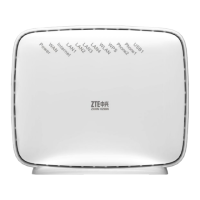
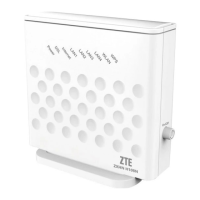
Introduces the device as a VDSL2 access device with multiple line transmission and wireless capabilities.
Lists supported standards, protocols, and functionalities like WLAN, VPN, and parental control.
Details technical specifications including dimensions, certification, power, environment, and Wi-Fi radio specs.
Lists the items included in the ZXHN H268N product package for verification.
Outlines necessary VDSL subscription and computer configuration for installation.
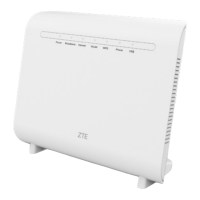
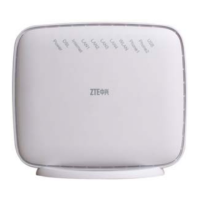
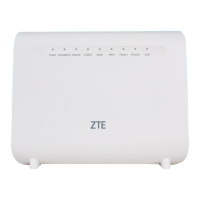
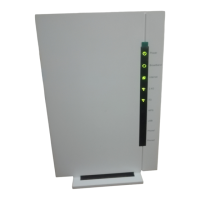
Describes the indicators and layout of the ZXHN H268N front panel.
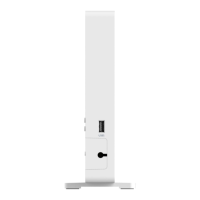
Details the buttons on the side panel of the ZXHN H268N, like On/Off, WPS, and WLAN.
Explains the interfaces and buttons located on the back panel of the ZXHN H268N.
Steps to diagnose why no indicators are lit when the equipment is powered on.
Checks for VDSL2 users unable to access the internet normally.
Reasons and steps for VDSL2 synchronization failure (link down or establishment failure).
The ZXHN H268N is a versatile VDSL2 access device designed to provide comprehensive broadband data services for both residential and commercial network applications. This home gateway supports multiple line transmission modes, making it adaptable to various network environments. On the user side, it offers four 10/100Base-T Ethernet interfaces, facilitating wired connections for multiple devices. Additionally, it supports wireless user access, complying with the IEEE802.11b/g/n standard, which enables high-speed data transfer rates of up to 300 Mbps within the 2.4 GHz band. This makes it suitable for a wide range of uses, including offices, apartments, hotels, and warehouses, where reliable and fast internet access is crucial.
One of the primary functions of the ZXHN H268N is its role as a VDSL2 modem. It adheres to the ITU-T G.993.2 VDSL2 standard, supporting profiles up to 30a, and is also compatible with the ITU-T G.992.5 ADSL2+ standard. This broad compatibility ensures that the device can operate effectively across different DSL technologies, providing flexibility for service providers and end-users alike. Beyond its core modem capabilities, the device integrates advanced networking features to enhance user experience and network management. It supports LAN protocol, enabling local network connectivity, and offers WLAN functionality with IEEE 802.11b/g/n compatibility, ensuring broad support for various wireless devices. The device also incorporates speed auto-negotiation, allowing it to automatically adjust to the optimal connection speed, and supports both half-duplex and full-duplex modes for efficient data transmission.
For ease of use and configuration, the ZXHN H268N features a user-friendly Graphical User Interface (GUI) accessible via a web browser. This web-based interface simplifies the process of setting up and managing network settings, even for users with limited technical expertise. The device also includes robust security and control features. It supports L2TP/PPTP/IPSec VPN pass-through, which is essential for secure remote access and maintaining privacy for users who need to connect to corporate networks or use VPN services. A parental control function is also integrated, allowing users to restrict children's internet usage, thereby promoting a safer online environment.
Network management capabilities extend to supporting self-learning bridge functionality, specifically IEEE 802.1D Transparent Bridging, which helps in efficient data forwarding within the local network. Furthermore, the ZXHN H268N offers advanced features such as virtual server configuration, IP filtering, and a demilitarized military zone (DMZ) host. These features provide users with greater control over network traffic, allowing them to host services, enhance security by filtering unwanted connections, and expose specific devices to the internet while isolating the rest of the network.
In terms of physical design and connectivity, the ZXHN H268N is equipped with a range of indicators and ports to facilitate setup and monitoring. The front panel features LED indicators for Power, Broadband, Internet, LAN (LAN1-LAN4), WLAN, WPS, Phone (Phone1-Phone2), and USB. These indicators provide immediate visual feedback on the device's operational status. For instance, a solid green Power LED indicates the device is powered on, while a solid red suggests a self-check failure. The Broadband LED shows DSL synchronization status, with solid green indicating a normal link, fast flashing green for handshaking, and slow flashing green for a physical link without carrier wave detection. The Internet LED turns solid green when a connection is established and an IP address is obtained, and solid red if the connection fails. LAN LEDs indicate network connection and data flow, while the WLAN LED shows if the module is enabled and if there is data transmission. The WPS LED indicates the status of Wi-Fi Protected Setup, and Phone LEDs show VoIP registration and data flow. The USB LED indicates if a USB device is connected and active.
The side panel of the device includes essential buttons for control: an On/Off power switch, a WPS button for easy wireless network setup, and a WLAN switch to turn the Wi-Fi function on or off. The rear panel provides the main connectivity ports: a DSL port for connecting to the VDSL2 line or splitter, two RJ-11 Phone ports (Phone1 and Phone2) for connecting telephones, four LAN ports (LAN1-LAN4) for wired network devices like computers, and a USB 3.0 interface. The USB port is particularly versatile, allowing for the connection of USB storage devices for file sharing, fast backup, and data restoration. It can also be used to connect a 3G Dongle device for accessing the Internet, providing an alternative connectivity option. A Reset button is also located on the rear panel, which, when held for more than 5 seconds during power-on, restores the device to its factory default settings and restarts the system. The Power supply port connects to the power adapter, ensuring the device receives the necessary power.
For optimal wireless network performance, the manual provides guidance on placement and environmental factors. The wireless network scope is influenced by the number and thickness of walls, wall materials, ceilings, and other objects, as well as background RF noise. To maximize coverage, it is recommended to reduce the number of walls and ceilings between the device and other network devices, as each can significantly reduce the wireless range. Placing devices to allow for direct signal transmission through walls or ceilings is also advised. Building materials like solid metal doors, aluminum studs, and concrete can weaken wireless signals, so positioning the device to transmit through dry walls or open channels is beneficial. Furthermore, it is crucial to keep the ZXHN H268N away from other electrical devices that generate RF noise, such as 2.4GHz wireless mobiles, microwave ovens, home security systems, Bluetooth devices, or iceboxes, as these can interfere with wireless signals.
Maintenance features focus on ensuring the device's longevity and performance. Users are advised to keep the ventilation holes clean and unblocked to prevent short circuits, fire, or equipment damage. Liquids should not be sprayed on the device surface. It is critical not to open the equipment, especially when powered on, and to always confirm the power is off before plugging or unplugging any cables. All components and accessories should be kept away from children. For cleaning, a soft and dry cloth should be used, with the device powered off. The manual also emphasizes powering off idle equipment to conserve energy and prolong its life.
Troubleshooting guidance addresses common issues. If all indicators are off when the device is powered on, users should first verify that the power adapter is correctly inserted into a working power socket and that the power switch is pressed down. If the issue persists, it may indicate hardware damage, and users are advised to contact their local operator for maintenance, strictly avoiding self-dismantling. For issues with VDSL2 users unable to access the Internet, users should check if the ZXHN H268N is in a normal state by observing the indicators. If the device is abnormal, troubleshooting steps include checking VDSL2 telephone cable connectors, ensuring the device is away from power cables and large electronic devices, confirming no telephone extensions or fax machines are connected between the VDSL2 incoming line and splitter, and verifying correct splitter installation. If synchronization issues persist, users are advised to try connecting the ZXHN H268N directly to the incoming user cable end to rule out improper installation or line quality issues. If the problem is determined to be with the splitter or end office equipment, contacting the operator for maintenance or replacement is recommended. Finally, using a connection cable that is not excessively long between the splitter and the ZXHN H268N is important to prevent poor anti-interference performance and synchronization difficulties.
 General
| Device Type | Gateway |
|---|---|
| Manufacturer | ZTE |
| Model | ZXHN H268N |
| Wireless Standard | 802.11b/g/n |
| Wireless Frequency | 2.4GHz |
| Wireless Speed | 300 Mbps |
| Firewall | Yes |
| Antenna | 2 x External |
| POTS Ports | 2 |
| USB Ports | 1 x USB 2.0 |
| Operating Temperature | 0°C to 40°C |
| Power Supply | 12V DC, 1A |
| LAN Ports | 4 |
| Wireless Security | WPA/WPA2 |
| DSL Standards | ADSL2+, ADSL |
| Operating Humidity | 10% to 90% (non-condensing) |


 To Next Page