Need help?
Do you have a question about the Zte ZXHN H1600 and is the answer not in the manual?
Guidelines for safe operation and usage of the device, including power, connections, and environment.
Specifications for ventilation, temperature, humidity, and avoiding damage from objects or liquids.
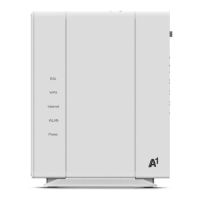
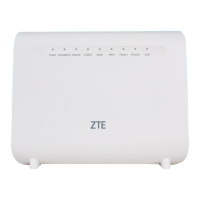
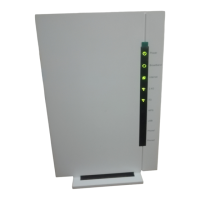
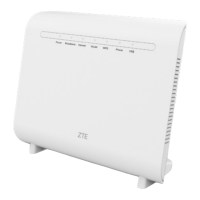
Description of LED indicators on the front panel of the ZXHN H1600.
Functionality of buttons located on the top panel of the ZXHN H1600.
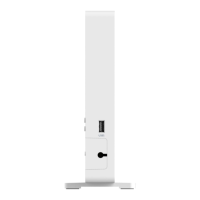
Description of interfaces and buttons on the side panel of the ZXHN H1600.
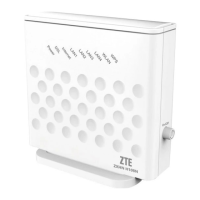
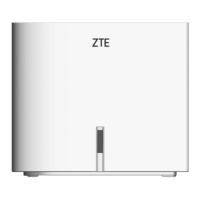
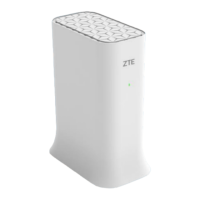
The ZXHN H1600 is a Home Gateway device designed to provide various network services, including internet access and telephone connectivity. This user manual outlines its features, usage precautions, hardware description, and troubleshooting steps.
The ZXHN H1600 serves as a central hub for home networking, enabling users to connect to the internet via DSL or WAN, establish Wi-Fi networks (2.4 GHz and 5 GHz bands), and utilize telephone services (VoIP). It supports multiple LAN connections for wired devices like computers and STBs, and includes a USB interface for connecting storage devices, printers, or 3G dongles. The device's front panel features LED indicators that provide real-time status updates for power, broadband (DSL/WAN), internet, Wi-Fi (2.4G and 5G), WPS, USB, and phone lines.
The device is designed for straightforward setup and operation. After connecting the necessary cables (DSL, WAN, LAN, phone, and power), users can power on the device and monitor the LED indicators to ensure proper functionality. The manual emphasizes the importance of using only the provided accessories, such as the power supply adapter, and avoiding the extension of the power cord to ensure optimal performance and safety.
For wireless connectivity, the ZXHN H1600 supports both 2.4 GHz and 5 GHz Wi-Fi bands, allowing for flexible network configurations. The WPS button on the top panel simplifies the process of connecting Wi-Fi Protected Setup-enabled devices. The Wi-Fi on/off button provides a convenient way to manage wireless interfaces.
The device includes two phone ports (Phone1 and Phone2) for connecting telephones, supporting VoIP network registration and indicating off-hook status. The LAN ports (LAN1-LAN4) facilitate wired connections to multiple devices, with indicators showing data transmission activity.
A key feature is the LED control button on the top panel, which allows users to turn off all indicators for a less distracting environment, and turn them back on when needed. The reset button, also on the top panel, enables users to restore the device to its factory default settings by pressing it for more than 5 seconds during power-on.
Proper maintenance of the ZXHN H1600 is crucial for its longevity and optimal performance. The manual provides several guidelines for environmental requirements and cleaning:
Environmental Requirements:
Cleaning Requirements:
Troubleshooting:
These features and guidelines aim to ensure a safe, efficient, and reliable user experience with the ZXHN H1600 Home Gateway.
 General
| Type | Gateway |
|---|---|
| Manufacturer | ZTE |
| Model | ZXHN H1600 |
| Wi-Fi Standards | 802.11a/b/g/n/ac |
| Wi-Fi Frequency Bands | 2.4 GHz, 5 GHz |
| Ethernet Ports | 4 x 10/100/1000 Mbps |
| WAN | 1 x Gigabit Ethernet |
| USB Ports | 1 x USB 2.0 |
| DSL Standards | VDSL2, ADSL2+ |


 To Next Page