Chapter 2: Advanced Setup (Static IP)
This section is going to explain things in depth. You need to follow the procedure tightly. If you don’t
want to learn this and just want some help. We offer a £29.99 service which our technician will do all
this for you. Call us to make a arrangement. Our number is 0800 756 5370 or 0203 695 0315. Line
open from 8 to 4 Monday to Friday excluding bank holidays. Per session may take half an hour to an
hour. Please read Chapter 9 for more information.!
Step 1: Determine Your Network Details
1. You need to have your computer connect to a router, And connect the first IP Camera to the router as
well. it is very important to do so. !
2. You also need to use a windows computer, minimum requirement is Vista. XP may work but we can not
guarantee that.!
3. Open up Command Prompt. You can type “cmd” after you click on start. If it doesn’t find it. Try to
google “where is command prompt” It will tell you.!
4. When the Command Prompt is running it is black windows.!
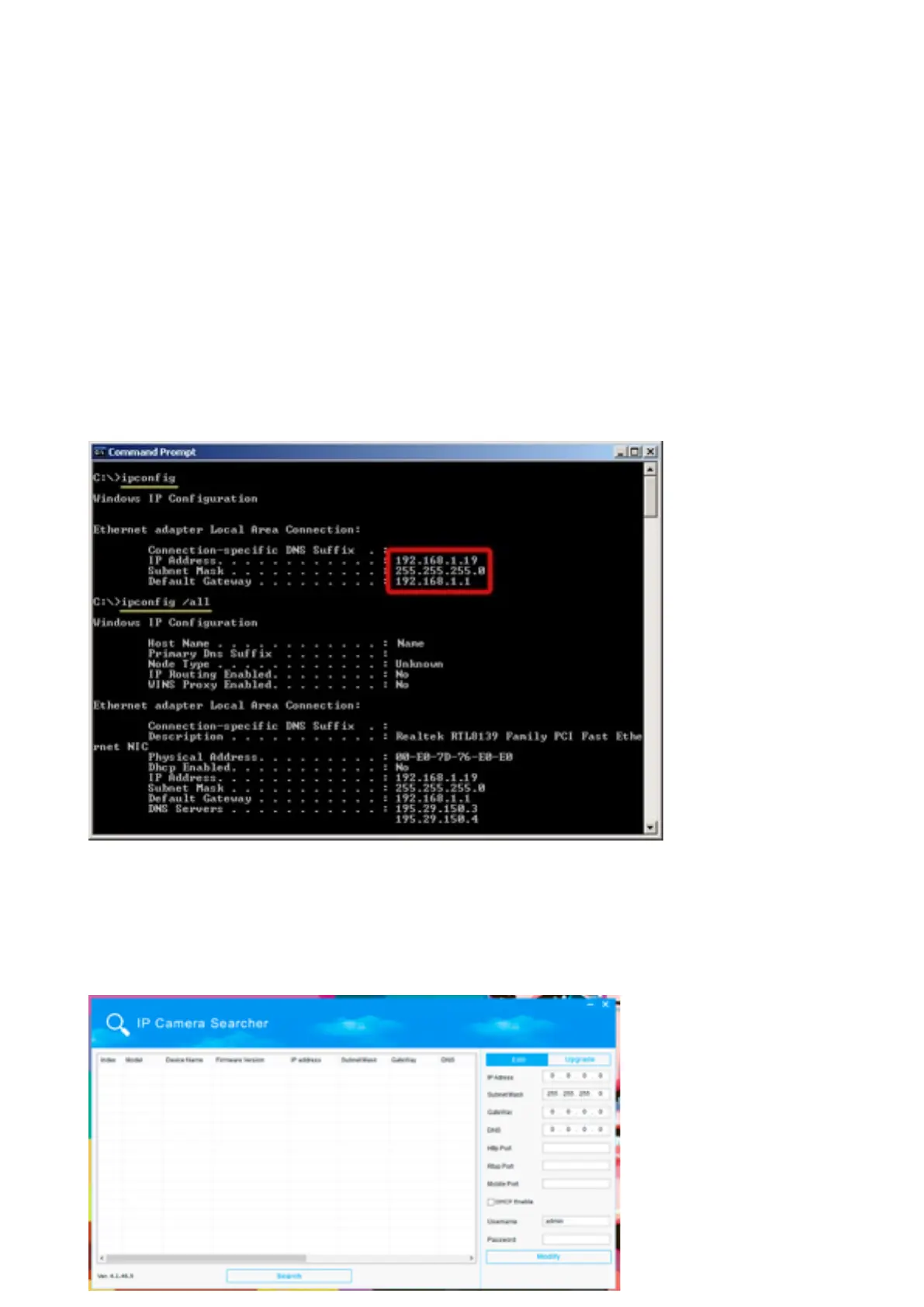
5. Now type ipconfig and press enter, following should show up.!
6. The result will tell your 3 Import informations o your router, IP address, Subnet Mask and Default
Gateway
7. Remember them!!
Step 2: Determine Your Camera Settings
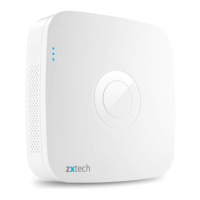
1. Use the search tool you have downloaded and installed.!


 To Next Page