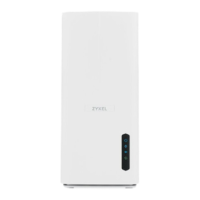
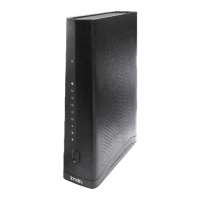
The Zyxel EX5510-B0 is a dual-band wireless AX Gigabit Ethernet gateway designed to provide fast and secure internet access for home and office environments. This device functions as an Ethernet gateway, offering a robust solution for network connectivity and management.
Function Description
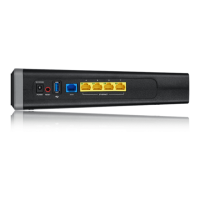
The primary function of the Zyxel EX5510-B0 is to act as an Ethernet gateway, facilitating high-speed internet access. It features a 2.5 Gbps Multi-Gigabit Ethernet (GbE) WAN port, which is backward compatible with standard 100 Mbps and Gigabit speeds, ensuring versatile connectivity options. Additionally, it includes four 1000 Mbps Ethernet LAN ports for wired connections.
The device supports dual-band 2.4G and 5G WiFi with WiFi6 technology, making it suitable for environments with a high concentration of users. This dual-band capability allows for simultaneous use of both frequency bands: the 2.4 GHz band is ideal for general internet surfing and downloading, while the 5 GHz band is better suited for time-sensitive traffic such as high-definition video streaming, music, and gaming. The Zyxel EX5510-B0 also functions as a wireless Access Point (AP) for IEEE 802.11b/g/n/a/ac/ax compliant clients like notebooks, iPads, and smartphones, enabling wireless access to network resources without the need for Ethernet cables.
The gateway incorporates a firewall to enhance network security. By default, the firewall blocks all incoming traffic from the internet to your network unless initiated from within your network. This prevents external probes while allowing safe internet browsing and file downloads. Quality of Service (QoS) features are also available, allowing users to prioritize traffic and manage bandwidth effectively.
The Zyxel EX5510-B0 supports Multy Pro, which simplifies the extension of WiFi coverage in homes or offices using compatible WiFi Extenders. This feature helps create a seamless and expanded wireless network.
Usage Features
The Zyxel EX5510-B0 offers several features to enhance user experience and network control.
- Internet Access: The device connects to an Internet Service Provider (ISP) via its WAN port, providing simultaneous internet access to multiple devices connected to its LAN ports or wirelessly.
- Dual-Band WiFi: With both 2.4 GHz and 5 GHz bands, users can optimize their wireless experience by assigning different types of traffic to the appropriate band.
- WiFi Protected Setup (WPS): This feature allows for quick and secure setup of a wireless network with WPS-compatible clients. By pressing the WPS button on the Zyxel Device and then on another WPS-enabled device, a secure connection can be established within 120 seconds.
- Web Configurator: The device is managed through an HTML-based Web Configurator, accessible via a web browser. This interface provides an easy way to set up and manage all Zyxel Device features. It requires JavaScript and Java permissions to be enabled in the browser, and pop-up windows from the Zyxel Device must be allowed.
- Quick Start Wizard: Upon first login, a wizard guides users through configuring essential settings such as time zone, basic internet access, and wireless settings.
- Connection Status Page: After the initial setup, the Connection Status page provides an overview of basic internet access, wireless settings, and parental control settings, along with the network status and connected devices.
- Navigation Panel: The Web Configurator includes a navigation panel with configuration menus and quick links, offering access to various settings like Network Setting (Broadband, Wireless), Security (Firewall, MAC Filter, Parental Control, Scheduler Rule, Certificates), System Monitor, and Maintenance.
- Detailed Configuration Options: Users can configure ISP parameters, WAN IP address assignments, and advanced properties under "Broadband." Wireless settings, including security, multiple BSSs (Guest/More AP), MAC authentication, WPS, WMM, and advanced wireless settings, are available under "Wireless." The "EasyMesh" setting allows combining 2.4GHz and 5GHz wireless network names, passwords, and security types for simplified configuration.
- Home Networking: This section allows configuration of LAN TCP/IP settings, static DHCP, UPnP, additional subnets, STB Vendor ID, Wake on LAN, and TFTP Server Name.
- Routing: Users can set up static routes, DNS routes, policy routes, and RIP settings.
- Quality of Service (QoS): This feature enables QoS and traffic prioritizing, allowing the creation of QoS rules, queues, classifications, shapers, and policers. A QoS monitor provides statistics on WAN/LAN interface and queue status.
- Network Address Translation (NAT): NAT settings include port forwarding, port triggering, DMZ, ALG, address mapping, and session management.
- Dynamic DNS Setup: This allows for configuring DNS entries and dynamic DNS.
- IGMP/MLD: Multicast settings for IGMP (IPv4) and MLD (IPv6) groups on the WAN can be configured.
- VLAN Group: Users can group and tag VLAN IDs for outgoing traffic from specified interfaces.
- Interface Grouping: This feature allows the creation of multiple networks on the Zyxel Device.
- Firewall and Access Control: Detailed firewall settings, protocol settings, access control rules (ACL), and DoS settings are available for robust network security.
- MAC Filter: This allows blocking or allowing wireless traffic from specific MAC addresses.
- Parental Control: Users can create and edit parental control profiles and define schedules to manage internet access for specific devices or users.
- Scheduler Rule: This enables the creation and editing of schedule rules for various network functions.
- Certificates: Management of local certificates, certificate requests, and trusted CA certificates is supported.
- Log: The device provides system and security logs for monitoring network activity.
- Traffic Status: Users can view WAN, LAN, and NAT traffic status.
- ARP Table and Routing Table: These sections provide detailed information and settings for ARP and routing tables.
- Multicast Status and WLAN Station Status: These allow monitoring of multicast and wireless station activity.
- System and User Account: General system settings and user account management, including adding/editing user accounts, are available.
- Remote Management: Configuration of remote management services and trust domains.
- SNMP: Simple Network Management Protocol settings for monitoring and managing the device.
- Time Settings: Configuration of time and date settings.
- E-mail Notification: Setup for email notifications for system events.
- Diagnostic Tools: Includes Ping, TraceRoute, NsLookup, 802.1ag (CFM), and 802.3ah (OAM) for network diagnostics.
Maintenance Features
The Zyxel EX5510-B0 is designed with several maintenance features to ensure its longevity, security, and optimal performance.
- Regular Password Changes: Users are advised to regularly change WiFi and Web Configurator passwords, using strong, complex combinations of numbers and letters. It is recommended to write down and store these passwords in a safe place.
- Configuration Backup and Restore: The device allows users to back up their configuration settings. This is crucial for recovery in case of device instability, crashes, or forgotten passwords, as it prevents the need for a complete re-configuration after a factory reset.
- Firmware Upgrade: The device supports firmware upgrades, which can be performed via FTP or through the Web Configurator, ensuring the device runs on the latest software with improved features and security patches.
- Factory Reset Button: A physical RESET button on the rear panel allows users to restore the device to its factory default settings. This is particularly useful if the password is forgotten or if the device needs to be reset to a known working state. Pressing the RESET button for more than 5 seconds will initiate the reset process, indicated by the POWER LED blinking.
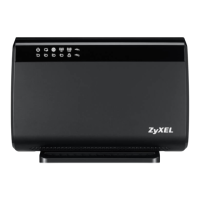
- LED Indicators: The front panel features LED indicators for POWER, WAN, INTERNET, WiFi 2.4G, WiFi 5G, and WPS. These LEDs provide visual cues about the device's operational status, connectivity, and activity, aiding in quick troubleshooting. For example, a blinking red INTERNET LED indicates a failed IP connection attempt, while a blinking green POWER LED signifies self-testing or firmware upgrade in progress.
- Troubleshooting Guide: The user manual includes a comprehensive troubleshooting section covering common issues related to power, hardware connections, LEDs, device access and login, internet access (wired and wireless), UPnP, and IP address setup. This guide helps users diagnose and resolve problems efficiently.
- Customer Support: The manual directs users to support.zyxel.com for additional information and resources, ensuring access to further assistance when needed.
- Log Setting: The ability to configure log settings and email notifications for logs helps in monitoring device events and security incidents, facilitating proactive maintenance and issue identification.

 Need help?
 General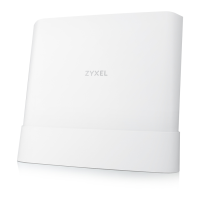





 To Next Page
