14
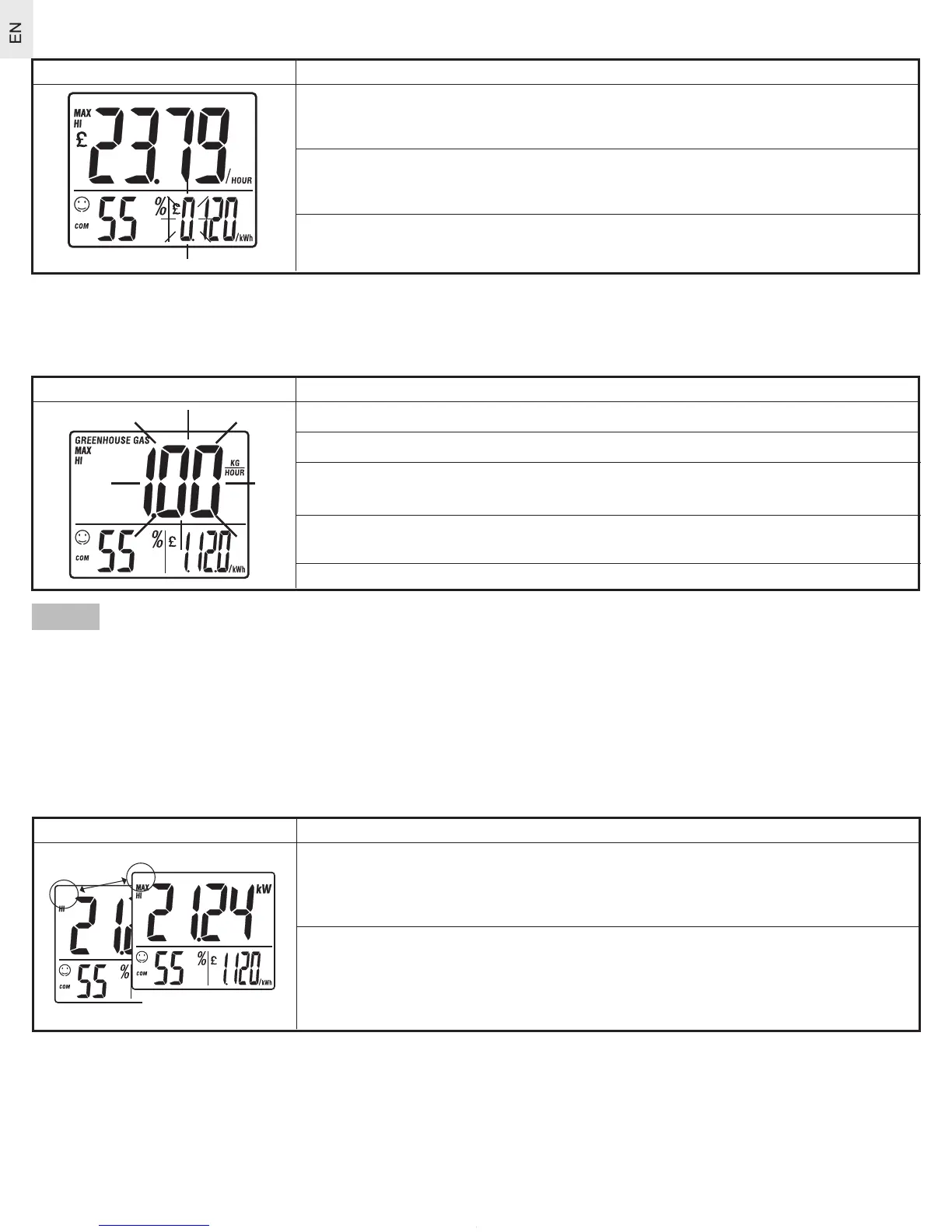
Setting the cost-per-hour value
Diagram Instructions
1
. Press and hold mode for 2 seconds. The first digit of the electricity
cost-per-hour flashes.
2
. Use the arrow key
to change the flashing value (0-9). Press mode
to set value. Repeat for all digits.
3. Pr
ess mode when finished.
Setting the greenhouse gas emission per kW rate (see Greenhouse Gas)
To set the unit and rate of greenhouse gas emissions per electric current production (see Greenhouse
gas) follow the instructions below:
Diagram Instructions
1. Pr
ess mode to change to the Greenhouse Gas display.
2. Pr
ess and hold mode for 2 seconds.
3
. The Greenhouse Gas emission unit blinks. Use the arrow key
to toggle
between units (Kg/Hour or Ton/Year). Press mode to confirm.
4.
The Greenhouse Gas value blinks. Use the arrow key to change
the value.
5. Pr
ess mode again to return to the Greenhouse gas display.
NOTE It may
be necessary to change this setting for a product used in the UK, where average greenhouse
gas emissions are approximately 1 kilogram per kW. If a precise rate is required, or if you have purchased
a “Green Energy” product, contact your local electricity retailer.
Setting the Battery power save mode
You can save battery power by changing the receiving speed of the Remote Monitor from every 6 seconds
(MAX) to every minute. To change the setting, follow the instructions below:
Diagram Instructions
1.
When ‘MAX’ icon is displayed, press and hold the arrow key for 2
seconds.
2.
The ‘MAX’ icon disappears. Repeat these steps to re-enable “MAX’
receiving speed.



 To Next Page