247securityinc.com
1.866.693.7492
247securityinc.com | 1.866.693.7492 | 1455 Alderman Drive, Alpharetta GA 30005, USA
Pg.40 of 47
REFERENCE APPENDIX
MEDIA STORAGE REMOVAL
Before swapping DHD drives, refer to “ENABLE DELETING ALL FILES WHEN DVR SERVER NAME
CHANGES” on page 18. Depending on settings, you may lose video on the replacement DHD.
The media storage (DHD) is hot swappable and can be removed and inserted without turning the
vehicle ignition o. This process will take roughly 15 to 30 seconds to complete. The feature is
helpful when access to video is needed but vehicle is required to remain running. The user can
remove the media storage and insert another one so that the needed video can be retrieved right
away.
1. Turn the key to the “OPEN” position.
TITAN will close all video/audio les
and safely turn the hard drive power
o. Open the door and wait until all
lights are o. Note: the ignition light
will remain illuminated if the vehicle
is running.
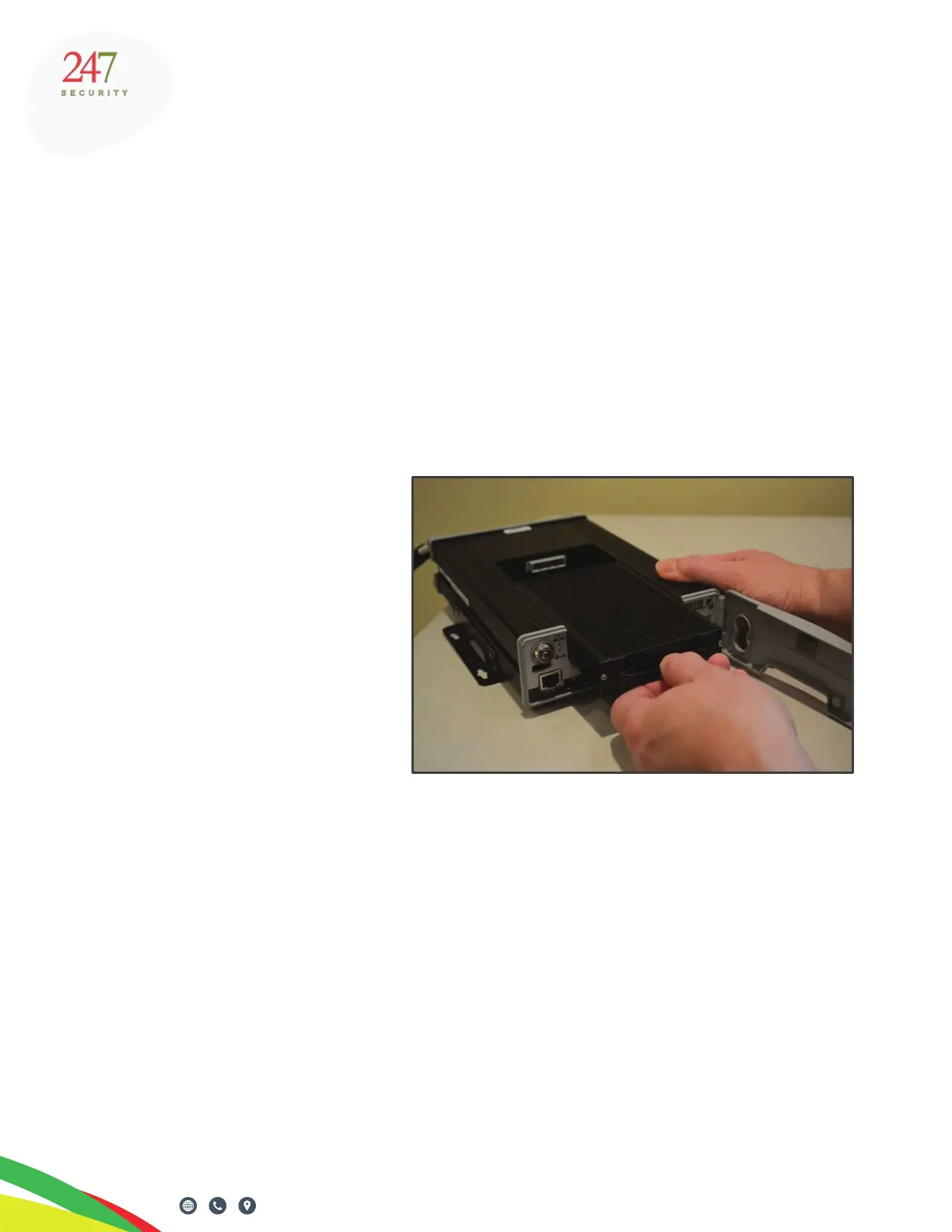
2. Gently pull the drive out from the
bay until it is free from the rails.
3. Insert new media storage, close
the door.
4. Turn the key to the “LOCK” position.
TITAN will mount the drive, detect
the new media and start recording
again.



 To Next Page