EasyManua.ls Logo

2B Technologies 202 - User Manual

2B Technologies 202
49 pages
Print Icon
To Next Page IconTo Next Page
Loading...
Model 202 Ozone Monitor Manual Rev. J-4
i
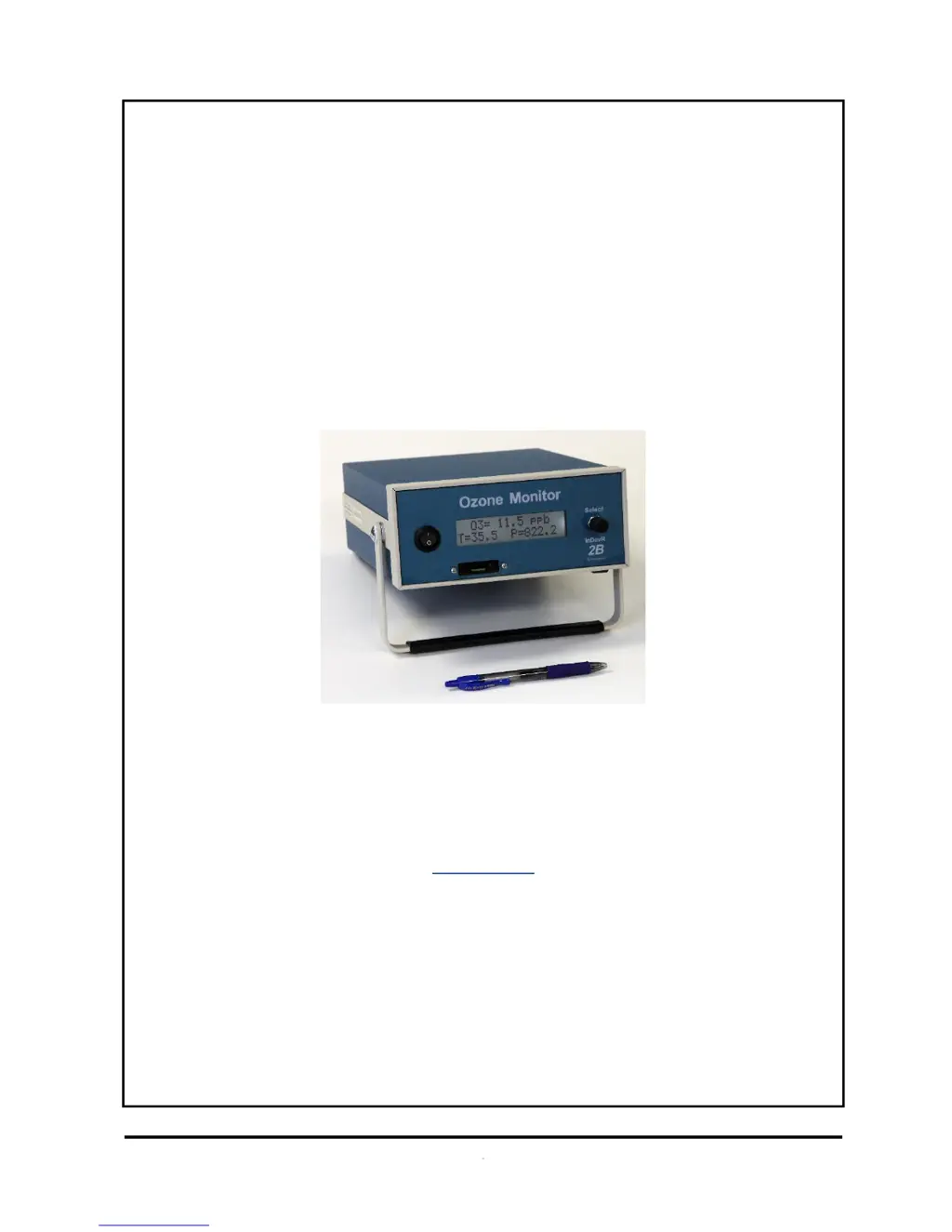
Ozone Monitor
2B Technologies
OPERATION MANUAL
Model 202
© Copyright 2001-2018, 2B Technologies
All rights reserved.
Technical Support:
https://twobtech.com/tech-support.html
techsupport@twobtech.com
+1(303)273-0559

Table of Contents

Questions and Answers

  • A
    Amanda PalmerAug 16, 2025
    Why are the readings noisy on my 2B Technologies Monitor?
    • T
      Traci DeanAug 16, 2025
      Noisy readings on your 2B Technologies Monitor can stem from a few causes. It could be that the lamp output is weak, there's excessive vibration, or the flow path is contaminated. To troubleshoot, first remove the top cover and check the lamp connection to the circuit board. Run the Lamp Test from the menu. If the photodiode voltage is less than 0.7 V, you may need to replace the lamp. If vibration is the issue, provide additional insulation, such as a foam pad. Also, clean the flow path with methanol according to the Cleaning Procedure.
  • B
    Bradley CohenAug 18, 2025
    What to do if my 2B Technologies 202 does not turn on?
    • A
      Andrew StevensAug 19, 2025
      If your 2B Technologies Monitor isn't turning on, the issue could be with the power connection or a tripped circuit breaker. Make sure the external power connection doesn't have reverse polarity or a short. Then, give the thermal circuit breaker a few minutes to reset. If that doesn't work, remove the top cover and disconnect and reconnect the power cable to the circuit board.
  • R
    ryan25Aug 22, 2025
    Why is my 2B Technologies 202 always reading close to zero?
    • B
      Brett RiveraAug 22, 2025
      If your 2B Technologies Monitor consistently reads near zero, the solenoid valve cable might not be properly connected to the circuit board. Try reattaching the solenoid valve cable to the circuit board.
  • M
    Mary SmithAug 25, 2025
    What to do if the 2B Technologies 202 Monitor turns on and then powers off?
    • B
      Brian SmithAug 25, 2025
      If your 2B Technologies Monitor turns on and then immediately shuts off, a burned-out air pump may be the cause. Remove the top cover and unplug the air pump. Then, turn the instrument on. If it stays running, the air pump motor is likely burned out and causing a short. In this case, you will need to replace the air pump.
  • D
    Dawn ChandlerAug 28, 2025
    Why is the analog output constant on my 2B Technologies Monitor?
    • H
      Haley CarrAug 28, 2025
      A constant analog output on your 2B Technologies Monitor, or one that doesn't match the front display, may be due to a cable issue or an incorrect scaling factor. Remove the top cover and reconnect the cable between the analog output BNC and the circuit board. Also, check and reset the analog output scaling factor in the Menu.
  • A
    Ariel PearsonAug 31, 2025
    How to fix a blank display on my 2B Technologies 202?
    • J
      Jean LarsonAug 31, 2025
      If the display on your 2B Technologies Monitor is blank or showing nonsense, it could be due to a bad connection between the display and the circuit board. Remove the top cover and try reconnecting the display to the circuit board. Also, inspect the solder connections to the display.
  • J
    Jared MayerSep 3, 2025
    Why is the cell temperature reading low on my 2B Technologies Monitor?
    • E
      Evelyn DiazSep 3, 2025
      If the cell temperature on your 2B Technologies Monitor reads significantly low, it might be due to a loose or disconnected temperature probe cable. Remove the top cover and reattach the connector to the circuit board.
  • R
    Raymond RobertsSep 6, 2025
    What causes calibration issues with the 2B Technologies 202 Monitor?
    • E
      Elizabeth BakerSep 6, 2025
      If calibration parameters are outside the adjustable range on your 2B Technologies Monitor, several factors could be responsible: a contaminated ozone scrubber, a contaminated flow path, a solenoid valve that isn't opening and closing properly, or insufficient air pump flow. To address this, replace the ozone scrubber, ensuring you use an inlet filter. Clean the flow path with methanol. Remove the solenoid valve, rinse with methanol, dry with zero air, and replace it. Check if the air pump is drawing in air, and measure the flow rate, which should be greater than 0.7 L/min. If the flow is lower, check for leaks or replace the air pump.
  • M
    Mrs. Brittany SilvaSep 9, 2025
    What to do if the select switch on my 2B Technologies 202 Monitor doesn't work?
    • A
      Andrea JohnsonSep 9, 2025
      If the select switch on your 2B Technologies Monitor isn't working, the cable connecting it to the circuit board may be loose. Remove the top cover and reconnect the select switch cable to the circuit board.
  • K
    Kathy HumphreySep 12, 2025
    How to fix a non-functional serial port on a 2B Technologies 202?
    • S
      Sandra PerezSep 12, 2025
      If the serial port on your 2B Technologies Monitor isn't working, the cable connecting the serial port to the circuit board may be loose, or you might be using the wrong serial cable. Remove the top cover and reconnect the serial port cable to the circuit board. Note that a 'straight through' serial cable is provided, but some devices need a 'cross over' cable where pins 1 and 3 are switched.

Summary

Warranty Statement

Warnings

Ozone Monitor Introduction

Theory of Operation

Explains the UV absorption principle used for measuring atmospheric ozone and the instrument's schematic.

Model 202 Ozone Monitor Specifications

Installation and Operation

Initial Setup and Operation

Guides on connecting power, turning on the instrument, and initial warm-up behavior of the ozone monitor.

Data Measurement and Collection

Covers measuring zero offset, collecting analog output data, and real-time data acquisition via serial port.

Calibration Parameter Configuration

Guides on setting and adjusting calibration parameters like offset (Z) and slope (S) for accurate measurements.

Accessing the Serial Menu

Maintenance

Calibration

Calibration Procedure Steps

Details the multipoint calibration process, including measuring zero air, ozone standards, and creating a calibration curve.

Periodic Zero and Span Checks

Troubleshooting

Appendix A: Using the 2 B Technologies Display and Graphing Software

2B Technologies 202 Specifications

General IconGeneral
Model202
Manufacturer2B Technologies
CategoryMonitor
TypeOzone Monitor
Ozone Measurement TechniqueUV Absorption
Ozone Measurement Range0-100 ppm
Resolution0.1 ppb
Response Time10 seconds
Power15 W
Flow Rate1.0 L/min
Operating Temperature0-50 °C
Operating Humidity0-95% RH non-condensing