-11-
9. Electric Lock Connection(NOT RECOMMENDED). See Page 12.
1) Door Lock Controlled with Internal Power
1. The door lock is limited to 12Vdc, and holding
current must be less than 250mA when using internal
power supply mode.
2. The Unlock Mode Parameter must be set to 0 (by
default).
3. Jumper set to 1-2 position for power-off-to-unlock
safety type(Normally closed mode); set to 2-3 po-
sition for power-on-to -unlock type(Normally open
mode ).
4. If different unlocking time is needed,change the
unlock time on door station,detail information refer to
DT system technical guide .
Note: NOT RECOMMENDED unless the door lock is less than 250mA. Please see Page 12
for HOW TO HOOK UP A DOOR RELEASE.
JP_LK
12V 300mA
Exit button
Jumper position in 2-3
+
-
+12V
LK -
LK+
N.O.
EB-
EB+
1 2 3
Power-on-to-Unlock type:
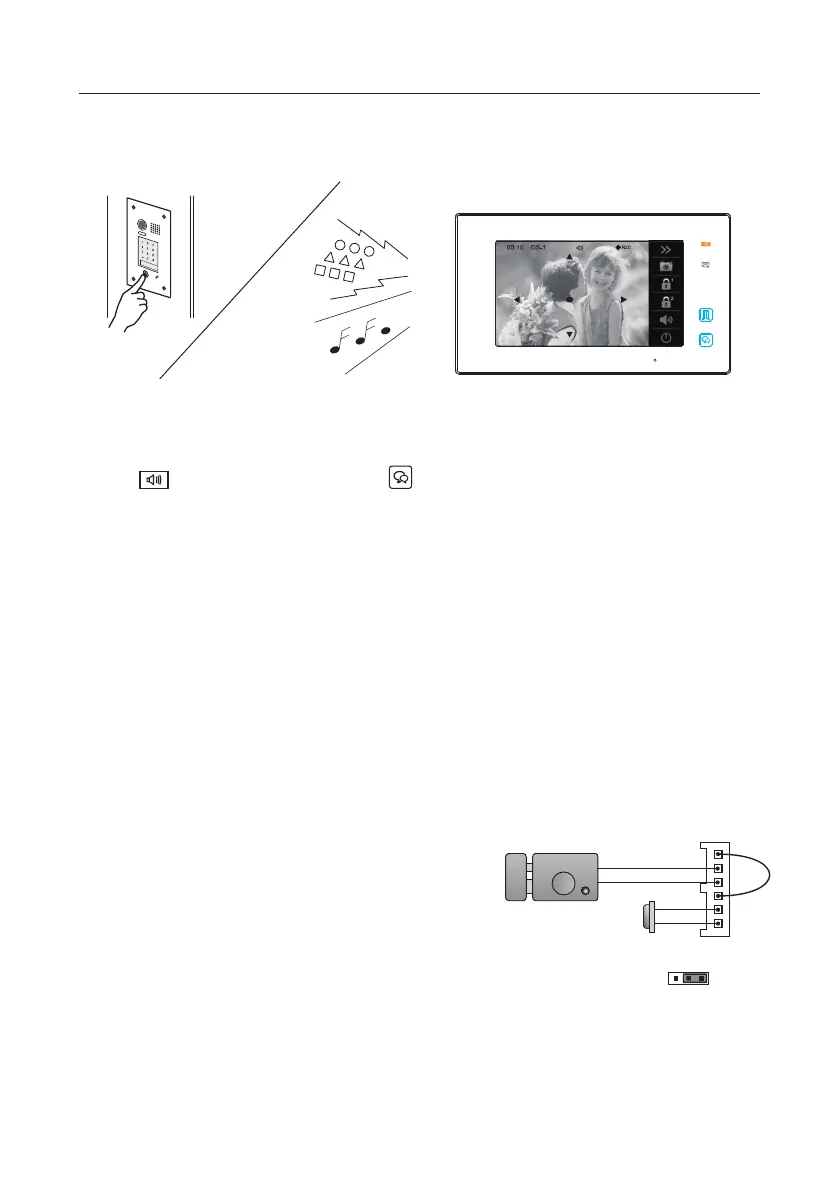
8. Answering a call
When there is a call from a video door station.The call tone sounds, an image will be
displayed on the screen.
Touch icon on screen or press TALK/MON button on the panel, begin
communicating hands free with the visitor for 90 seconds.
While communicating with the visitor, unlock the door, capture images/videos and adjust
screen&volume are available. More details,please refer to the following descriptions.
Note: 1.If nobody answers the phone, the screen will be turned off automatically after 40 seconds.
2.The 5 direction pad operation should make in effect with sh-eye door station.



 To Next Page