222N TELEKOMUNIKACE a.s., www.2n.cz
®
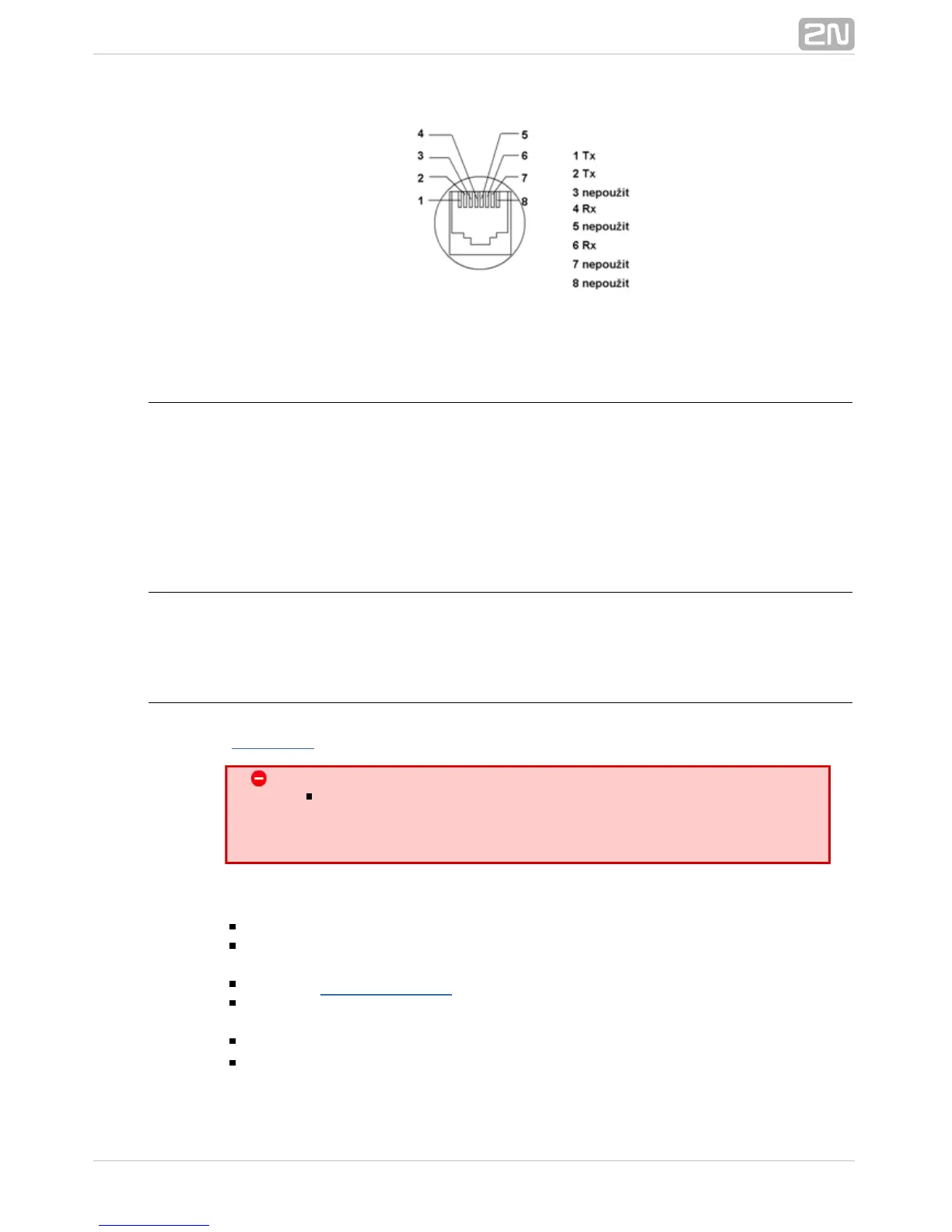
RJ–45 connector for LAN connection
Antenna Splitter
The antenna splitter is a passive component that combines multiple GSM/UMTS
channels into one antenna. In , it combines two/four antennae2N VoiceBlue Next
®
into one. The antenna splitter is placed in the installation box. It is a passive element –
it has a characteristic signal attenuation value that the antenna connected must
compensate. No antenna splitter is used for one-channel gatewa2N VoiceBlue Next
®
ys.
Licence Restrictions
2N VoiceBlue Next
®
may contain time limited software licences. See p. for more
information.
Firmware Upgrade
Please upgrade the firmware before installing the system. Check2N VoiceBlue Next
®
the web sites for the latest firmware for this gateway type.www.2N.cz
Warning
Use the for this gateway type only! Anyfirmware certified
other firmware type may damage 2N VoiceBlue Next
®
!irreversibly
Follow the instructions below to download firmware easily using the gateway web
interface:
Connect your PC and the gateway into the Ethernet network.
Open the web browser (MS Internet Explorer 9 and higher or Mozzila Firefox 4
and higher are recommended).
Enter the to register at the web interface.http://IP_address
Click on , then on and select theManagement–>Firmware update Browse
new firmware file.
Click on the icon in the lower part of the web page.Download firmware
2N VoiceBlue Next
®
will upgrade the firmware automatically.



 To Next Page