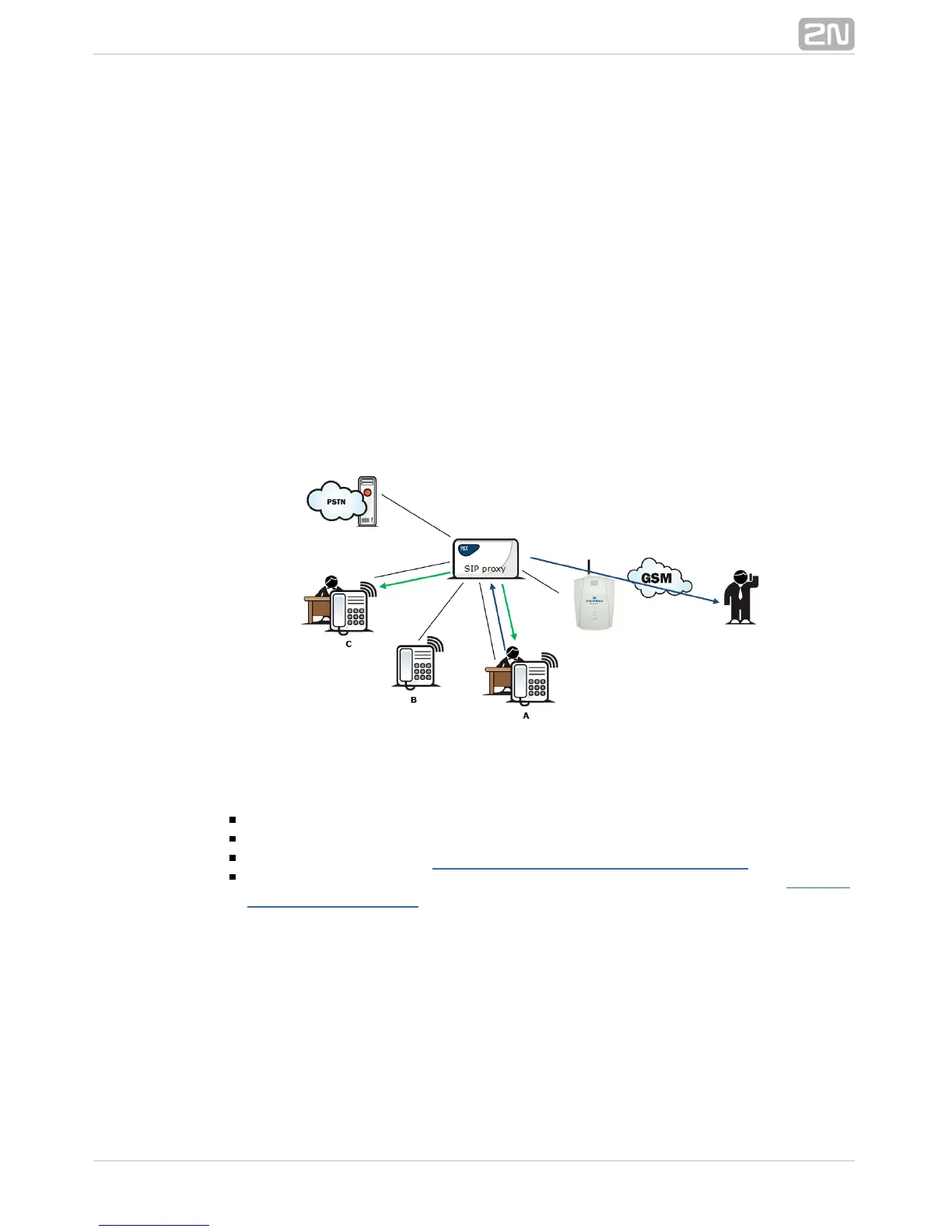
In Fig. 3 subscriber A is talking to subscriber B, for whom the Mobility Extension has
been permitted. Subscriber A would like to be forwarded to subscriber C. For this
reason, subscriber B holds the call with A (7* in the default setting ), dials the number
of subscriber C, terminates dialling with the dialling end character (# in the default
setting), notifies subscriber C of the call to be forwarded and hangs up to forward the
call. If subscriber C does not want to talk to subscriber A, subscriber B terminates the
call with C (9# in the default setting) and returns to the call with A.
Quick call forwarding function
In Fig. 4 subscriber A is talking to subscriber B, for whom the Mobility Extension has
been permitted. Subscriber A would like to be forwarded to subscriber C. Subscriber B
wants to forward the call without having to talk to subscriber C. So subscriber B
puts the call with A on hold (7* in the default setting), dials the quick forwarding
character (default value #) and dials the telephone number of subscriber C,
terminating the dialling with the dialling end character (default value #). Having
received the dialling end character, terminates the call between2N VoiceBlue Next
®
A and B and attempts to make a call between subscribers A and C. Subscriber A then
receives the ring tone.
Figure 4: Quick Call Forwarding Function
Correct ME configuration:
Connect the GSM gateway to your PBX/SIP Proxy.
Check whether the Mobility Extension licence key has been entered correctly.
Enter all ME users in the menu.Gateway configuration - Mobility Extension
Enter the prefix matching the ME user mobile number in the Gateway
menu.configuration - prefixes



 To Next Page