1.
a.
b.
2.
a.
b.
c.
3.
a.
SMTP/POP3 Basic Configuration – Step by Step
This section helps you define the basic parameters for SMS2N VoiceBlue NEXT
®
sending/receiving via SMTP/POP3. Read the subsection carefully beforeMessaging
setting details.
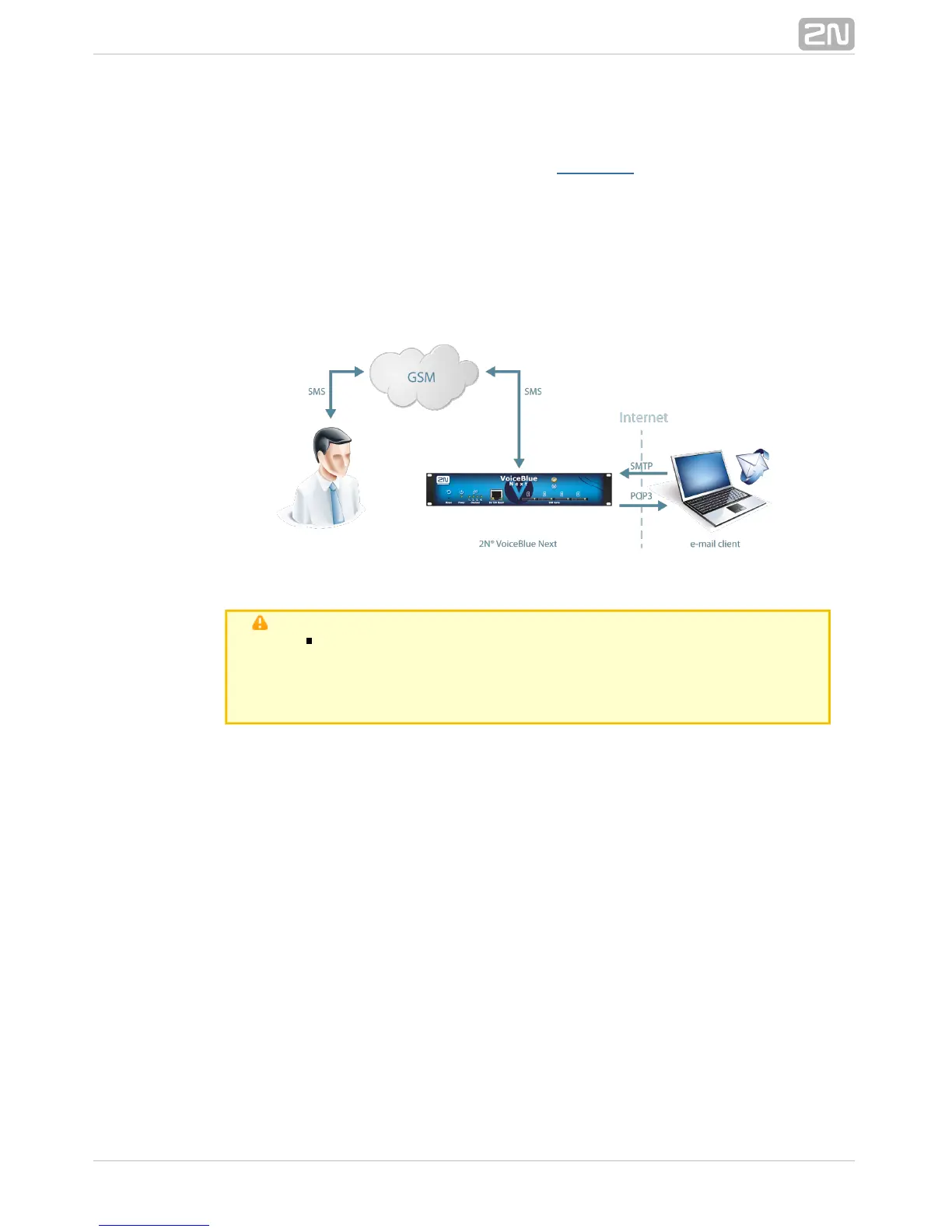
shows sending/receving SMS via SMTP/POP3. Having created user accountsFigure 1
in , the users can access the accounts via the e-mail client and2N VoiceBlue NEXT
®
send SMS messages to via SMTP. The gateway receives the2N VoiceBlue NEXT
®
messages and resends them to the GSM users according to the predefined routing
rules.A message coming to from GSM is routed according to the2N VoiceBlue NEXT
®
incoming SMS rules and delivered to the user via POP3.
SMTP/POP3 CommunicationFigure 1:
Note
You can send an SMS message of any length to up to 100 users
at the same time from the e-mail client. The maximum SMS
count per e-mail is only limited by the –>User group General
–> settings.settings SMTP Maximum SMS per email
Take the following basic steps in to enable SMS2N VoiceBlue NEXT
®
sending/receiving:
In the menu: Monitoring–>SMS grouping
Assign the selected GSM modules to the SMS groups (according to the GSM
provider and SIM cards with identical tariffs, for example).
Assign the SMS groups created in step 1.a above to the User groups if you
use messaging with different routing rules to different company
departments, for example.
Add users in the menu:Monitoring–>Users–>Add
Assign the user to a .User group
Set .Access type: Email(SMTP/POP3)
Define the and to log in to theLogin name (without domain) Password
SMS server via your e-mail client.
Set the Domain in the Messaging–>User Group–>General settings–>Email
menu.settings–>Domain
Set the user domain. The domain is automatically assigned to the user
name in the selected User group and represents the user e-mail address.
Example: Suppose a user was created in step 2.c with Login name: USER
and domain , then the e-mail address of the userDomain: email.com



 To Next Page