camera icon appears to the top right of the Record button . This
button represents your camera shutter button, allowing you to capture a still 360° photo with
your camera while recording your video.
60 FPS Mode
Your 360fly 4K camera allows you to record videos at 60 frames per second with a resolution of
1728x1728 pixels. Perfect for extreme action sequences, this recording option is ideal for
creating slow-motion effects when editing your videos and creating action clips.
To launch 60 FPS mode, press the revolver wheel located at the bottom of the screen
and select the video camera icon . Your application will display an option to select from
each of the 360° recording modes available on the 360fly 4K camera. Select the 1728x1728 @
60 FPS option to change your record setting.
To begin a 60 FPS recording, tap the white record button to start capturing. The center
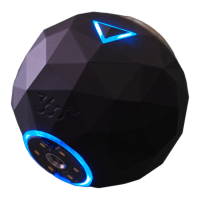
of the capture button will turn red and your camera will simultaneously vibrate while its LED
turns from blue to red. As the video records, you’ll notice a second button displaying a camera
icon appears to the top right of the Record button . This button


 To Next Page