Rack-mounting 33
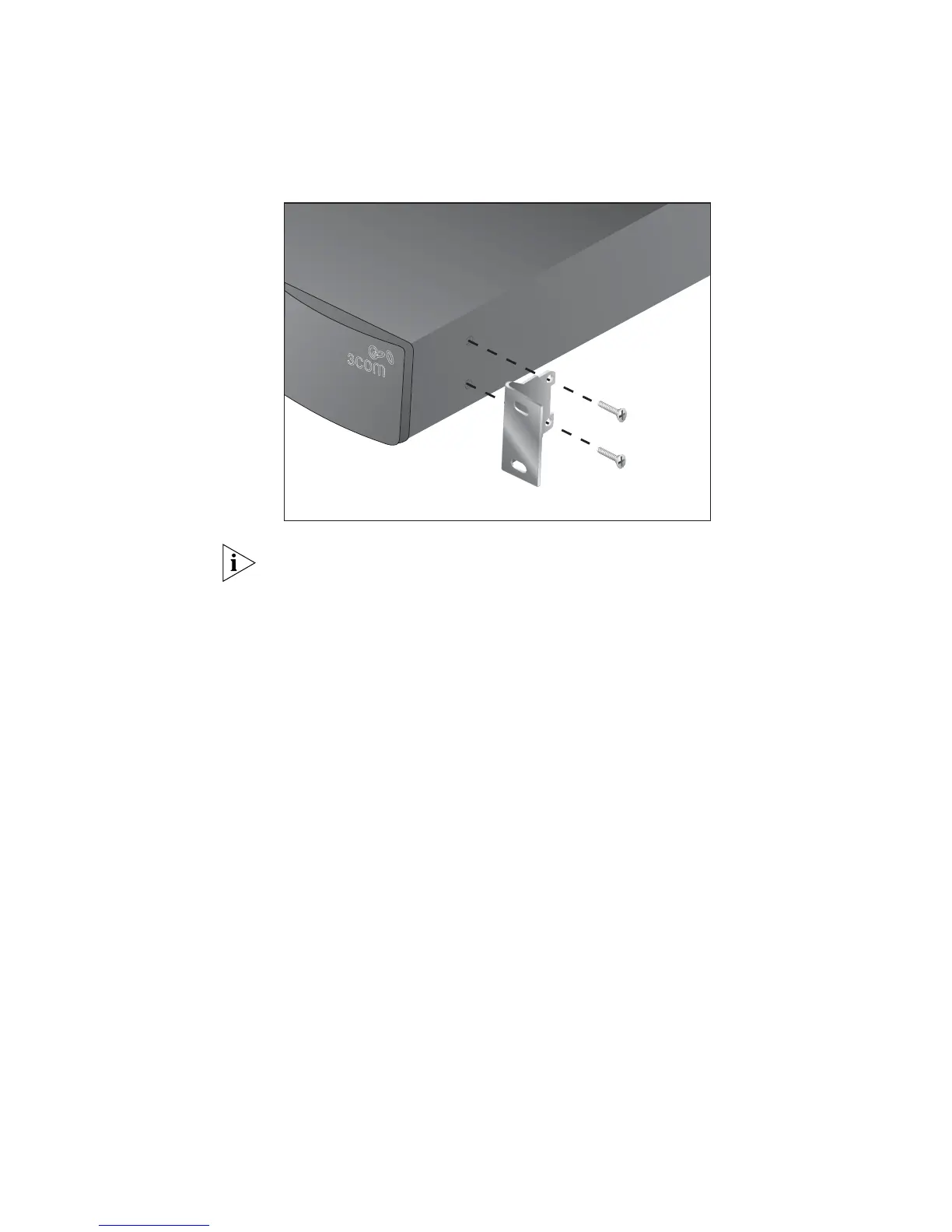
3 Insert the two screws and tighten them with a suitable screwdriver.
Figure 15 Fitting a front bracket for rack-mounting
You must use the screws supplied with the securing brackets. Damage
caused to the unit by using incorrect screws invalidates your warranty.
4 Repeat steps 2 and 3 for the other side of the switch.
5 Insert the switch into the 19-inch rack and secure with suitable screws
(not provided). Ensure that the ventilation holes are not obstructed.
6 Connect the network cabling.
7 Place a unit information label on the unit in an easily accessible position.
The unit information label shows the switch’s:
■ 3Com product name
■ 3Com 3C number
■ Unique MAC address (Ethernet address)
■ Serial number
You may need this information if you contact 3Com for Technical
Support.













 To Next Page