3.4.5. CLEANING THE MACHINE
Step 1. Switch the machine on and let it run until the granulator stops
processing granulate.
This can be heard by the decreasing noise or
checked by regularly turning off the machine and checking the granulate
collector.
Step 2. Switch the machine on in reverse for a few rotations of the
shredder blades. Now repeat step 1.
WARNING
Make sure the machine is turned off and the power plug is removed
before proceeding with the next steps!
For the manual cleaning in the next steps the following tools can be used
for removal of dust and plastic: Brush, Screwdriver (or similar object),
pressurized air and a vacuum cleaner
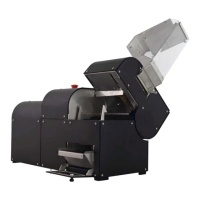
Step3. To clean the top part of the shredder compartment remove the
hopper and clean all visible pieces.
Step 4. Open the granulator compartment to clean the bottom part of the
shredder compartment.
Step 5. Remove filter screen and clean the granulator knives. They can
now be turned by hand using protective gloves.
Step 6. Finally clean the granulator compartment and reinstall the filter.


 To Next Page