Disposal of this product
At the end of your 3Doodler Create+’s life, please do
not dispose of it in your general household waste. In
order to prevent possible harm to the environment
or human health from uncontrolled waste disposal,
please dispose of your 3Doodler Create+ separately
in accordance with local laws and regulations. For
more information on the separate collection systems
for waste electrical and electronic equipment, please
contact your local municipal authority. You can also
contact the retailer from which you purchased your
3Doodler Create+, who may have a recycling service, or
be part of a specic recycling scheme that you can use.
ADULT USE ONLY.
KEEP OUT OF REACH OF CHILDREN.
SECTION 2: GETTING STARTED
WITH 3DOODLER CREATE+
How it Works:
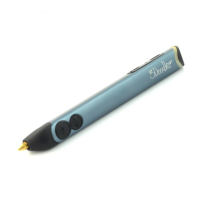
The 3Doodler Create+ melts Plastic and uses a motor and gears
(Drive Gear) to push it through the Pen’s hot end (Nozzle) in a
thin line. This process is called extruding or extrusion, and we
will refer to it throughout this User Manual. Once extruded, Plastic
cools and hardens instantly, allowing you to draw on surfaces and
in the air. This User Manual will show you how!
We created this User Manual as a step-by-step guide to
get you comfortable with your 3Doodler Create+ and
its features. Once you are familiar with these steps, you
will be able to Doodle with condence. Skipping steps
may result in a less enjoyable time with your
3Doodler Create+.
LIGHT LEGEND:
Solid RED:
Heating up
(Please wait)
BLUE: ABS/FLEXY
GREEN: PLA
Flashing Light:
Reversing Plastic
• Click once to start
• Click once to stop
• Double click to reverse
Plastic
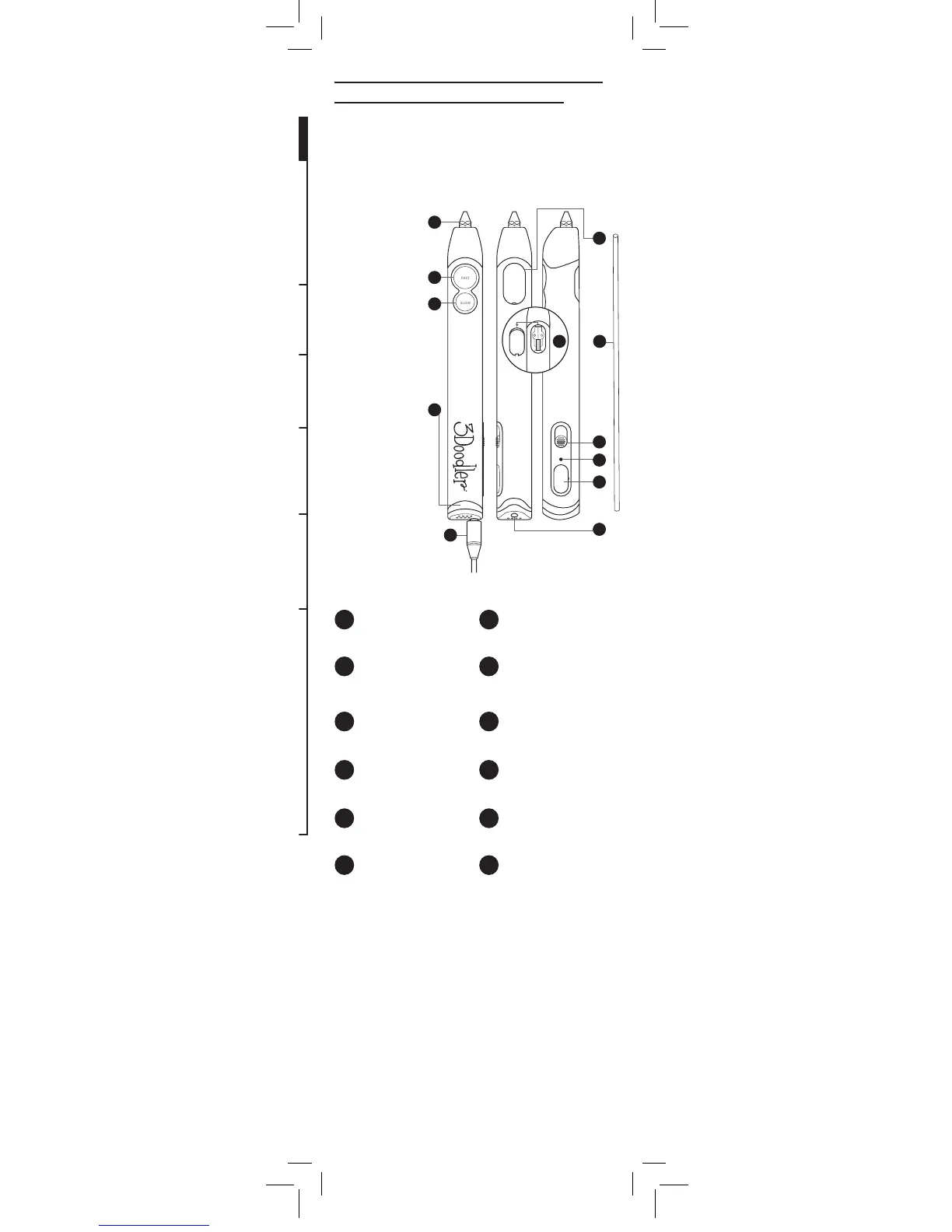
Plastic Loading Port
Hole for inserting Plastic
in the back of the
3Doodler Create+
Temperature Adjuster
(See the3doodler.com/
temperature)
Control Switch
For turning the 3Doodler
Create+ ON and OFF, and
selecting ABS / FLX or PLA
extrusion temperature
Control Port
Drive Gear
This pushes the Plastic
through the Pen
Nozzle
Hot end where Plastic is
extruded for Doodling
FAST Speed Button
SLOW Speed Button
Light
Tells you when your
3Doodler Create+ is ready
for Doodling
Power Adapter
Maintenance Cover
Allows you to look inside your
Pen to see what’s going on
SPEED BUTTON
LEGEND:
1
2
3
4
6
107
8
11
12
9
1 7
2 8
3 9
4 10
5 11
6 12
5
3Doodler_Bob_User_Manual_MAIN_Inner_20180511.indd 2 11/5/2018 11:37 AM


 To Next Page