
EasyManua.ls Logo

3DS MAX Series - User Manual

3DS MAX Series
11 pages
Print Icon
To Next Page IconTo Next Page
Loading...
MAX series
Solar Controller
12/24V10/20A
CE, Rohs, ISO9001:2015
User Manual
User Manual_Max series_NJ
Subject to change without notice!
1.3.03.03.0031

Questions and Answers

Summary

Overview

Safety and Liability

Safety Instructions and Liability Exclusion

Defines safety symbols, provides warnings, and outlines manufacturer disclaimers.

Dimensions

Connection and Grounding

Electrical Connection

Step-by-step guide for connecting PV, battery, and load terminals.

Grounding Guidelines

Instructions on how to properly ground the controller.

Operation

Key Functionality

Explains button operations for navigation and settings.

LCD Display Overview

Describes the controller's screen elements and status indicators.

Fault Indication

Lists error codes, icons, and their meanings for troubleshooting.

Parameter Settings

Guide on how to access and modify controller parameters.

PV Voltage and Charging Current

Settings for PV voltage and charging current.

Battery Type and Charging Parameters

Configuration for different battery types and their charging voltages.

Overcharge and Low Voltage Protection

Setting protection voltages for lithium and other battery types.

Load Mode Configuration

Options for setting the load output mode.

Optical Control Settings

Settings for day/night detection and optical delay.

Protection and PWM Settings

Configuration for short-circuit protection and PWM charging.

Troubleshooting and Maintenance

Troubleshooting Guide

Detailed fault list with reasons and solutions.

Maintenance Procedures

Recommended periodic checks and upkeep for optimal performance.

Technical Data

Parameter Specifications

Comprehensive list of technical parameters and specifications.

Overview

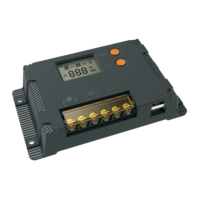
The MAX series Solar Controller is a versatile device designed for managing solar power systems. It supports both 12V and 24V systems and comes in 10A and 20A variants (MAX1024/MAX1024-U and MAX2024/MAX2024-U respectively).

Function Description

The controller's primary function is to regulate the charging of batteries from solar panels and manage the power supply to connected loads. It features an LCD display for easy monitoring of operating data and working conditions. Key functionalities include:

  • Automatic System Recognition: Automatically detects 12V or 24V system voltage.
  • Temperature Protection: Built-in over-temperature protection mechanism that reduces charging current if the temperature exceeds a set value.
  • Current Limiting: Automatic limit function for rated charging current.
  • Battery Compatibility: Flexible system battery selection, supporting Liquid, Gel, AGM, and Lithium battery types.
  • Multi-stage Charging: For lead-acid batteries (Liquid, Gel, AGM), it employs a four-stage charging process: fast charge, boost charge, equalization charge, and float charge.
  • PWM Charging: Programmable PWM charging to prevent system failure caused by Battery Management Systems (BMS), especially relevant for lithium batteries.
  • Short-circuit Protection: Programmable short-circuit protection to prevent output shutdown when connecting capacitive or inductive loads.
  • Voltage Control: Utilizes a PID algorithm for stable and accurate voltage output control.
  • Adjustable Settings: Allows setting of optical control point voltage and charging voltage.
  • EMC & Thermal Design: Features perfect Electromagnetic Compatibility (EMC) and thermal design for reliable operation.
  • Load Management: Offers various load modes including "Always on" (24H output), "Dusk to Dawn" (D2D), "Light control mode," "Time control mode," and "User-defined Mode." In "USE" mode, the load output can be manually switched on/off.

Important Technical Specifications

  • Max Charging Current: 10A (MAX1024/U) or 20A (MAX2024/U).
  • System Voltage: 12V/24V automatic recognition.
  • Max Volt on Battery Terminal: 35V.
  • Max Volt on PV Terminal: 25V@12V; 50V@24V.
  • Battery Types: Gel (default), AGM, Liquid, Lithium.
  • Charging Voltages (25°C/12V system, 24V values are doubled):
    • Fast Charging Voltage: < 14.5V/29.0V.
    • Boost Voltage: 14.0~14.8V/28.0~29.6V (default: 14.5V/29.0V).
    • Equalization Voltage (Liquid, AGM): 14.3~15.0V/28.6~30.2V (default: 14.8V/29.6V).
    • Float Voltage: 13.2~14.0V/26.4V~28.0V (default: 13.7/27.4V).
  • Low Volt. Disconnect: 10.8~11.8V/21.6~23.6V (default: 11.2/22.4V).
  • Overcharge Protect: 15.8/31.3V.
  • Temp. Compensation: -4.17mV/K per cell (Boost, Equalization), -3.33mV/K per cell (Float).
  • Lithium Battery Parameters:
    • Charging Target Voltage: 10.1~32.0V (default: 14.4V).
    • Low Voltage Disconnect: 9.0~30.0V (default: 10.6V).
  • Dusk/Dawn Detect Volt.: 3.0~10.0V/6.0~20.0V (default: 8.0/16.0V).
  • Output Current: 10A or 20A.
  • USB Interface: 5V, 2A.
  • Dimensions: 142 * 80 * 30mm.
  • Weight: 190g.
  • Grounding: Common Positive.
  • Power Terminals: 8AWG (10mm²).
  • Ambient Temperature: -20 ~ +50°C.
  • Storage Temperature: -25 ~ +80°C.
  • Protection Degree: IP32.
  • Max Altitude: 4000m.

Usage Features

  • LCD Display: Provides clear readouts of PV voltage, charging current, battery capacity, load status, and various units (Hours, Minutes, Seconds, Voltage).
  • Intuitive Interface: Easy navigation with MENU and OK keys.
  • Browse Interface: Short press OK to cycle through display information.
  • Static Display: Press MENU and OK simultaneously for 1s to lock/unlock the interface.
  • Parameter Setting: Press MENU for 1s to enter setting mode (indicated by a flashing icon). Use OK to increase and MENU to decrease parameters. Hold MENU for 1s to exit.
  • Load On/Off (Street Lamp Mode): Press MENU for 3s to turn on the load; press again or wait 1 minute to turn off.
  • Fault Indication: Displays error codes (E01-E08) for load short circuit, load over current, battery low voltage, battery over voltage, over temperature, PV over voltage, PV over current, and PV short circuit, along with corresponding icons and descriptions.
  • Connection Sequence: Emphasizes a specific connection order: loads first, then battery, then solar module, to ensure safety and proper operation.
  • Safety Warnings: Includes warnings about high voltage, risk of explosion from short-circuited battery terminals, and prohibition of inductive loads on controller terminals.
  • Adjustable Load Modes: Offers flexibility in how the load operates, including 24H output, Dusk to Dawn, and various timed lighting modes.
  • Optical Control Spot: Allows users to set day/night threshold voltage for different solar panels and locations.
  • Optical Delay: Enables setting a delay (0-60 seconds or 1-30 minutes) for lighting time after nightfall.
  • Short Circuit Protection (Programmable): Can be enabled (SoN) or disabled (SoF) to prevent output shutdown when starting inductive or capacitive loads that might trigger protection.
  • PWM Charging Settings (Lithium Batteries): Allows turning off PWM charging to prevent BMS protection triggers, especially with lithium batteries.

Maintenance Features

  • Recommended Maintenance: For best system performance, inspections and maintenance tasks are recommended at least twice a year.
  • Airflow and Cleanliness: Ensure no obstructions around the controller for proper airflow. Clear dirt and fragments from the radiator.
  • Wiring Inspection: Check all naked wires for insulation damage, repair or replace if necessary.
  • Terminal Connections: Tighten all terminal screws to the indicated torque. Inspect for loose, broken, or burnt cable connections.
  • LCD Consistency: Check LCD display for consistency with requirements and address any troubleshooting or error indications.
  • Grounding: Ensure all system components are effectively and tightly connected to ground.
  • Corrosion and Damage: Check all terminals for corrosion, damaged insulation, or increased temperature.
  • Pest Control: Inspect for dirt, nesting insects, and corrosion signs, implementing corrective actions as early as possible.
  • Safety Precaution: Always turn off all power before performing maintenance operations to avoid electric shock.

3DS MAX Series Specifications

General IconGeneral
Brand3DS
ModelMAX Series
CategoryController
LanguageEnglish