30
Create
Create Create
Create Exclusion Zone
Exclusion ZoneExclusion Zone
Exclusion Zone,
, ,
, Cont.
Cont. Cont.
Cont.
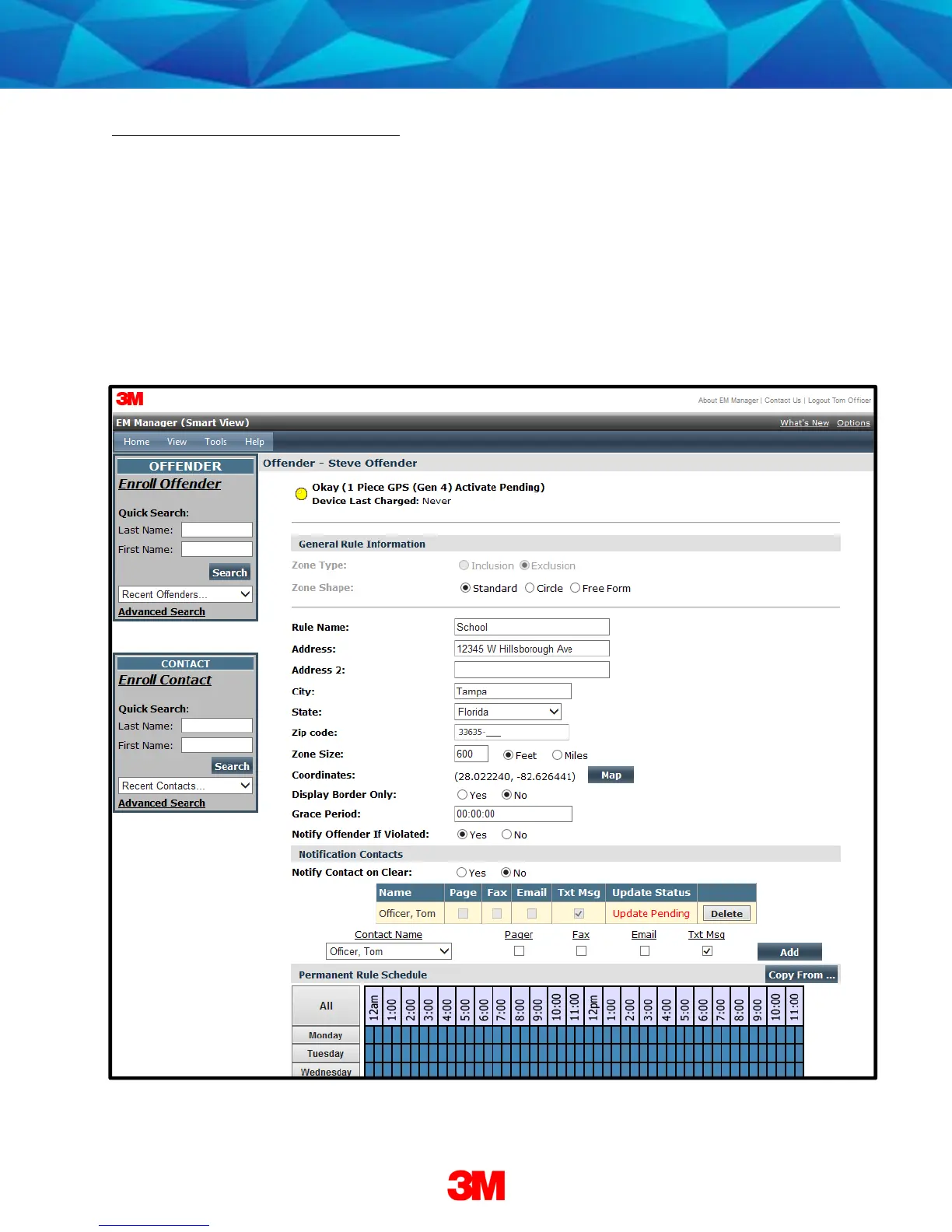
6. Enter the Rule Name (school, playground, etc.).
7. Enter the address information and the zone size. The default is 600 ft.
8. Select Yes or No if you want to notify the offender upon violation.
9. Choose the appropriate Contact from the Notification Contact drop down list.
The contact’s default notification method will appear selected.
10. Click the Add
AddAdd
Add button.
11. Click the Map
MapMap
Map button.


 To Next Page