EasyManua.ls Logo

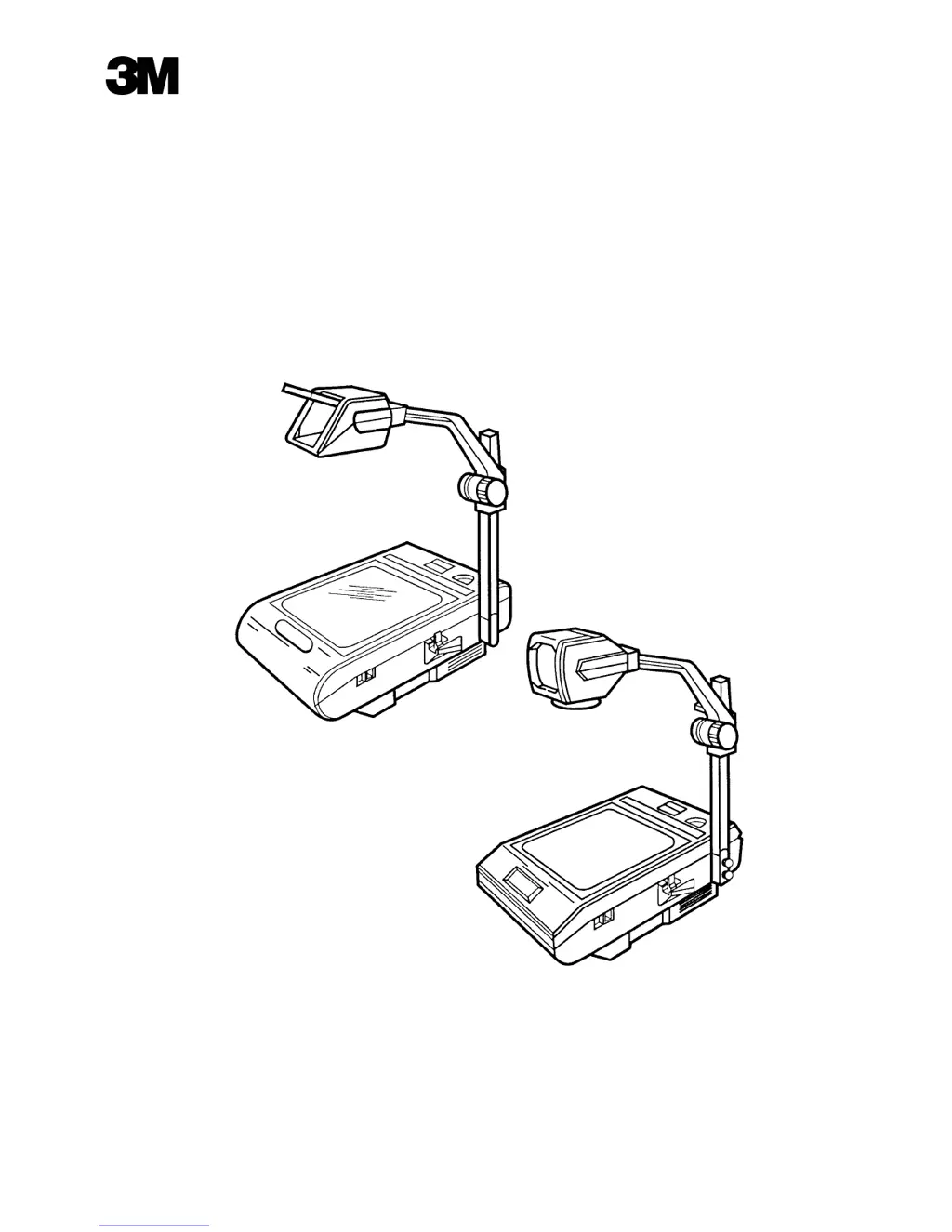
3M 2100 - User Manual

3M 2100
37 pages
Print Icon
To Next Page IconTo Next Page
Loading...
Printed in U.S.A.
3M 6/96 78-6970-4936-5 Rev. B
3M Visual Systems Division
6801 River Place Boulevard
Austin, Texas 78726-9000
2100 Overhead Projector
Illustrated Parts Breakdown
.

Other manuals for 3M 2100

Questions and Answers

  • J
    Jessica ClarkAug 17, 2025
    What to do if the 3M Projector lamp does not energize but the fan motor does?
    • J
      Jeffrey FlemingAug 17, 2025
      If the 3M Projector lamp does not energize but the fan motor does, try replacing the lamp, overheat thermostat, or lamp sensing switch (only on projectors equipped with lamp changer). Also, check for loose or broken wire connections and a defective power supply.
  • D
    dannywestAug 19, 2025
    What to do if my 3M 2100 does not operate when the power switch is depressed?
    • N
      Nicholas MortonAug 19, 2025
      If the 3M Projector does not operate when the power switch is depressed, replace the fuse, check the power cord, interlock switch, and wiring for defects.
  • E
    Erik WilliamsAug 22, 2025
    Why is the projected image of my 3M 2100 Projector not as bright as it should be?
    • K
      Kristopher JonesAug 22, 2025
      If your 3M Projector's projected image is not as bright as it should be, replace the lamp. The issue may also be due to damaged or misadjusted optics components, a corroded wiring connection, or the wrong lamp with a broken or missing reflector.
  • J
    julie79Aug 25, 2025
    Why do the lamps in my 3M 2100 Projector keep burning out?
    • B
      Brian MorganAug 26, 2025
      If the lamps in your 3M Projector burn out, it might be due to high voltage. Install a Resistor Kit, replace the transformer, or change the transformer tap.
  • R
    rgarrettAug 27, 2025
    How to fix a 3M 2100 focus mechanism that slips or is too tight?
    • J
      jilljimenezAug 27, 2025
      If the focus mechanism on your 3M Projector slips or is too tight, turn the screw counterclockwise to tighten it or clockwise to loosen it. Also, add an update kit.
  • P
    perrytiffanyAug 30, 2025
    What causes the fan motor of a 3M 2100 not to rotate, but the lamp to energize?
    • A
      Alan WelchAug 30, 2025
      If the fan motor of your 3M Projector does not rotate but the lamp does energize, the issue may be a loose or broken wire connection to the motor or a defective fan motor.
  • R
    Ralph LindseySep 2, 2025
    How to fix red or blue corners on 3M Projector image?
    • G
      gsmithSep 2, 2025
      If the corners of the projected image on your 3M Projector appear red (brown) or blue, adjust the Color Tuning. This is due to damaged or misadjusted optics components that require realignment.
  • L
    Louis CoffeySep 4, 2025
    What to do if the top, bottom, or sides of my 3M 2100 image are not focused?
    • S
      Shannon MolinaSep 4, 2025
      If the top, bottom, or sides of the projected image from your 3M Projector are not focused, adjust the optics components, which requires realignment of the optics.
  • P
    Patrick ReeseSep 7, 2025
    Why do both lamps of my 3M Projector with a lamp changer energize at once?
    • S
      Stephanie MurphySep 7, 2025
      If both lamps of units with a lamp changer energize at once on your 3M Projector, there is a defective lamp sensing switch.
  • G
    Gail MasseySep 10, 2025
    What to do if the lamp socket position doesn't change on my dual lamp 3M 2100 Projector?
    • B
      Brenda ShepherdSep 10, 2025
      If the position of the lamp socket does not change when the lamp changer control is moved on your dual lamp 3M Projector, tighten the cable. Refer to Section 4, adjustments.

Summary

Overview

Quick Reference Parts Index

Articulate Head Assembly

Triplet Head Assembly (After S;N 421446)

Triplet Head Assembly (Prior to S;N 421446)

Focus Mechanism Assembly (After S;N 422868)

Focus Mechanism Assembly (Prior to S;N 422868)

Top Cover Assemblies

Base Assembly

Fixed Post Assembly

Post Pivot Assembly

Lamp Module Assembly (After S;N 422868)

Lamp Module Assembly (Prior to S;N 422868)

Wire Jumpers;Harness

Roller Attachment

Field Update Kits

3M 2100 Specifications

General IconGeneral
Brand3M
Model2100
CategoryProjector
LanguageEnglish

Related product manuals