EasyManua.ls Logo

3M GVP Series - User Manual

3M GVP Series
11 pages
Print Icon
To Next Page IconTo Next Page
Loading...
3
GVP Series Belt-Mounted Powered A
ir Purifying
Respirator Assembly
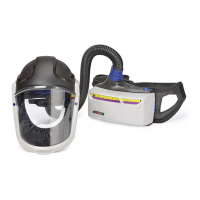
User Instructions for 3M™ Belt-Mounted PAPR Assembly GVP-1, GVP-1U, GVP-
CB, GVP-PSK2, GVP-614-SK and 3M™ PAPR Unit GVP-100
IMPORTANT: Before use, the wearer must read and understand these User Instructions. Keep these User
Instructions for reference.

Questions and Answers

  • M
    Mr. Arthur TorresAug 16, 2025
    Why am I experiencing dizziness using the 3M GVP?
    • C
      Cory TownsendAug 16, 2025
      If you experience dizziness while using the 3M Respiratory Product, it could be due to several reasons. The gases or vapors might have broken through the chemical cartridge, in which case you should leave the work area immediately. Another reason may be that the gas and vapor cartridge being used is incorrect for your workplace contaminants, so you should change the gas and vapor cartridge. Also, check if the airflow is too low and troubleshoot if the PAPR fails the airflow test. Lastly, inspect the inlet and outlet gaskets; if they are in poor condition, replace them.
  • L
    Luis LunaAug 19, 2025
    What to do if 3M GVP PAPR fails airflow test?
    • M
      Miss Carrie DurhamAug 19, 2025
      If your 3M Respiratory Product PAPR fails the airflow test, the issue could stem from several causes. A clogged filter is a common culprit, so try replacing the filter. The battery pack might need charging, so ensure it's adequately charged. Inspect the inlet and/or outlet gaskets for wear or damage, and replace them if necessary. A motor blower malfunction can also cause this issue, requiring replacement of the motor blower unit. Lastly, check for any restrictions in the breathing tube and remove them.
  • J
    Jennifer SmithAug 22, 2025
    What to do if the blower does not run on my 3M GVP Respiratory Product?
    • M
      Martha WelchAug 22, 2025
      If the blower on your 3M Respiratory Product does not run when the switch is depressed, several factors could be responsible. It could be that the battery is discharged, so try recharging it. Check if the power cord is disconnected and secure it to the motor blower and battery. A faulty power switch or power cord could also be the cause, requiring replacement. In some cases, a faulty motor may be the reason; if so, replace the motor blower.
  • L
    Lisa JohnsonAug 25, 2025
    What to do if I smell contaminants using 3M GVP Respiratory Product?
    • E
      Eileen PowellAug 26, 2025
      If you smell or taste contaminants or experience irritation while using the 3M Respiratory Product, it may be due to misuse, improper assembly, or a malfunction of the equipment. Immediately leave the work area and contact your supervisor. Do not use the PAPR until the cause is identified and corrected.
  • C
    Calvin WrightAug 28, 2025
    How to fix GVP-111 battery pack recharge light staying on for 3M GVP Respiratory Product?
    • R
      Rachel HoAug 28, 2025
      If the GVP-111 battery pack recharge light remains “on” for your 3M Respiratory Product, it could be due to a charger malfunction, in which case you should replace the charger and charge the battery. Alternatively, the battery may have a dead cell(s), requiring you to replace the battery pack.
  • C
    Carla HudsonAug 31, 2025
    What to do if BC-200 or BC-210 charger indicator is red or not illuminated on 3M GVP?
    • G
      Gregory BrownAug 31, 2025
      If your BC-200 or BC-210 charger for the 3M Respiratory Product does not work and the charge adapter indicator is red or not illuminated, it may be because the incorrect battery pack is connected to the charger. Ensure you select the correct charger for the battery pack. Also, remember that the BC-210 should only be used with the BP-15 battery pack, so select the correct charger for the battery pack.
  • J
    Jorge EvansSep 3, 2025
    What to do if BC-200 or BC-210 charge adapter indicator is steady yellow on 3M GVP Respiratory Product?
    • C
      Curtis ElliottSep 3, 2025
      If the BC-200 or BC-210 charger for your 3M Respiratory Product does not work, and the charge adapter indicator shows a steady yellow light, it could be that the BP-15 battery pack is either too hot or too cold for charging. Allow the battery pack and charger temperatures to moderate to between 50°F (10°C) and 90°F (32°C). It could also be that an incorrect battery pack is connected to the charger, so ensure you select the correct charger for the battery.
  • N
    Nicole RodriguezSep 6, 2025
    What to do if BC-200 or BC-210 has no lights on 3M GVP Respiratory Product?
    • R
      robertsrobinSep 6, 2025
      If the BC-200 or BC-210 charger for the 3M Respiratory Product does not work and there are no lights illuminated on either the power base or the charge adapter, the fuse on the power base may have blown. Determine the cause of the blown fuse and replace it with a fuse of the same type.
  • E
    Emily ChristensenSep 9, 2025
    What does steady yellow power base indicator mean on 3M Respiratory Product?
    • M
      Michelle WatsonSep 9, 2025
      If the BC-200 or BC-210 charger for your 3M Respiratory Product does not work and the power base indicator shows a steady yellow light, there may be too many chargers chained together. Remove the excess chargers to resolve this issue.
  • T
    Tyler RodriguezSep 12, 2025
    What to do if BP-15 battery pack doesn't work after charging for 3M GVP?
    • C
      Cody StevensSep 12, 2025
      If the BP-15 battery pack for your 3M Respiratory Product does not work after charging, the low voltage detection circuit may not have reset. Try recharging it for a short period of time to reset the circuit.

Summary

Safety and Usage Guidelines

General Warnings

Highlights critical safety information and potential risks associated with respirator misuse.

Limitations of Use

Specifies environments and conditions where the respirator system should not be used.

Assembly

Charge the Battery Pack

Instructions for charging BP-15, GVP-111, and TR-630 battery packs, including notes on chargers and indicators.

Filter;Cartridge Assembly

Steps for correctly attaching filters or cartridges to the motor/blower unit, including warnings.

Inspection Procedures

Visual Inspection

Detailed steps for visually inspecting all PAPR system components before use.

Airflow Check

Procedure to check for proper airflow using the airflow meter before entering contaminated areas.

Entering and Exiting the Contaminated Area

Cleaning, Storage, and Disposal

Specifications

Troubleshooting Guide

Common Problems and Solutions

Table identifying potential problems, causes, and corrective actions for PAPR operation.

3M GVP Series Specifications

General IconGeneral
Brand3M
ModelGVP Series
CategoryRespiratory Product
LanguageEnglish

Related product manuals