EasyManua.ls Logo

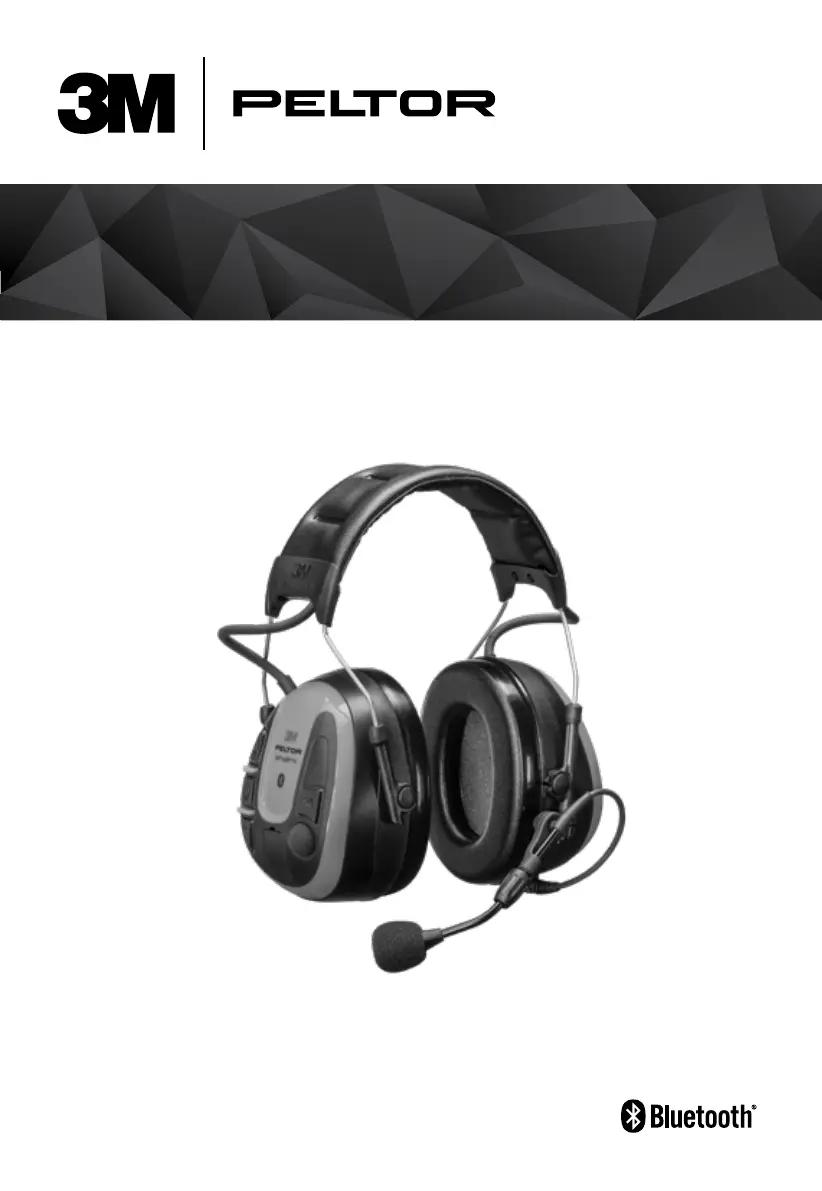
3M PELTOR WS ALERT X - User Manual

3M PELTOR WS ALERT X
263 pages
Print Icon
To Next Page IconTo Next Page
Loading...
TM
WS
ALERT
X Headset
Casque antibruit WS
ALERT
X

Table of Contents

Questions and Answers

  • A
    anthony38Jul 30, 2025
    Why is my 3M PELTOR WS ALERT X Headsets pairing failing?
    • C
      Carol BrownJul 30, 2025
      Pairing issues with your 3M Headsets can occur if the Bluetooth device you're trying to connect is out of range. Ensure the device is in pairing mode and ready to connect. If the problem persists: 1. Remove all Bluetooth devices synchronized to your phone. 2. Restart your phone. 3. Perform a factory reset on the headset. 4. Pair your headset to your phone again. 5. If it still fails, try pairing with another phone to rule out compatibility issues.
  • H
    Heather GreenAug 6, 2025
    What to do if my 3M PELTOR WS ALERT X will not power on?
    • K
      kathleenalexanderAug 6, 2025
      If your 3M Headsets won't power on, the battery may be the issue. First, ensure the battery is fully charged. If that doesn't work, replace the battery.
  • J
    John BaileyAug 14, 2025
    Why do I have a problem with the FM radio reception on my 3M Headsets?
    • A
      Angela TorresAug 14, 2025
      If you're experiencing poor FM radio reception on your 3M Headsets, several factors could be the cause. Ensure the battery is fully charged or replace it if necessary. Also, radio reception is influenced by the surrounding environment and topography; try changing your location to improve reception.
  • D
    Donald BergerAug 21, 2025
    How to fix crackling noises during streaming/phone calls with 3M PELTOR WS ALERT X?
    • J
      jeffrey65Aug 21, 2025
      Crackling noises during streaming or phone calls with your 3M Headsets can be due to interference. Bluetooth is sensitive to obstructions between the headset and the connected device. Maintain a line of sight with no walls or obstacles, and ensure the distance is within 10 meters. Even the phone's location on your body can affect the connection.

Summary

A) STANDARD EN 352-1:2020

A) STANDARD EN352-3:2020

B) STANDARD EN352-4:2020

C) STANDARD EN352-6:2020

D) COMPATIBLE CARRIER DEVICES EN 352-3

E) STANDARDS ANSI S3.19-1974 (US) AND CSA 22.2 (CANADA)

F) STANDARD AZ;NZS 1270:2002

2. SAFETY

2.1. IMPORTANT

Key safety instructions to read before operating the headset.

2.2. CAUTION

Warnings regarding battery replacement and product integrity.

2.3. NOTE

Important notes on product features, operation, and compatibility.

3. APPROVALS

6. SETUP

6.2. REMOVE;INSTALL BATTERIES

Procedure for battery replacement and installation.

7. FITTING INSTRUCTIONS

8. OPERATING INSTRUCTIONS

8.1. POWER ON;POWER OFF

How to turn the headset on and off.

8.2. ADJUST AND SELECT SOUND SOURCE VOLUME LEVEL

How to adjust volume and switch audio sources.

8.3. AMBIENT;ENVIRONMENTAL LISTENING

Features for hearing ambient sounds while wearing the headset.

8.4. COMMUNICATION FACE TO FACE (PUSH-TO-LISTEN, PTL)

Functionality for instant communication with the environment.

8.5. PAIRING A BLUETOOTH DEVICE

Steps to connect the headset to Bluetooth devices.

8.6. CONNECTED TO PHONE

Instructions for phone connectivity and operation.

8.7. CONNECTED TO TWO-WAY RADIO

Instructions for connecting and operating with two-way radios.

8.8. 3 M CONNECTED EQUIPMENT, MOBILE APPLICATION

Information on using the companion mobile application.

9. MENU FUNCTIONS

9.1. CONFIGURING YOUR HEADSET

Detailed guide to headset configuration options.

10. TROUBLESHOOTING

12. CLEANING AND MAINTENANCE

3M PELTOR WS ALERT X Specifications

General IconGeneral
Noise Reduction Rating (NRR)24 dB
BluetoothYes
MicrophoneYes
WaterproofNo
Operating TimeUp to 78 hours
Product TypeHeadset
Bluetooth Range10 m
Environmental ConditionsSuitable for industrial environments
CompatibilityCompatible with most Bluetooth devices
Battery Type2 x AA

Related product manuals