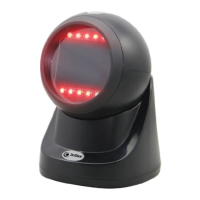
1. Basic Function
Factory Default Software Version
2. Indicator Description
2.1 LED Details
Green light --> charging
(1) Steady flash means charging.
(2) Will goes out when the battery is fully charged.
Blue light --> Status
(1) One quick flash for one successful scanning.
(2) Flash will goes out if USB/2.4G/ Bluetooth HID are not connected.
(3) Flash always on when USB or 2.4G or Bluetooth is connected.
(4) Quick&continuous flash: entering 2.4G&Bluetooth HID pairing.
*Remarks:
Flash slowly when entering Bluetooth SPP/BLE pairing.
2.2 Buzzer Details
A long beep--> Status:
(1) Power on;
(2) Bluetooth data transmission failed;
A short beep-->Status:
(1) Bar-code read &upload successfully;
(2) USB connect successfully;
(3) 2.4G/Bluetooth connected or paired;
High&low short beep-->Status:
(1) Setting code obtained successfully;
(2) Data stored successfully;
(3) Data upload completely;
(4) Enter the off state;
Three short beeps--> Status:


 To Next Page