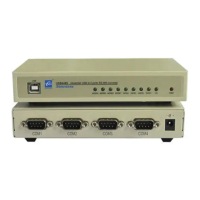
USB4485 User Manual
Page
2
of
9
Contents
1. Introduction............................................................................................................................................3
2. Packing List........................................................................................................................................... 3
3. Features................................................................................................................................................... 3
4. Specifications....................................................................................................................................... 3
5. Panel Layout..........................................................................................................................................4
5.1 Front Panel.......................................................................................................................................4
5.2 Front Panel.......................................................................................................................................4
5.3 RS-232 Pinout..................................................................................................................................5
6. Dimension............................................................................................................................................... 5
7. Driver Installation................................................................................................................................5
7.1 Driver installation...........................................................................................................................5
7.2 Change serial port properties.....................................................................................................8


 To Next Page