USB4485 User Manual
Page
8
of
9
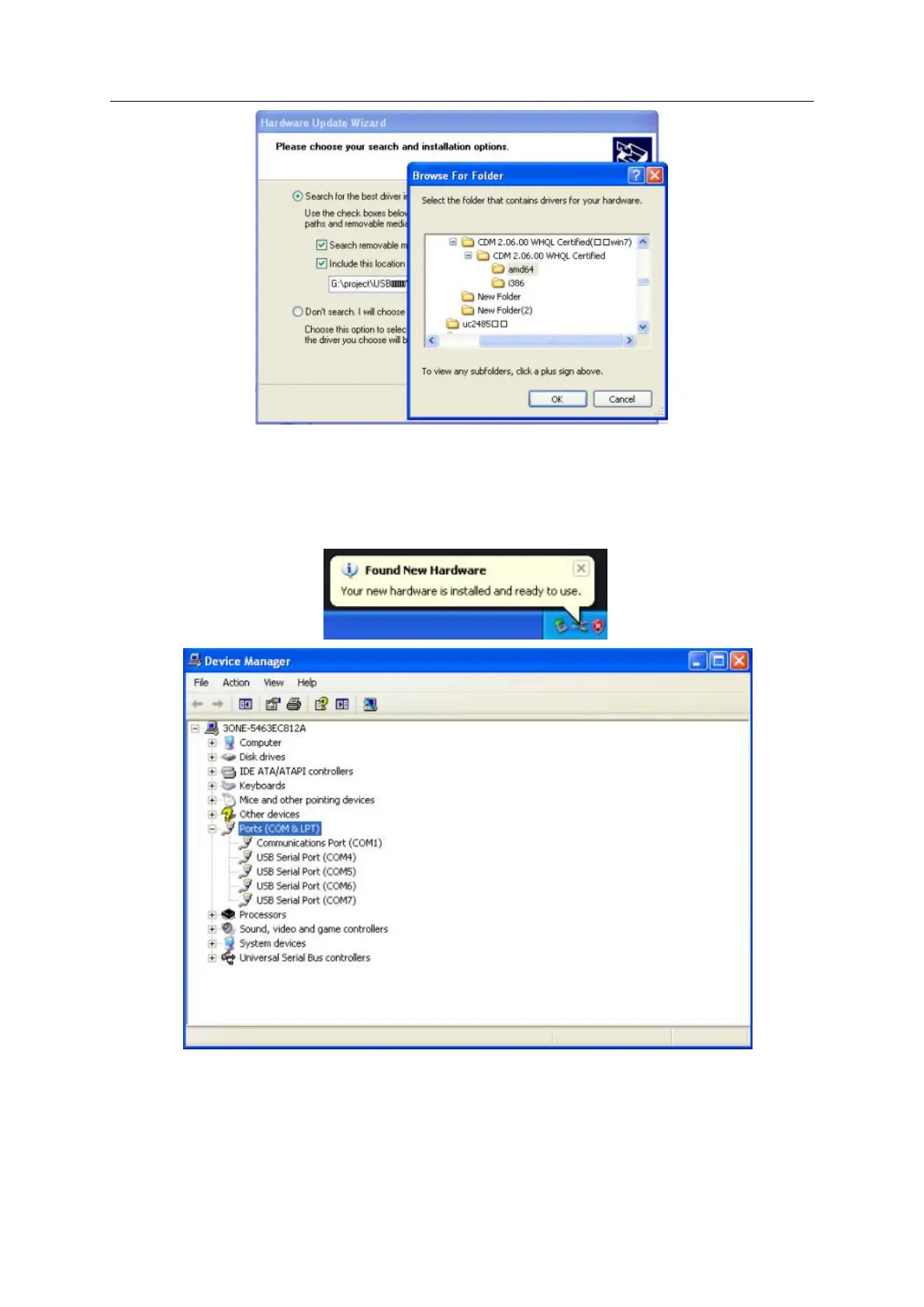
VII. Repeat 3 times install the driver for the port, It created 4 virtual serial port in the PC.
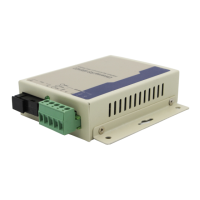
The Found New Hardware balloon will reappear to inform you that the hardware was
installed successfully. You can see them in Device Manager as follows(COM4~COM7):
7.2 Configuring serial port properties
After the driver has been installed, use Windows’ Device Manager to configure the
USB4485 serial ports. (click Start
→
Settings
→
Control Panel
→
System, select the


 To Next Page