USB4485 User Manual
Page
9
of
9
Hardware tab, and then click Device Manager. )
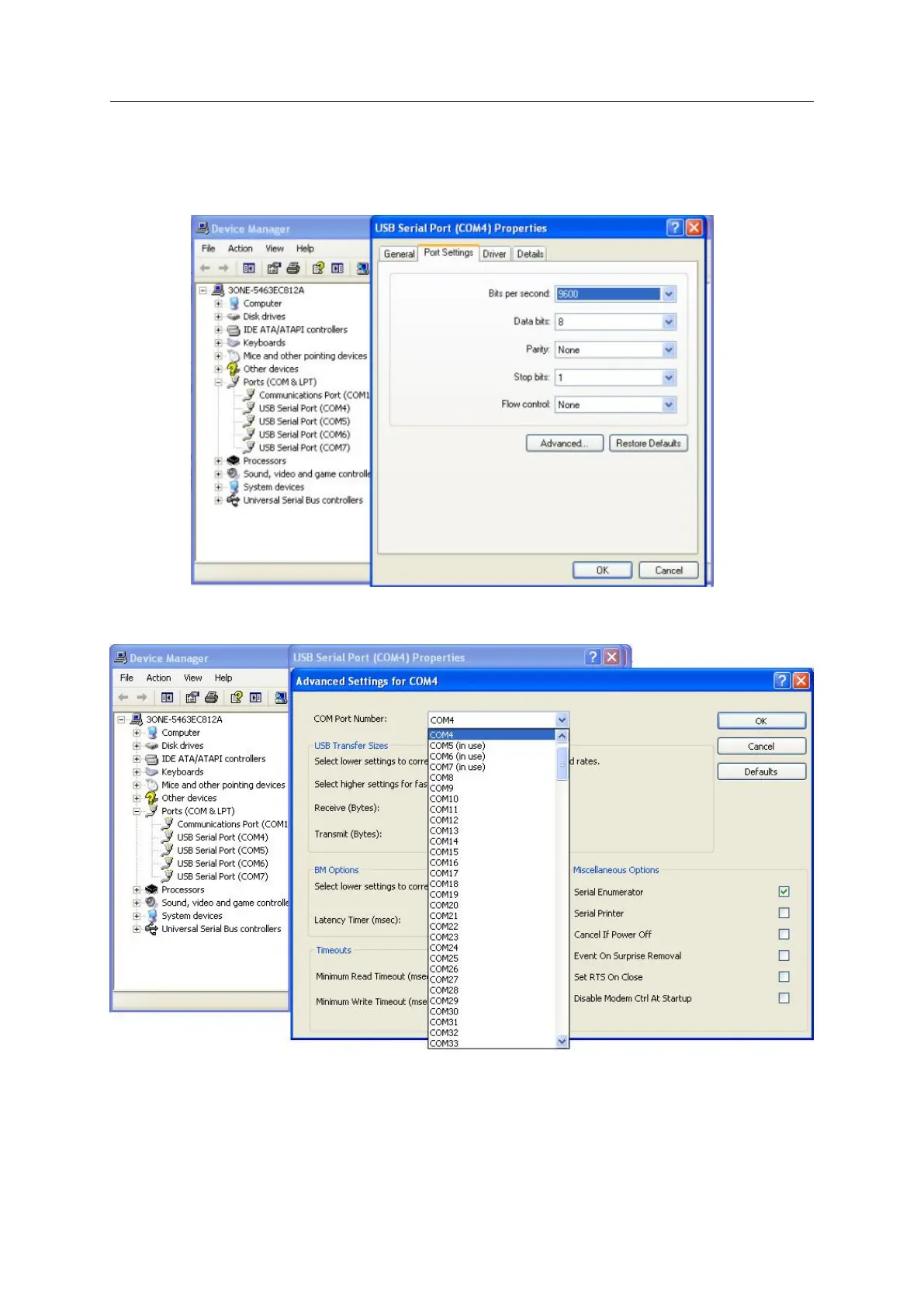
Right click the serial port, select properties, you can see the information of serial port
properties in General, Port Setting, Driver, Details (generally, configuring is not necessarily,
cause USB4485 can automatically detect data).
Select Advanced settings for COM, you can redistribute the port.(If you click the Restore
Defaults, all the settings will return to Factory default settings)
NOTE:
In use: the port is used.
After change serial port properties, must select scan the hardware again or reinsert USB
cable, otherwise, the port is not displayed.


 To Previous Page