39
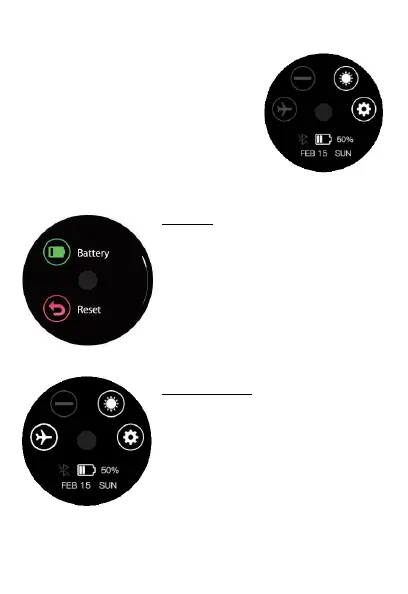
Quick Setting Menu
The Quick setting menu allows you
to easily access shortcuts to help
you customize your watch. Swipe
up on the main screen to access
this menu.
Settings
Find the settings by tapping on the
gear icon in the quick settings menu.
You can check your battery’s
percentage, adjust the screen
timeout time and more in the
settings section.
Airplane Mode
Airplane Mode turns off the
Bluetooth connection between the
watch and the app. When the icon is
white the airplane mode is ON.
When the icon is grey airplane mode
is OFF.


 To Next Page