N9071 Mini Dome Network Camera 2 Megapixel + H.264
- 34 -
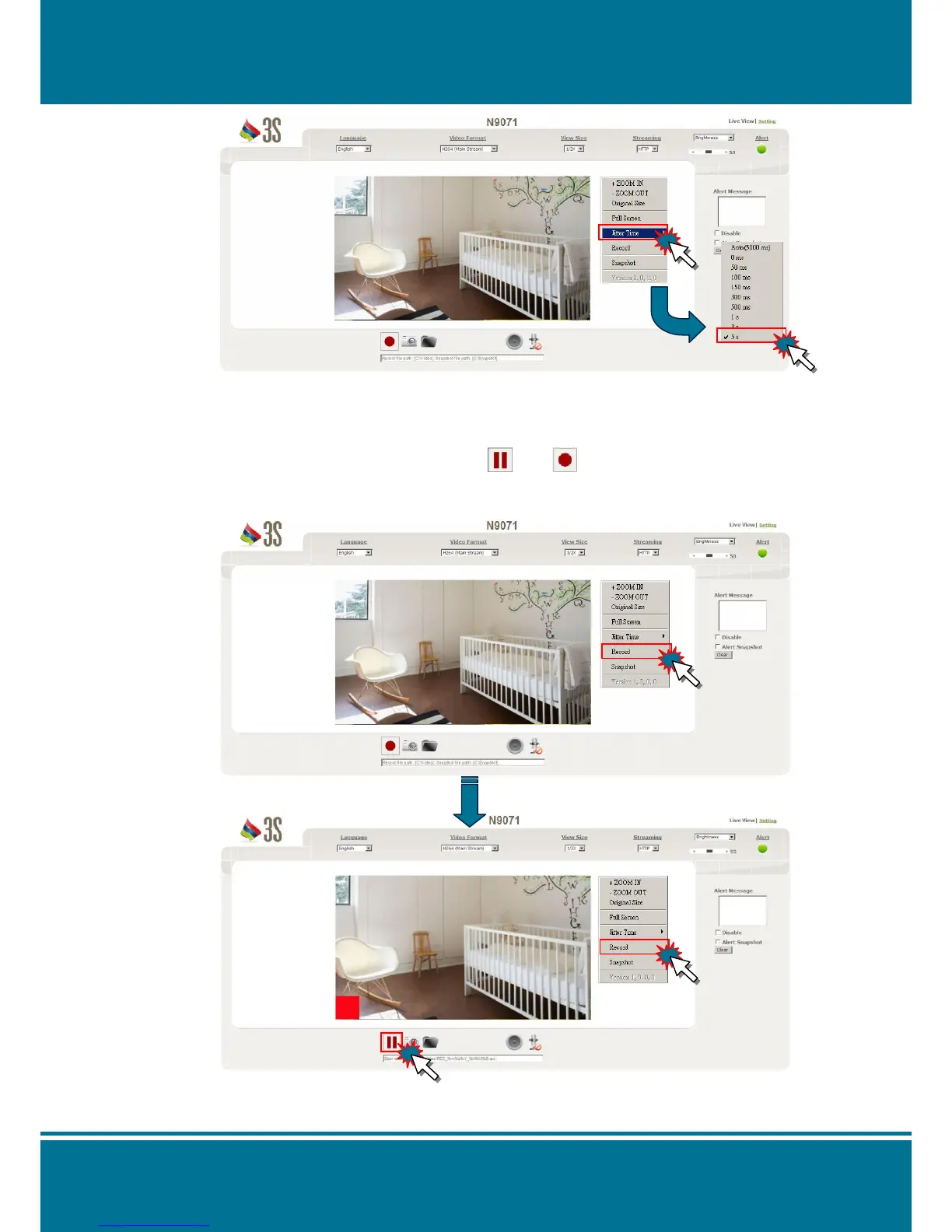
Record
Click the right button of your mouse and select Record to start to record the image and
the file will saved at the default path. Stop the recording by click the button again.
You can also start /stop recording by press and on the shortcut bar.
The record icon of Shortcut Bar will change the status and the Live View image will display
with the red square signal in the left corner when it is recording.


 To Next Page