N9071 Mini Dome Network Camera 2 Megapixel + H.264
- 58 -
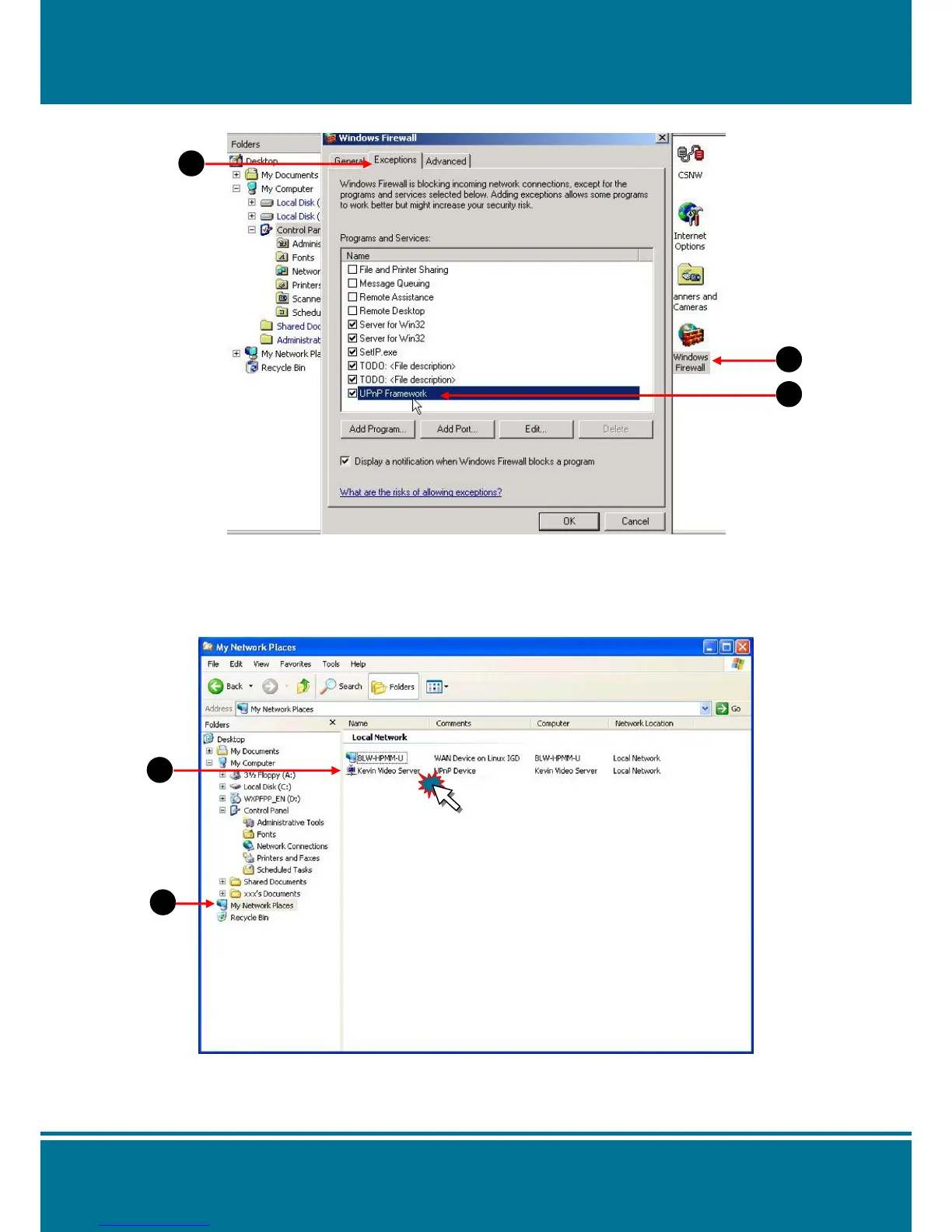
2. Open Windows firewall option
Step 1 Select Windows Firewall in the Control Panel.
Step 2 Select Exceptions.
Step 3 Select UPnP Framework.
3. View the connection device using “My Network Place”
Step 1 Open the folder of My Network Place.
Step 2 The LAN camera will appear on the screen
Double click it.


 To Next Page