N9071 Mini Dome Network Camera 2 Megapixel + H.264
- 89 -
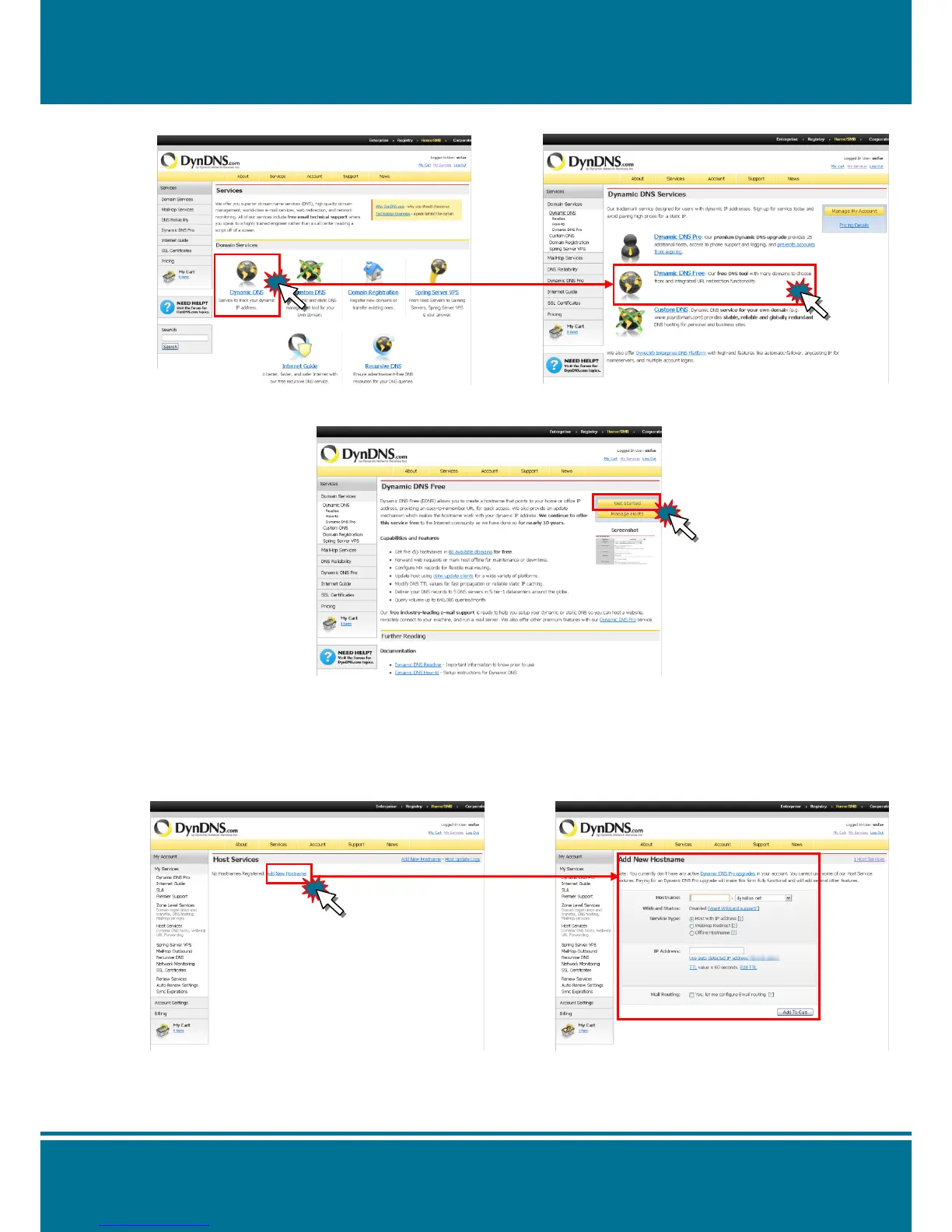
6. Please click Dynamic DNS then select Dynamic DNS Free service.
7. Click Get Started button to add the new Hostname.
8. Set up the Hostname and IP Address by yourself. You can enter your favorite domain
name as your Hostname, and input correct IP address (e.g. the IP address need to input
the real IP address from IP Camera, please see the NOTE illustration below). Finally, click
Add Host to finish with the setting.
NOTE:
The IP almost appear after IP setting.
(PPPoE/DHCP/Fix IP). Click Setting > System > IP Address


 To Next Page